

Langflow フローをインポートする
このウォークスルーでは、Langflow からエクスポートしたフロー(Langflow 1.6.0 に同梱のスタータープロジェクト Basic Prompting)を、書かれたままでフローを載せた Langflow を Docker Compose 向けにビルドする Aggregate、Release、Manifest へとインポートし、それらをビルドして結果を実行します。以下のすべてのファイルと出力ブロックは実際の実行から得たものです。フローとウォークスルーの各段階は import-langflow の例にあり、そこではチェックスクリプトがインポートを再実行し、書き出す内容、出力する内容、およびこのページが引用するブロックを、そこに保管されたファイルと比較し、インポートが書き出したものを検証してビルドします。
サンプルを生成する
このインポートは、このページのコマンドで実行することも、AI アシスタントに実行させることもできます。
例の名前を付けた新しいフォルダーに例を書き出します。
aggrega scaffold --example import-langflowその後、次に実行するコマンドを表示します。最初のコマンドは新しいフォルダーに移動します。それに続く以下のコマンドは、新しいフォルダーの source フォルダーに移動します。インポートはここで実行します。このフォルダーにはフローのファイル basic-prompting.json が入っており、このページではその内容を引用せずに説明します:
cd import-langflow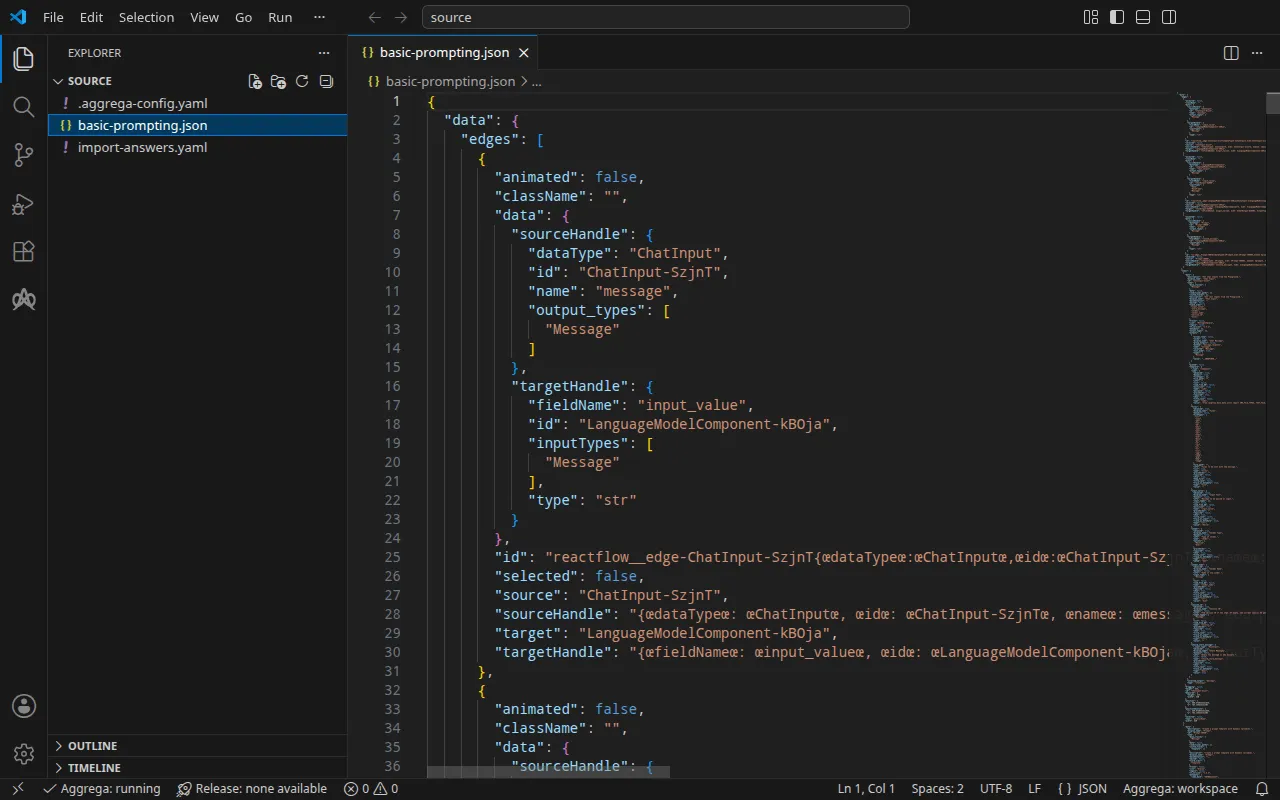
フロー
Basic Prompting は 4 つのノードを連結します。Chat Input、Prompt、OpenAI の gpt-4.1 を呼び出す Language Model、そして Chat Output です。Langflow に同梱されている形では、約 54 KB の 1 つの JSON ファイル basic-prompting.json で、フローに加えて各コンポーネントのソースコードも含みます。その Language Model ノードはグローバル変数 OPENAI_API_KEY からキーを読み取り、その名前の変数が保存されていない場合、Langflow はそれを自身の環境から読み取ります。
フローの隣にある .aggrega-config.yaml が、フォルダをワークスペースにします:
# The workspace key marks this directory as the workspace root, so an import run# here writes its drafts beside basic-prompting.json.workspace: {}# The registry the importer is fetched from the first time an import needs it.default_registry: hub.aggrega.aiそして import-answers.yaml は、どのフローにも保持できないものへの回答を保持します。Docker Compose 向けのインポートはそのいずれも必要としません。各シークレットを、Docker Compose がシェルから値を埋める変数参照によって結び付けるからです。Kubernetes 向けのインポートは各シークレットを Kubernetes Secret の名前によって結び付けますが、その名前を指定できるのは利用者だけです。そのため、このファイルはそのインポートが求める 2 つの Secret を指定します(Kubernetes の場合 を参照):
# Values the import could not draft from the source, keyed by the drafted file and the key path inside# it. Write each one beside its key; an import of the same source, and a sync, read them from here and# ask nothing. A secret is never written here: its key asks where the secret comes from — a variable# name, ${NAME}, or the name of a Kubernetes Secret.release.yaml: # The origin of the secret value, written by the operator in the Release. Read exactly as # values.origin is. Write it here or in values.origin, never in both. A secret: name where it comes # from, never the value. spec.components.langflow.features.admin_password.infra.origin: "langflow-admin" # The origin of the secret value, written by the operator in the Release. Read exactly as # values.origin is. Write it here or in values.origin, never in both. A secret: name where it comes # from, never the value. spec.components.langflow.uses.model.languagemodelcomponent-kboja.features.credential.infra.origin: "openai-api-key"各回答は Secret の名前であり、シークレットそのものではないため、ファイルはフローと一緒に保管できます。インポート回答ファイル でファイルの全体を説明しています。
インポートは各ノードをワークスペースのカタログの Components と照らし合わせて評価し、--target はそのカタログの Recipes から Manifest を下書きします。ワークスペースはカタログフォルダーを指定していないため、インポートはインポーターの取得元であるレジストリから標準ライブラリのカタログを読み込みます。これは公開されたカタログの署名付きスナップショットで、最初のインポートが取得・検証してワークスペースのコンテンツキャッシュに保持し、インポートが下書きの隣に書き込む記録の中でそのダイジェストによって示されます。AGGREGA_CATALOG_DIRS または workspace.catalog_dirs で独自のカタログフォルダーを指定しているワークスペースは、代わりにそれらに対してインポートします。source に移動します:
cd sourceインポートを実行する
aggrega import basic-prompting.json --target compose標準出力には書き出したものが一覧表示されます:
wrote aggregate.yamlwrote release.yamlwrote manifest.yamlwrote .aggrega-import.json標準エラーには次のように出力されます(<workspace> は実行したフォルダーを表します):
[… omitted: a warning that the importer runs unverified, printed where its module is read from beside its Plugin entity in a catalog folder rather than fetched]read as the langflow format, with drafted paths relative to <workspace>warn: the flow is carried in values.flow_definition with the handles of all 3 of its edges written as Langflow's editor writes them — the same handles, their keys in order with no space between them — since the editor compares an edge's handles with the ones it writes for the nodes the edge joins, character for character, when it opens the flow, and drops every edge whose handles differwarn: node LanguageModelComponent-kBOja reaches languagemodelcomponent-kboja through the model connection languagemodelcomponent-kboja of core/ai-agent/langflow: its field api_key names the variable OPENAI_API_KEY, which the platform delivers for this connection and Langflow reads as a global variable; no field of it gives its API's address, so the OpenAI client it runs takes OPENAI_BASE_URL, the address the platform delivers for this connection, from the environmentmade no choice for ChatInput-SzjnT (ChatInput)made no choice for Prompt-tOH5D (Prompt)made no choice for ChatOutput-8ZWWB (ChatOutput)mapped LanguageModelComponent-kBOja (LanguageModelComponent) to core/ai-model/openai as a reference, HIGH at 0.9 warning: node "langflow" (provider "compose"): artifact "langflow-flow/langflow-flow.yaml": skipped provenance label injection — the fragment declares no compose service. Compose carries build provenance as service labels, so a fragment contributing only top-level networks, volumes or configs carries none; the services this component emits elsewhere carry the full set.Pull complete: <workspace>/release.lock (entities=8, source_artifacts=0, external_inputs=0)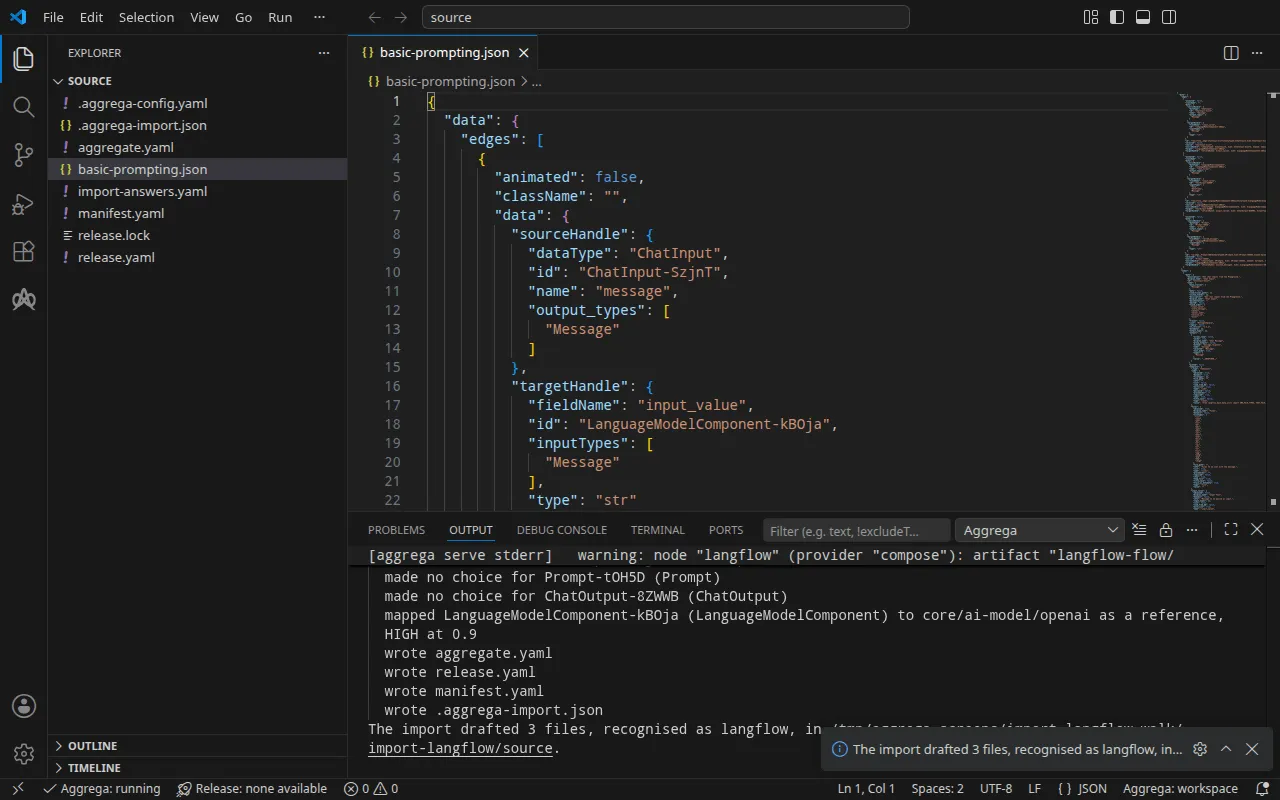
mapped行は、Language Model ノードが何になったかを示します。標準ライブラリの OpenAI モデルcore/ai-model/openaiであり、高ティアのスコア 0.9 で一致したため、下書きされるのではなく参照されています。これは独自のコンポーネントであり、プラットフォームのmodelソケットに接続されています。デフォルトでは、下書きはフロー全体を Langflow を実行するプラットフォーム上で実行し、独自のコンポーネントを与えるのは、そのプラットフォームのソケットが受け付けるノード(モデル、ツール、ベクトルストア)が、そうしたノードとして認識された場合に限られます。- 最初の
warn行は、フローが各エッジのハンドルを Langflow のエディタが書く形式で書いた状態で運ばれることを示します。Langflow はスタータープロジェクトを、エッジのハンドルのコロンとカンマのすべての後にスペースを入れた形で保持しています。一方、そのエディタはフローを開くときに、ハンドルが自身の書く形式とまったく同じに書かれていないエッジをすべて削除し、それを除いたままフローを保存します。この形式で書かれていれば、フローは 3 つの接続を持ったまま開き、それらを使って実行されます。 - ノードを名指しする
warn行は、フローがそのモデルにどのように到達するかを示します。ノードはキーを変数OPENAI_API_KEYから、アドレスをOPENAI_BASE_URLから読み取り、プラットフォームはモデル接続のために両方を渡すため、フローを編集する必要はありません。 made no choice行は、プラットフォームのどのソケットも受け付けないノードを挙げています。それらはフロー内に留まり、Langflow はフローをエクスポートされたまま実行します。- 最後の 2 行はプルです。回答すべきものが何も残っていなかったため、インポートは
aggrega pullと同じように下書きされた Release の依存関係をプルし、release.lockを書き込みました。以下のビルドにはそれ以上何も必要ありません。warning行はビルドも出力するもので、検証とビルドで説明しています。
回答ファイルは、このインポートが求めていない 2 つの Secret を指定しています。インポートはそれらのために空欄を残していないため、どちらも適用せず、ファイルをそのままにします。
書き出される内容
Aggregate、Release、Manifest の名前は imported/basic-prompting です。フロー自身の名前 Basic Prompting を basic-prompting に縮めたものです。名前のないフローには、そのファイル名から名前が付きます。名前空間は、インポーターの target_namespace 設定が定めるもので、別のものを設定しない限り imported です(設定)。
aggregate.yaml — 標準ライブラリの Langflow プラットフォーム core/ai-agent/langflow のインスタンス 1 つで、エクスポートされたままのフロー(ただしエッジのハンドルは Langflow のエディタが書く形式で書かれています。ここではその 1,000 行以上を省略しています)と、フローが到達するモデルを持ちます:
apiVersion: aggrega.ai/v1beta1kind: Aggregatemetadata: name: imported/basic-prompting version: 0.1.0 description: Draft Aggregate imported from a source in the langflow format.spec: components: langflow: type: core/ai-agent/langflow features: # For the compose target, the lines below declare admin_password on langflow: a secret the Release alone attaches arrives under the key value, so each is declared with a key of its own and no two arrive under one; the Release attaches its origin, naming this type or none. admin_password: type: core/secret-value values: key: LANGFLOW_SUPERUSER_PASSWORD values: flow_id: '0dbee653-41ae-4e51-af2e-55757fb24be3' flow_definition: |- { "data": { "edges": [ [… omitted: the rest of the flow] } uses: model: languagemodelcomponent-kboja: target: languagemodelcomponent-kboja # For the compose target, the lines below declare credential on languagemodelcomponent-kboja: a secret the Release alone attaches arrives under the key value, so each is declared with a key of its own and no two arrive under one; the Release attaches its origin, naming this type or none. features: credential: type: core/secret-value values: key: OPENAI_API_KEY # swap to core/ai-model/azure-openai (score 0.4000) by setting type: core/ai-model/azure-openai languagemodelcomponent-kboja: type: core/ai-model/openai values: model: |- gpt-4.1- モデルは
core/ai-model/openaiで、フローのノードが選択するモデルgpt-4.1を使います。その上のコメントは、ノードが似ているカタログ内の別の Component をスコアとともに挙げており、そちらを使いたい読者向けです。 - 2 つのシークレット(Langflow のエディタが求める管理者パスワードと、プラットフォームがモデルに提示する OpenAI キー)は、それぞれが Langflow の環境で届く変数
LANGFLOW_SUPERUSER_PASSWORDとOPENAI_API_KEYとともに、ここで宣言されています。Docker Compose では、Release だけがアタッチしたシークレットはキーvalueの下に届き、2 つが衝突してしまいます。ここで宣言すれば、それぞれが独自のキーを持ちます。それぞれの出どころは Release が示します。 flow_idは、エクスポートがフローに付与する識別子です。
release.yaml — Manifest を使って Aggregate をデプロイする Release です:
apiVersion: aggrega.ai/v1beta1kind: Releasemetadata: name: imported/basic-prompting # environment is a drafted default, since no source names the environment this Release deploys to; change it to name the one it deploys to. environment: development version: 0.1.0 description: Draft Release imported from a source in the langflow format.spec: aggregate: imported/basic-prompting manifest: imported/basic-prompting components: langflow: infra: # The image running core/ai-agent/langflow, at the version this importer drafts, which the catalog's Recipes for it are known to run; the import does not raise or lower it to follow the source. The source states version "1.5.0" of the platform. image: "langflowai/langflow:1.6.0" # Published on this machine's loopback address, 127.0.0.1: reachable from this machine only, by any process running on it. Delete this line to keep the service internal. published_port: 7860 features: admin_password: type: core/secret-value infra: # Attached by reference, never as a value: the administrator's password, read while values.require_authentication stays true, read from the variable LANGFLOW_ADMIN_PASSWORD, which a target substituting variable references, as Docker Compose does when the stack starts, reads from the environment, so no file carries the value. origin: "${LANGFLOW_ADMIN_PASSWORD}" uses: model: languagemodelcomponent-kboja: features: credential: type: core/secret-value infra: # Attached by reference, never as a value: the credential langflow presents to languagemodelcomponent-kboja on its model connection, read from the variable OPENAI_API_KEY, which a target substituting variable references, as Docker Compose does when the stack starts, reads from the environment, so no file carries the value. origin: "${OPENAI_API_KEY}" languagemodelcomponent-kboja: {}environmentはdevelopmentです。これはデフォルトであり、その上のコメントは、Release のデプロイ先の環境に変更するよう指示しています。- イメージは Langflow 1.6.0 で、カタログの Langflow 用 Recipes が実行するバージョンです。コメントにあるとおり、このフローが最後にテストされたのは Langflow 1.5.0 ですが、インポートはフローのバージョンに従うのではなく、Recipes が実行するバージョンを維持します。
published_portは 7860 で、Langflow がサービスを提供するポートです。そのため、エディタはお使いのマシンのhttp://127.0.0.1:7860で応答します。コメントにあるとおり、このマシン上のどのプロセスもそこでアクセスでき、それ以外からはアクセスできません。Langflow をスタックのネットワークだけに置くには、この行を削除します。- 2 つのシークレットは変数参照
${LANGFLOW_ADMIN_PASSWORD}と${OPENAI_API_KEY}であり、スタックの起動時に Docker Compose がシェルから埋めるため、どのファイルにもどちらの値も含まれません。
manifest.yaml — プラットフォームとモデルの Compose Recipes、およびシークレットの変数参照をそのまま Compose ファイルに書き込む実現です:
apiVersion: aggrega.ai/v1beta1kind: Manifestmetadata: name: imported/basic-prompting version: 0.1.0spec: mappings: components: type: core/ai-agent/langflow: compose/langflow core/ai-model/openai: compose/openai features: type: core/secret-value: compose/dotenv-secret.aggrega-import.json はインポートが書き込んだ内容の記録で、後の aggrega import --sync がこれを読み取ります。release.lock は、Release が解決するすべてのカタログエンティティをバージョンとダイジェストで固定します。
検証とビルド
aggrega validate --release release.yamlaggrega build --release release.yaml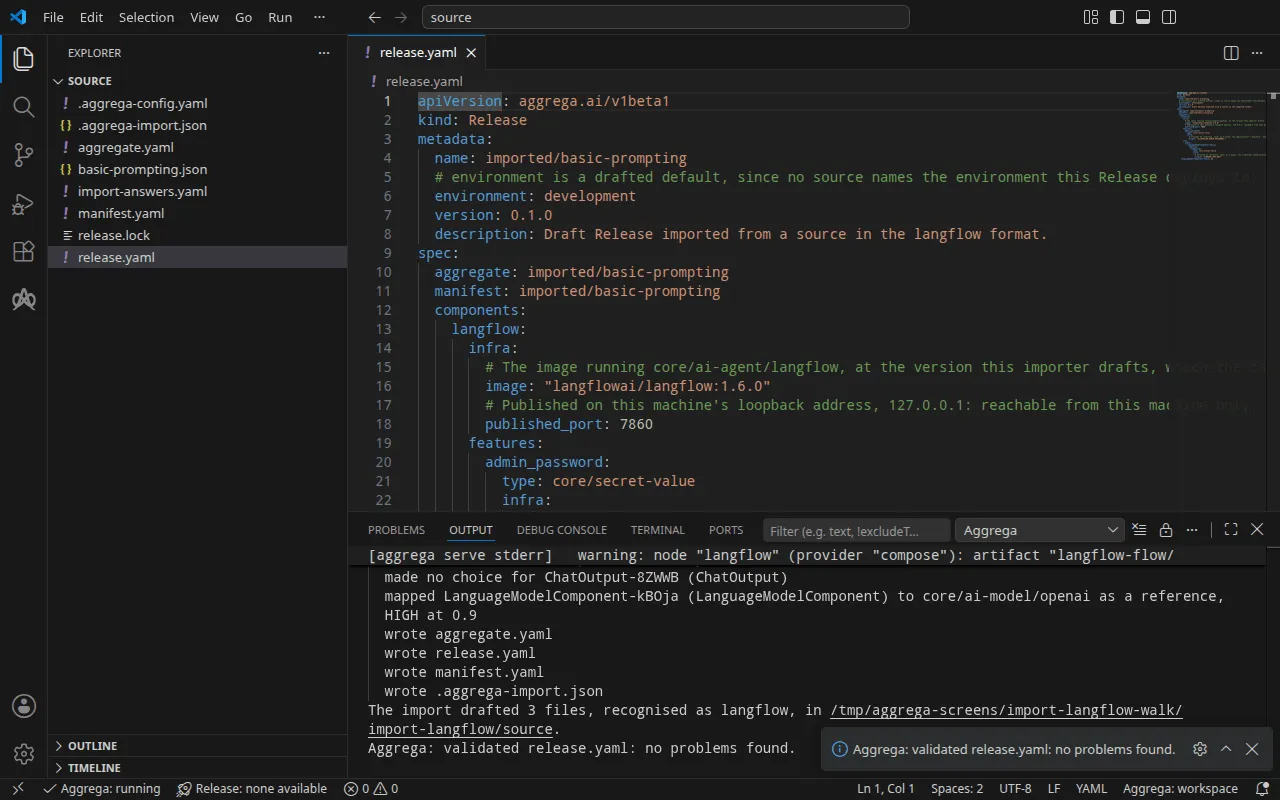
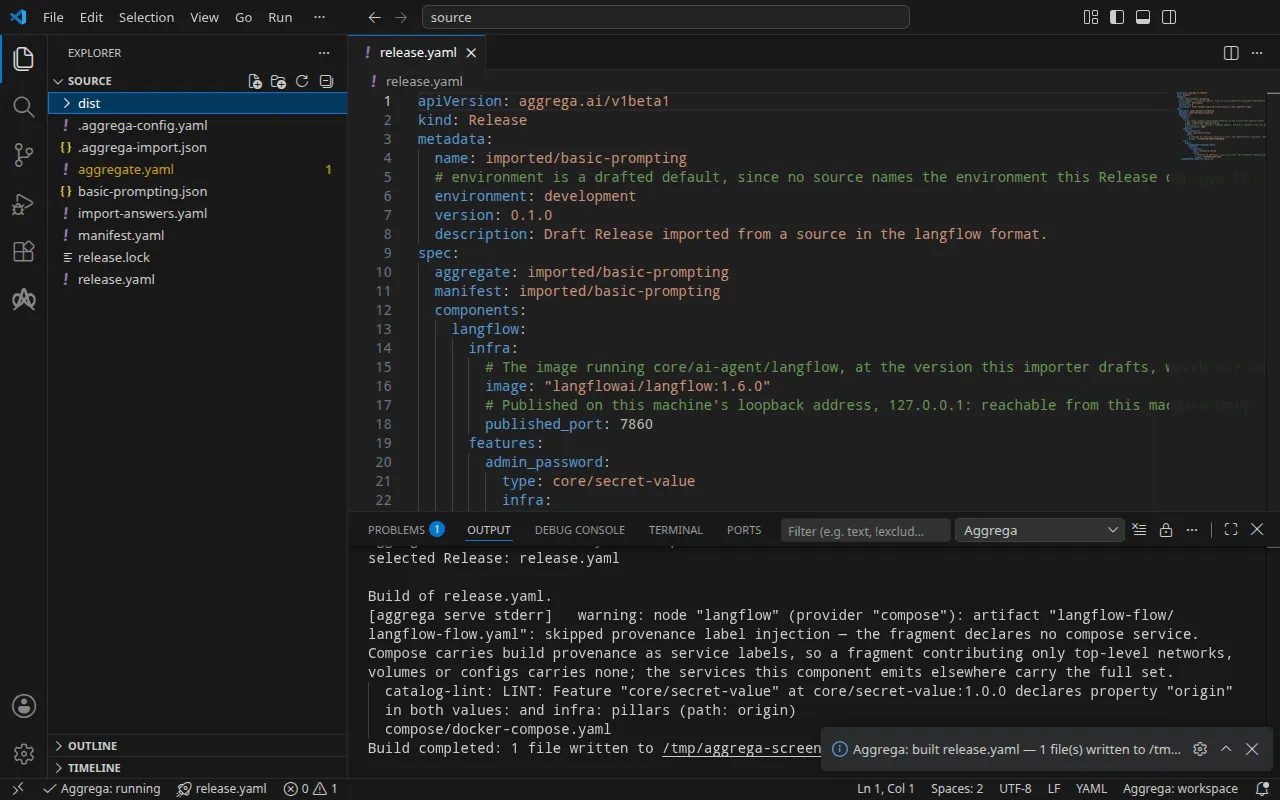
検証の出力は次のとおりです:
notice: LINT: Feature "core/secret-value" at core/secret-value:1.0.0 declares property "origin" in both values: and infra: pillars (path: origin)release dependency validation passed: release.yaml (schema-pillar + dependency pillars)そしてビルドの出力です(<workspace> は下書きがあるフォルダーを表します):
warning: node "langflow" (provider "compose"): artifact "langflow-flow/langflow-flow.yaml": skipped provenance label injection — the fragment declares no compose service. Compose carries build provenance as service labels, so a fragment contributing only top-level networks, volumes or configs carries none; the services this component emits elsewhere carry the full set. notice: LINT: Feature "core/secret-value" at core/secret-value:1.0.0 declares property "origin" in both values: and infra: pillars (path: origin)[… omitted: a total build time, which differs per run]Build completed: 1 file written to <workspace>/distwarning 行は、Compose ファイルのうちフローを運ぶ部分、つまりトップレベルの configs エントリに関するもので、このエントリにはビルドのラベルを付けるサービスがありません。notice 行は参考情報です。シークレットの Feature は Aggregate の values または Release の infra から origin を受け付け、この通知は 1 つのリーフが両方で宣言されていることを報告しています。どちらも判定を変えません。
dist/compose/docker-compose.yaml には、Langflow と、その前に一度だけ実行されるサービスが含まれます:
services: langflow: image: langflowai/langflow:1.6.0 environment: LANGFLOW_CONFIG_DIR: /app/langflow LANGFLOW_SAVE_DB_IN_CONFIG_DIR: "true" LANGFLOW_AUTO_LOGIN: "false" LANGFLOW_SUPERUSER: admin LANGFLOW_SUPERUSER_PASSWORD: ${LANGFLOW_ADMIN_PASSWORD} OPENAI_BASE_URL: https://api.openai.com/v1 OPENAI_API_KEY: ${OPENAI_API_KEY} LANGFLOW_LOAD_FLOWS_PATH: /app/flows ports: - 127.0.0.1:7860:7860 [… omitted: the labels the build writes on every service, naming the Aggregate, the component, the environment and the compiler's version] volumes: - type: volume source: langflow--data target: /app/langflow networks: - compose depends_on: langflow--data-owner: condition: service_completed_successfully [… omitted: the service's health check] configs: - source: langflow-flow target: /app/flows/flow.json langflow--data-owner: image: langflowai/langflow:1.6.0 entrypoint: - chown - "1000:0" - /app/langflow [… omitted: the labels the build writes on every service] volumes: - type: volume source: langflow--data target: /app/langflow networks: - compose restart: "no" user: "0"フローは /app/flows/flow.json として Langflow に届きます。これは Aggregate が持つフローを保持する configs エントリから来るもので、Langflow は起動のたびに LANGFLOW_LOAD_FLOWS_PATH からそれを読み込みます。キーとパスワードは変数参照で、スタックの起動時にシェルから値が埋められます。Langflow の Compose Recipe がマシン上にポートを公開するのは、Release が Langflow の infra に published_port を設定した場合だけで、その場合もループバックアドレス 127.0.0.1 のみに公開します。設定がなければ、サービスにはスタックのネットワーク上でのみアクセスできます。
langflow--data-owner は Langflow のイメージを root として実行し、データボリュームを、Langflow のイメージが実行されるときの ID であるユーザー 1000、グループ 0 に渡して終了します。Langflow はこのサービスが完了してから起動します。Docker はボリュームを root の所有として作成するため、そうしなければ Langflow はそこにデータを書き込めません。
AI アシスタントを使う
Aggrega のツールでセットアップした AI アシスタントでも同じことができます。次のプロンプトを貼り付けてください。
Aggrega のツールだけを使い、フォルダは自分で作成しないでください。Workspace フォルダにまだ `import-langflow` フォルダがない場合は、`scaffold` ツールを `example` を `import-langflow` に設定し、`dir` を指定せずに 1 回呼び出してください。これにより例が新しい `import-langflow` フォルダに書き込まれ、その `source` フォルダにこのページでインポートするものが入ります。次に、`import` ツールを `workspace_root` を `import-langflow/source`、`source` を `basic-prompting.json`、`target` を `compose` に設定して呼び出してください。これは必要な回答を `basic-prompting.json` の横にある `import-answers.yaml` から読み取り、ドラフトを `import-langflow/source` に書き込み、ドラフトが必要とするものをプルします。次に、`validate` ツールを `workspace_root` を `import-langflow/source`、`release` を `release.yaml` に設定して呼び出し、`build` ツールを `workspace_root` を `import-langflow/source`、`release` を `release.yaml`、`write` を true に設定して呼び出してください。ビルドが書き出したファイルを教えてください。それらは `import-langflow/source/dist/` の下にあります。VS Code で開く
Visual Studio Code 用の Aggrega 拡張機能をインストールした状態で、インポートがドラフトを書き込んだフォルダ import-langflow/source を VS Code で開きます。このフォルダには Release が 1 つ、ドラフトされた release.yaml だけがあるため、エディタはそれを自動で選択し、ドラフトを編集するたびにその Release に照らしてチェックし、見つかった内容をファイル内と問題パネルに表示します。コマンドパレットの Aggrega: Show topology graph は、Release のコンポーネントとそれらの間の接続を描画します。Aggrega: Build、Aggrega: Preview build、Aggrega: Pull は同じ Release に対して動作し、それぞれアクティビティバーの Aggrega ビューにある Commands パネルのボタンとしても使えます。Build はフォルダの dist/ にファイルを書き出します。その他については Visual Studio Code で Aggrega を使う を参照してください。
実行する
シェルでキーと管理者のパスワードを設定してから、スタックを起動します:
export OPENAI_API_KEY='your OpenAI key'export LANGFLOW_ADMIN_PASSWORD='a password of your own'docker compose -p basic-prompting -f dist/compose/docker-compose.yaml up -d --wait-p はプロジェクトに名前を付けます。これは インポートの実行方法 の実行ステップで説明しているとおりです。--wait は、langflow--data-owner が完了し、Langflow が正常と報告した時点で戻ります。
テストする
published_port が公開するアドレス http://127.0.0.1:7860 を開き、設定したパスワードで admin としてサインインします。Basic Prompting が 3 つの接続を持った状態でエディタに表示されます。
Langflow は API キーに対してのみ API 経由でフローを実行します。API キーは管理者がサインイン後に作成します。サインインします:
curl -sS -X POST http://127.0.0.1:7860/api/v1/login \ -d username=admin --data-urlencode "password=$LANGFLOW_ADMIN_PASSWORD"{"access_token":"[… omitted: the access token]","refresh_token":"[… omitted: the refresh token]","token_type":"bearer"}アクセストークンを使ってキーを作成します:
curl -sS -X POST http://127.0.0.1:7860/api/v1/api_key/ \ -H 'Authorization: Bearer <access_token>' -H 'Content-Type: application/json' -d '{"name": "test-it"}'{"name":"test-it","last_used_at":null,"total_uses":0,"is_active":true,"id":"[… omitted: the key's identifier]","api_key":"[… omitted: the key]","user_id":"[… omitted: the owner's identifier]"}そのキーでフローを実行します:
curl -sS -X POST 'http://127.0.0.1:7860/api/v1/run/0dbee653-41ae-4e51-af2e-55757fb24be3?stream=false' \ -H 'x-api-key: <api_key>' -H 'Content-Type: application/json' \ -d '{"input_value": "In one short sentence: what is Docker Compose?", "input_type": "chat", "output_type": "chat"}'この実行では OpenAI のキーにプレースホルダーを使ったため、応答は OpenAI によるキーの拒否です。これは、フローがモデルの呼び出しまで実行されたことを示しています:
{"detail":"{\"message\":\"Error running graph: Error building Component Language Model: \\n\\nError code: 401 - {'error': {'message': 'Incorrect API key provided: sk-place*****************-key. You can find your API key at https://platform.openai.com/account/api-keys.', 'type': 'invalid_request_error', 'code': 'invalid_api_key', 'param': None}, 'status': 401}\",[… omitted: three empty fields, and a suggestion to update three of the flow's components]}"}ご自身のキーを使うと、応答の outputs[0].outputs[0].results.message.text にモデルの回答が入ります。
Kubernetes では、Kubernetes の場合 で説明するビルドを適用した状態で、適用先の名前空間にある Langflow の Service langflow-default にローカルポートを転送し、コマンドを実行したままにします:
kubectl port-forward -n <namespace> svc/langflow-default 7860:7860別のターミナルから、上記の 3 つのリクエストはそのまま同じアドレスで Langflow に届きます。この実行でも、プレースホルダーのキーに対する同じ拒否が返りました。
以下のコマンドでスタックを停止します。-v は Langflow のデータボリュームも削除し、それとともに管理者のアカウント、API キー、フローの実行履歴も削除されます:
docker compose -p basic-prompting -f dist/compose/docker-compose.yaml down -vKubernetes の場合
同じフローは helm ターゲットで Kubernetes 向けにインポートできます。Docker Compose 向けのドラフトはすでに source にあり、インポートはそこにある Aggregate を上書きしないため、これらは --output-dir で専用のフォルダにドラフトし、そこから検証とビルドを行います:
aggrega import basic-prompting.json --target helm --output-dir helmcd helmaggrega validate --release release.yamlaggrega build --release release.yaml下書きはターゲットが異なる箇所で異なります。Manifest はプラットフォームを helm/langflow に、モデルを helm/openai に、各シークレットを、名前空間にすでにある Secret からそれを読み取る helm/k8s-existing-secret にマッピングします。Release は 2 つのシークレットを core/referenced-secret としてアタッチし、それぞれがその Secret を指名します。その名前が回答ファイルに保持される内容です:
features: admin_password: type: core/referenced-secret infra: # Left for the Release, since the source cannot supply it: the name of a Kubernetes Secret already in the namespace holding, under the data key value, the administrator's password, read while values.require_authentication stays true. origin: "langflow-admin"回答ファイルがない場合、インポートはターミナルで両方の名前を尋ね、回答を新しい回答ファイルに書き込みます。何も尋ねられない場合は、両方のキーと空の回答を含むそのファイルを書き込み、ステータス 1 と次の行で終了します。<workspace> は、インポートを実行したフォルダを表します:
2 values the drafts leave empty are still owed, listed in the answers file <workspace>/import-answers.yaml: write each beside its key there, then run the import againビルドは、ワークスペースのルート source の dist/helm/ の下にプレーンな Kubernetes マニフェストを書き出します。これは helm から見ると ../dist/helm/ です。適用先の名前空間に 2 つの Secret を作成し、それぞれのデータキー value に値を格納してから、インポートの実行方法 の実行ステップの説明どおりにフォルダを適用します。