

Import a Langflow flow
This walkthrough imports a flow exported from Langflow — Basic Prompting, the starter project Langflow 1.6.0 ships — into an Aggregate, a Release and a Manifest that build Langflow carrying the flow for Docker Compose as they are written, then builds them and runs the result. Every file and every block of output below comes from a real run; the flow and each stage of the walkthrough are in the import-langflow example, where a check script runs the import again, compares what it writes, what it prints and the blocks this page quotes with the files kept there, and validates and builds what the import wrote.
Scaffold the example
You can run this import with the commands on this page, or have your AI assistant run it for you.
Write the example into a new folder named after it:
aggrega scaffold --example import-langflowIt then prints the commands to run next. The first changes into the new folder;
the one after it, below, changes into its source folder, where the import
runs. That folder carries the flow file,
basic-prompting.json, which this page describes rather than quotes:
cd import-langflow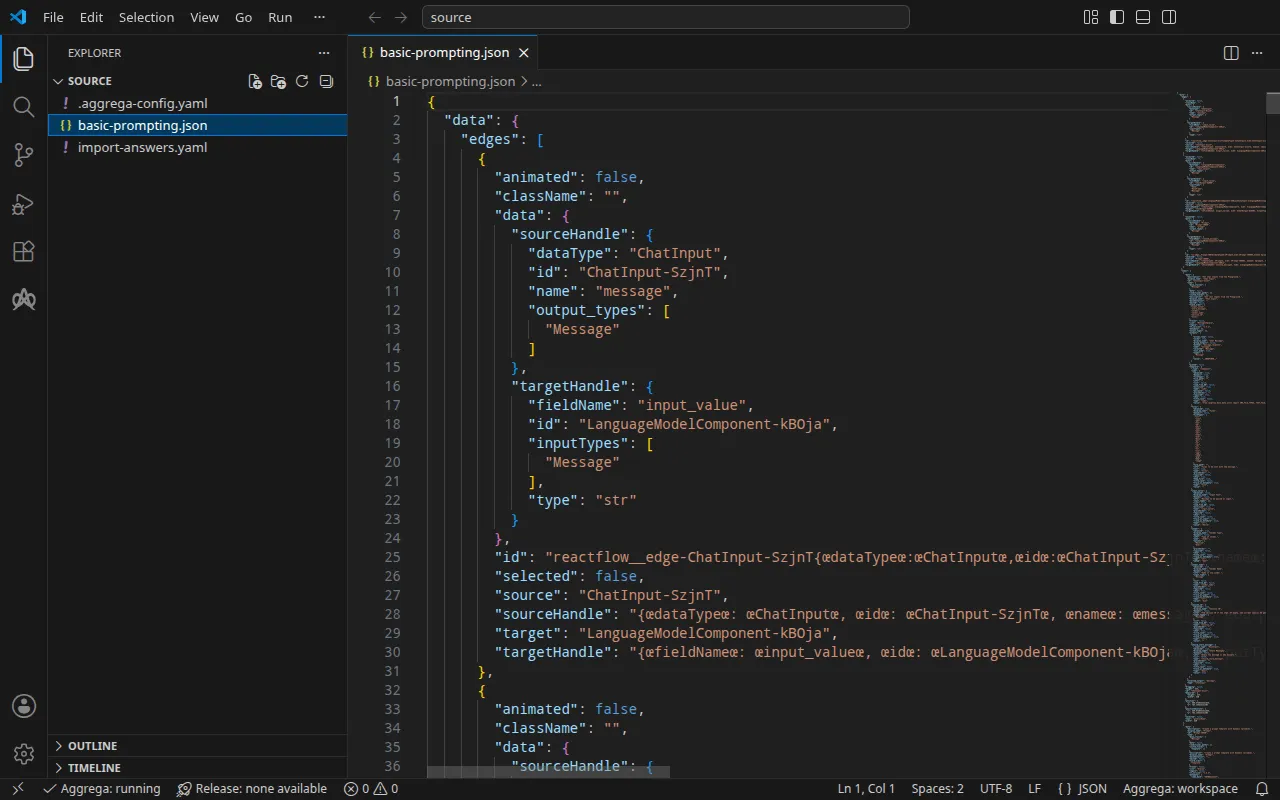
The flow
Basic Prompting chains four nodes: a Chat Input, a Prompt, a Language Model
that calls OpenAI’s gpt-4.1, and a Chat Output. As Langflow ships it, it is
one JSON file, basic-prompting.json, of about 54 KB, which
carries the source code of each component as well as the flow. Its
Language Model node reads its key from the global variable OPENAI_API_KEY,
which Langflow reads from its environment where no variable of that name is
stored.
Beside the flow, an .aggrega-config.yaml makes the folder a workspace:
# The workspace key marks this directory as the workspace root, so an import run# here writes its drafts beside basic-prompting.json.workspace: {}# The registry the importer is fetched from the first time an import needs it.default_registry: hub.aggrega.aiand import-answers.yaml holds the answers to what no flow can hold. An import
for Docker Compose needs none of them: it attaches each secret by a variable
reference Docker Compose fills from your shell. An import for Kubernetes
attaches each secret by the name of a Kubernetes Secret, which only you can
name, so the file names the two Secrets that import asks for (see
On Kubernetes):
# Values the import could not draft from the source, keyed by the drafted file and the key path inside# it. Write each one beside its key; an import of the same source, and a sync, read them from here and# ask nothing. A secret is never written here: its key asks where the secret comes from — a variable# name, ${NAME}, or the name of a Kubernetes Secret.release.yaml: # The origin of the secret value, written by the operator in the Release. Read exactly as # values.origin is. Write it here or in values.origin, never in both. A secret: name where it comes # from, never the value. spec.components.langflow.features.admin_password.infra.origin: "langflow-admin" # The origin of the secret value, written by the operator in the Release. Read exactly as # values.origin is. Write it here or in values.origin, never in both. A secret: name where it comes # from, never the value. spec.components.langflow.uses.model.languagemodelcomponent-kboja.features.credential.infra.origin: "openai-api-key"Each answer is the name of a Secret, never the secret itself, so the file can be kept with the flow. The import answers file describes the file in full.
The import weighs each node against the Components of the workspace’s catalog,
and --target drafts a Manifest from its Recipes. The workspace names no
catalog folder, so the import reads the standard-library catalog from the
registry it fetches its importer from: a signed snapshot of the published
catalog, fetched, verified and kept in the workspace’s content cache by the
first import, and named by its digest in the record the import writes beside its
drafts. A workspace that names its own catalog folders — in
AGGREGA_CATALOG_DIRS, or under workspace.catalog_dirs — imports against
those instead. Change into source:
cd sourceRun the import
aggrega import basic-prompting.json --target composeOn standard output it lists what it wrote:
wrote aggregate.yamlwrote release.yamlwrote manifest.yamlwrote .aggrega-import.jsonOn standard error, with <workspace> standing for the folder you ran it in:
[… omitted: a warning that the importer runs unverified, printed where its module is read from beside its Plugin entity in a catalog folder rather than fetched]read as the langflow format, with drafted paths relative to <workspace>warn: the flow is carried in values.flow_definition with the handles of all 3 of its edges written as Langflow's editor writes them — the same handles, their keys in order with no space between them — since the editor compares an edge's handles with the ones it writes for the nodes the edge joins, character for character, when it opens the flow, and drops every edge whose handles differwarn: node LanguageModelComponent-kBOja reaches languagemodelcomponent-kboja through the model connection languagemodelcomponent-kboja of core/ai-agent/langflow: its field api_key names the variable OPENAI_API_KEY, which the platform delivers for this connection and Langflow reads as a global variable; no field of it gives its API's address, so the OpenAI client it runs takes OPENAI_BASE_URL, the address the platform delivers for this connection, from the environmentmade no choice for ChatInput-SzjnT (ChatInput)made no choice for Prompt-tOH5D (Prompt)made no choice for ChatOutput-8ZWWB (ChatOutput)mapped LanguageModelComponent-kBOja (LanguageModelComponent) to core/ai-model/openai as a reference, HIGH at 0.9 warning: node "langflow" (provider "compose"): artifact "langflow-flow/langflow-flow.yaml": skipped provenance label injection — the fragment declares no compose service. Compose carries build provenance as service labels, so a fragment contributing only top-level networks, volumes or configs carries none; the services this component emits elsewhere carry the full set.Pull complete: <workspace>/release.lock (entities=8, source_artifacts=0, external_inputs=0)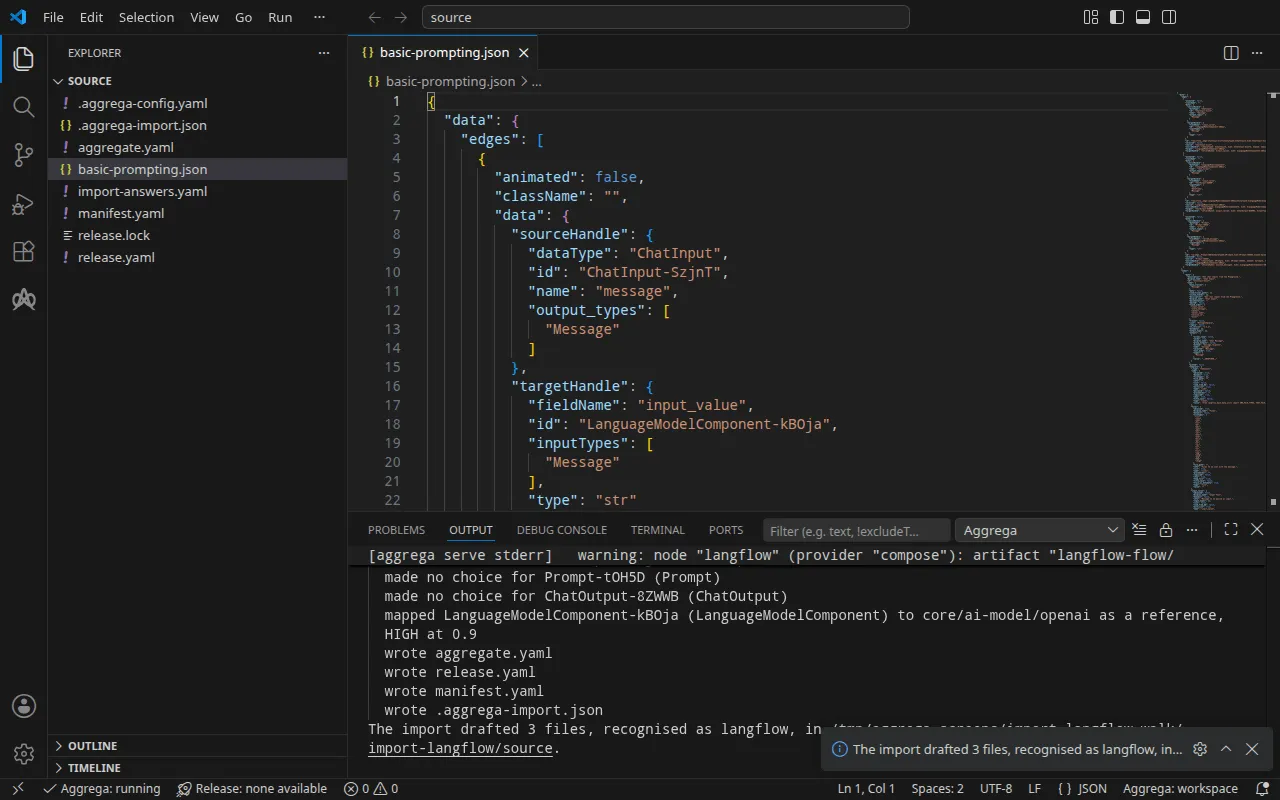
- The
mappedline says what the Language Model node became: the standard library’s OpenAI model,core/ai-model/openai, referenced rather than drafted, since it matched in the high tier, at 0.9. It is a component of its own, wired to the platform’smodelsocket. By default the draft runs the whole flow on the platform that runs Langflow, and gives a component of its own only to a node a socket of that platform takes — a model, a tool, a vector store — where the node is recognised as one. - The first
warnline says the flow is carried with each edge’s handles written as Langflow’s editor writes them. Langflow keeps its starter projects with a space after every colon and comma of an edge’s handles; its editor, opening a flow, drops every edge whose handles are not written exactly as it writes them, then saves the flow without it. Written so, the flow opens with its three connections, and runs with them. - The
warnline naming the node says how the flow reaches that model. The node reads its key from the variableOPENAI_API_KEY, and its address fromOPENAI_BASE_URL, and the platform delivers both for the model connection, so the flow needs no edit. - The
made no choicelines name the nodes no socket of the platform takes: they stay inside the flow, which Langflow runs as exported. - The last two lines are the pull. Nothing was left to answer, so the import
pulled the drafted Release’s dependencies, as
aggrega pulldoes, and wroterelease.lock; the build below needs nothing more. Thewarningline is one the build prints too, and Validate and build explains it.
The answers file names two Secrets this import does not ask for: it leaves nothing empty for them, so it applies neither and leaves the file as it is.
What it writes
The Aggregate, the Release and the Manifest are named
imported/basic-prompting, after the flow’s own name, Basic Prompting,
reduced to basic-prompting — a flow with no name is named after its file —
under the namespace the importer’s target_namespace setting sets, imported
unless you set another
(Settings).
aggregate.yaml — one instance of the standard library’s Langflow platform,
core/ai-agent/langflow, carrying the flow as it was exported but for its
edges’ handles, written as Langflow’s editor writes them, more than a thousand
lines of it left out here, and the model it reaches:
apiVersion: aggrega.ai/v1beta1kind: Aggregatemetadata: name: imported/basic-prompting version: 0.1.0 description: Draft Aggregate imported from a source in the langflow format.spec: components: langflow: type: core/ai-agent/langflow features: # For the compose target, the lines below declare admin_password on langflow: a secret the Release alone attaches arrives under the key value, so each is declared with a key of its own and no two arrive under one; the Release attaches its origin, naming this type or none. admin_password: type: core/secret-value values: key: LANGFLOW_SUPERUSER_PASSWORD values: flow_id: '0dbee653-41ae-4e51-af2e-55757fb24be3' flow_definition: |- { "data": { "edges": [ [… omitted: the rest of the flow] } uses: model: languagemodelcomponent-kboja: target: languagemodelcomponent-kboja # For the compose target, the lines below declare credential on languagemodelcomponent-kboja: a secret the Release alone attaches arrives under the key value, so each is declared with a key of its own and no two arrive under one; the Release attaches its origin, naming this type or none. features: credential: type: core/secret-value values: key: OPENAI_API_KEY # swap to core/ai-model/azure-openai (score 0.4000) by setting type: core/ai-model/azure-openai languagemodelcomponent-kboja: type: core/ai-model/openai values: model: |- gpt-4.1- The model is
core/ai-model/openai, with the model the flow’s node selects,gpt-4.1. The comment above it names another Component of the catalog the node resembles, with its score, for a reader who wants that one. - The two secrets — the administrator’s password Langflow’s editor asks
for, and the OpenAI key the platform presents to the model — are declared
here with the variable each arrives under in Langflow’s environment,
LANGFLOW_SUPERUSER_PASSWORDandOPENAI_API_KEY. On Docker Compose a secret the Release alone attached would arrive under the keyvalue, and the two would collide; declared here, each has a key of its own. The Release says where each comes from. flow_idis the identifier the export gives the flow.
release.yaml — the Release, which deploys the Aggregate with the Manifest:
apiVersion: aggrega.ai/v1beta1kind: Releasemetadata: name: imported/basic-prompting # environment is a drafted default, since no source names the environment this Release deploys to; change it to name the one it deploys to. environment: development version: 0.1.0 description: Draft Release imported from a source in the langflow format.spec: aggregate: imported/basic-prompting manifest: imported/basic-prompting components: langflow: infra: # The image running core/ai-agent/langflow, at the version this importer drafts, which the catalog's Recipes for it are known to run; the import does not raise or lower it to follow the source. The source states version "1.5.0" of the platform. image: "langflowai/langflow:1.6.0" # Published on this machine's loopback address, 127.0.0.1: reachable from this machine only, by any process running on it. Delete this line to keep the service internal. published_port: 7860 features: admin_password: type: core/secret-value infra: # Attached by reference, never as a value: the administrator's password, read while values.require_authentication stays true, read from the variable LANGFLOW_ADMIN_PASSWORD, which a target substituting variable references, as Docker Compose does when the stack starts, reads from the environment, so no file carries the value. origin: "${LANGFLOW_ADMIN_PASSWORD}" uses: model: languagemodelcomponent-kboja: features: credential: type: core/secret-value infra: # Attached by reference, never as a value: the credential langflow presents to languagemodelcomponent-kboja on its model connection, read from the variable OPENAI_API_KEY, which a target substituting variable references, as Docker Compose does when the stack starts, reads from the environment, so no file carries the value. origin: "${OPENAI_API_KEY}" languagemodelcomponent-kboja: {}environmentisdevelopment, a default the comment above it says to change to the environment the Release deploys to.- The image is Langflow 1.6.0, the version the catalog’s Recipes for Langflow run. The flow was last tested on Langflow 1.5.0, as the comment says; the import keeps the version the Recipes run rather than following the flow’s.
published_portis 7860, the port Langflow serves on, so the editor answers athttp://127.0.0.1:7860on your machine. As its comment says, any process on this machine can reach it there and nothing else can; delete the line to keep Langflow on the stack’s network alone.- The two secrets are variable references,
${LANGFLOW_ADMIN_PASSWORD}and${OPENAI_API_KEY}, which Docker Compose fills from your shell when the stack starts, so no file carries either value.
manifest.yaml — the Compose Recipes of the platform and the model, and the
realization that writes a secret’s variable reference into the Compose file as
written:
apiVersion: aggrega.ai/v1beta1kind: Manifestmetadata: name: imported/basic-prompting version: 0.1.0spec: mappings: components: type: core/ai-agent/langflow: compose/langflow core/ai-model/openai: compose/openai features: type: core/secret-value: compose/dotenv-secret.aggrega-import.json is the record of what the import wrote, which a later
aggrega import --sync reads, and release.lock pins every catalog entity the
Release resolves to, by version and digest.
Validate and build
aggrega validate --release release.yamlaggrega build --release release.yaml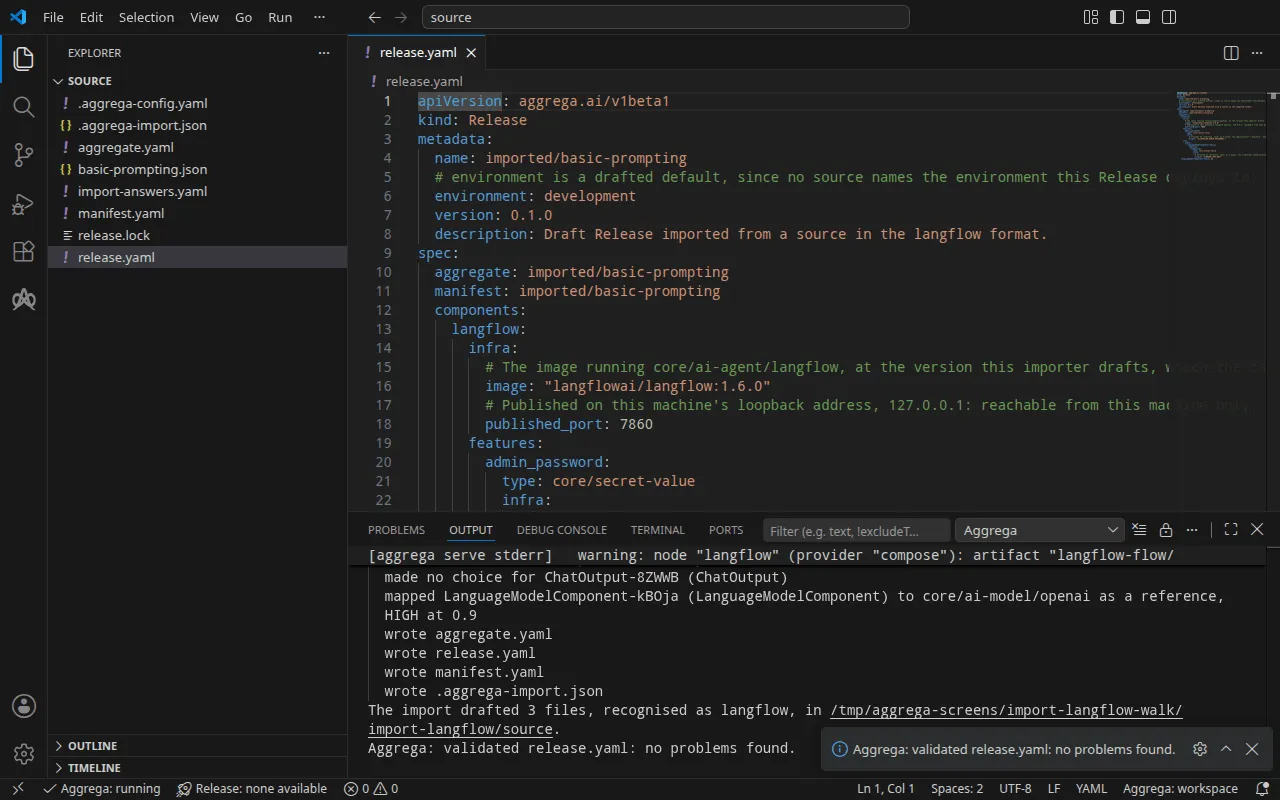
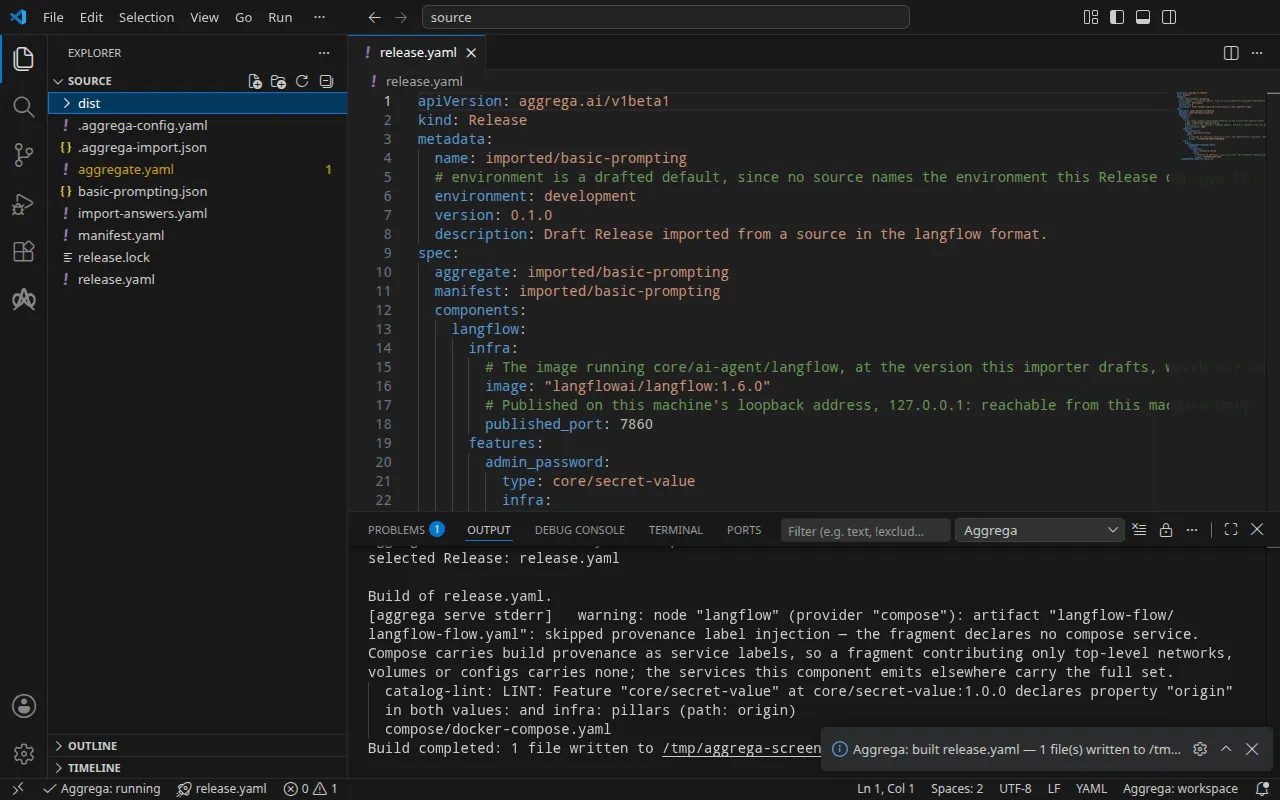
The validation prints:
notice: LINT: Feature "core/secret-value" at core/secret-value:1.0.0 declares property "origin" in both values: and infra: pillars (path: origin)release dependency validation passed: release.yaml (schema-pillar + dependency pillars)and the build, with <workspace> standing for the folder holding the drafts:
warning: node "langflow" (provider "compose"): artifact "langflow-flow/langflow-flow.yaml": skipped provenance label injection — the fragment declares no compose service. Compose carries build provenance as service labels, so a fragment contributing only top-level networks, volumes or configs carries none; the services this component emits elsewhere carry the full set. notice: LINT: Feature "core/secret-value" at core/secret-value:1.0.0 declares property "origin" in both values: and infra: pillars (path: origin)[… omitted: a total build time, which differs per run]Build completed: 1 file written to <workspace>/distThe warning line is about the part of the Compose file that carries the flow,
a top-level configs entry, which has no service to put the build’s labels on.
The notice line is advisory: the secret Feature accepts its origin from
the Aggregate’s values or the Release’s infra, and the notice reports that
one leaf is declared in both. Neither changes the verdict.
dist/compose/docker-compose.yaml holds Langflow and a service that runs once
before it:
services: langflow: image: langflowai/langflow:1.6.0 environment: LANGFLOW_CONFIG_DIR: /app/langflow LANGFLOW_SAVE_DB_IN_CONFIG_DIR: "true" LANGFLOW_AUTO_LOGIN: "false" LANGFLOW_SUPERUSER: admin LANGFLOW_SUPERUSER_PASSWORD: ${LANGFLOW_ADMIN_PASSWORD} OPENAI_BASE_URL: https://api.openai.com/v1 OPENAI_API_KEY: ${OPENAI_API_KEY} LANGFLOW_LOAD_FLOWS_PATH: /app/flows ports: - 127.0.0.1:7860:7860 [… omitted: the labels the build writes on every service, naming the Aggregate, the component, the environment and the compiler's version] volumes: - type: volume source: langflow--data target: /app/langflow networks: - compose depends_on: langflow--data-owner: condition: service_completed_successfully [… omitted: the service's health check] configs: - source: langflow-flow target: /app/flows/flow.json langflow--data-owner: image: langflowai/langflow:1.6.0 entrypoint: - chown - "1000:0" - /app/langflow [… omitted: the labels the build writes on every service] volumes: - type: volume source: langflow--data target: /app/langflow networks: - compose restart: "no" user: "0"The flow reaches Langflow as /app/flows/flow.json, from a configs entry
holding the flow the Aggregate carries, and Langflow loads it from LANGFLOW_LOAD_FLOWS_PATH
at each start. The key and the password are variable references, filled from
your shell when the stack starts. Langflow’s Compose Recipe publishes a port
on your machine only where the Release sets published_port in Langflow’s
infra, and then on the loopback address, 127.0.0.1, alone; without it, the
service is reached on the stack’s network only.
langflow--data-owner runs Langflow’s image as root, gives the data volume to
user 1000, group 0, the identity Langflow’s image runs as, and exits. Langflow
starts once it has completed: Docker creates the volume owned by root, and
Langflow could not write its data there otherwise.
With an AI assistant
An AI assistant set up with Aggrega’s tools can do the same: paste this prompt into it.
Use the Aggrega tools only, and create no folder yourself. If the Workspace folder holds no `import-langflow` folder yet, call the `scaffold` tool once with `example` set to `import-langflow` and no `dir`: it writes the example into a new `import-langflow` folder, whose `source` folder holds what this page imports. Then call the `import` tool with `workspace_root` set to `import-langflow/source`, `source` set to `basic-prompting.json` and `target` set to `compose`: it reads the answers it needs from `import-answers.yaml` beside `basic-prompting.json`, writes its drafts into `import-langflow/source` and pulls what they need. Then call the `validate` tool with `workspace_root` set to `import-langflow/source` and `release` set to `release.yaml`, and the `build` tool with `workspace_root` set to `import-langflow/source`, `release` set to `release.yaml` and `write` set to true. Tell me which files the build wrote; they are under `import-langflow/source/dist/`.Open it in VS Code
With the
Aggrega extension for Visual Studio Code
installed, open the folder import-langflow/source in VS Code, where the import
wrote its drafts. The folder holds one Release, the drafted release.yaml, so
the editor selects it for you, and it checks the drafts against that Release as
you edit them, marking what it finds in the file and in the Problems panel.
Aggrega: Show topology graph, in the Command Palette, draws the Release’s
components and the connections between them. Aggrega: Build,
Aggrega: Preview build and Aggrega: Pull act on the same Release, and
each is also a button on the Commands panel of the Aggrega view in the
activity bar; Build writes its files into the folder’s dist/.
Use Aggrega in Visual Studio Code covers the rest.
Run it
Set the key and the administrator’s password in your shell, then start the stack:
export OPENAI_API_KEY='your OpenAI key'export LANGFLOW_ADMIN_PASSWORD='a password of your own'docker compose -p basic-prompting -f dist/compose/docker-compose.yaml up -d --wait-p names the project, as the run step of
How an import runs explains. --wait returns
once langflow--data-owner has completed and Langflow reports healthy.
Test it
Open http://127.0.0.1:7860, the address published_port publishes, and sign
in as admin with the password you set: Basic Prompting is in the editor with
its three connections.
Langflow runs a flow through its API for an API key only, which an administrator creates once signed in. Sign in:
curl -sS -X POST http://127.0.0.1:7860/api/v1/login \ -d username=admin --data-urlencode "password=$LANGFLOW_ADMIN_PASSWORD"{"access_token":"[… omitted: the access token]","refresh_token":"[… omitted: the refresh token]","token_type":"bearer"}create a key with the access token:
curl -sS -X POST http://127.0.0.1:7860/api/v1/api_key/ \ -H 'Authorization: Bearer <access_token>' -H 'Content-Type: application/json' -d '{"name": "test-it"}'{"name":"test-it","last_used_at":null,"total_uses":0,"is_active":true,"id":"[… omitted: the key's identifier]","api_key":"[… omitted: the key]","user_id":"[… omitted: the owner's identifier]"}and run the flow with the key:
curl -sS -X POST 'http://127.0.0.1:7860/api/v1/run/0dbee653-41ae-4e51-af2e-55757fb24be3?stream=false' \ -H 'x-api-key: <api_key>' -H 'Content-Type: application/json' \ -d '{"input_value": "In one short sentence: what is Docker Compose?", "input_type": "chat", "output_type": "chat"}'The run used a placeholder for the OpenAI key, so the answer is OpenAI’s refusal of the key, which shows the flow ran as far as its call to the model:
{"detail":"{\"message\":\"Error running graph: Error building Component Language Model: \\n\\nError code: 401 - {'error': {'message': 'Incorrect API key provided: sk-place*****************-key. You can find your API key at https://platform.openai.com/account/api-keys.', 'type': 'invalid_request_error', 'code': 'invalid_api_key', 'param': None}, 'status': 401}\",[… omitted: three empty fields, and a suggestion to update three of the flow's components]}"}With your key, the reply carries the model’s answer at
outputs[0].outputs[0].results.message.text.
On Kubernetes, with the build On Kubernetes describes
applied, forward a local port to Langflow’s Service, langflow-default, in
the namespace you applied to, and leave the command running:
kubectl port-forward -n <namespace> svc/langflow-default 7860:7860From another terminal, the three requests above reach Langflow at the same address, unchanged; the run got the same refusal of the placeholder key.
Stop the stack with the command below. -v also removes Langflow’s data volume,
and with it the administrator’s account, the API key and the flow’s run history:
docker compose -p basic-prompting -f dist/compose/docker-compose.yaml down -vOn Kubernetes
The same flow imports for Kubernetes with the helm target. The drafts for
Docker Compose already sit in source, and the import never writes over an
Aggregate there, so draft these into a folder of their own with
--output-dir, then validate and build from it:
aggrega import basic-prompting.json --target helm --output-dir helmcd helmaggrega validate --release release.yamlaggrega build --release release.yamlThe drafts differ where the target does. The Manifest maps the platform to
helm/langflow, the model to helm/openai, and each secret to
helm/k8s-existing-secret, which reads it from a Secret already in the
namespace. The Release attaches the two secrets as core/referenced-secret,
each naming that Secret, and the names are what the answers file holds:
features: admin_password: type: core/referenced-secret infra: # Left for the Release, since the source cannot supply it: the name of a Kubernetes Secret already in the namespace holding, under the data key value, the administrator's password, read while values.require_authentication stays true. origin: "langflow-admin"Without the answers file, the import asks for both names at a terminal and
writes your answers into a new answers file. Where nothing can be asked, it
writes that file with both keys and empty answers, and ends with status 1 and
this line, <workspace> standing for the folder you ran it in:
2 values the drafts leave empty are still owed, listed in the answers file <workspace>/import-answers.yaml: write each beside its key there, then run the import againThe build writes plain Kubernetes manifests under dist/helm/ at the
workspace root, source, which from helm is ../dist/helm/. Create the two
Secrets in the namespace you apply to, each holding its value under the data
key value, then apply the folder as the run step of
How an import runs explains.