

Import an MCP client configuration
This walkthrough imports the Model Context Protocol servers a coding assistant is configured with — two it starts from a command line and one someone else runs — and builds the servers for Kubernetes, so an agent running in a cluster can reach the same tools. The import drafts every file the build reads: each server’s command line or address, the realization that runs it, and where the GitHub server’s token comes from. Every file and every block of output below comes from a real run; the configuration and each stage of the walkthrough are in the import-mcp example, where a check script runs the import again, compares what it writes, what it prints and the blocks this page quotes with the files kept there, and validates and builds what the import wrote.
Scaffold the example
You can run this import with the commands on this page, or have your AI assistant run it for you.
Write the example into a new folder named after it:
aggrega scaffold --example import-mcpIt then prints the commands to run next. The first changes into the new folder;
the one after it, below, changes into its source folder, which holds what this
page imports and is where the import runs:
cd import-mcp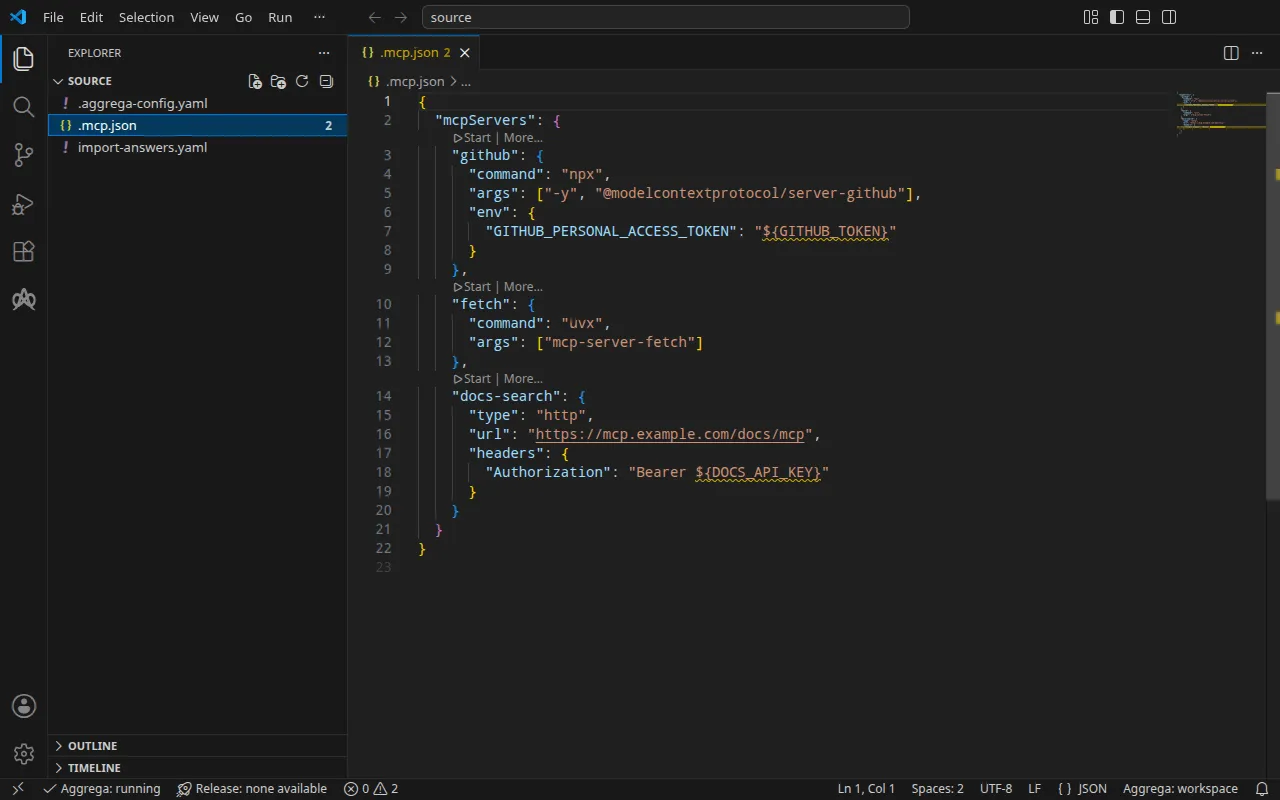
The configuration
Claude Code’s .mcp.json, in the root of a project:
{ "mcpServers": { "github": { "command": "npx", "args": ["-y", "@modelcontextprotocol/server-github"], "env": { "GITHUB_PERSONAL_ACCESS_TOKEN": "${GITHUB_TOKEN}" } }, "fetch": { "command": "uvx", "args": ["mcp-server-fetch"] }, "docs-search": { "type": "http", "url": "https://mcp.example.com/docs/mcp", "headers": { "Authorization": "Bearer ${DOCS_API_KEY}" } } }}The import reads Claude Desktop’s claude_desktop_config.json, Cursor’s
.cursor/mcp.json, Visual Studio Code’s .vscode/mcp.json and an MCP registry
server.json the same way. Beside the configuration, an .aggrega-config.yaml
makes the folder a workspace:
# The workspace key marks this directory as the workspace root, so an import run# here writes its drafts beside .mcp.json.workspace: {}# The registry the importer is fetched from the first time an import needs it.default_registry: hub.aggrega.ai--target drafts a Manifest from the catalog’s Recipes. The workspace names no
catalog folder, so the import reads the standard-library catalog from the
registry it fetches its importer from: a signed snapshot of the published
catalog, fetched, verified and kept in the workspace’s content cache by the
first import, and named by its digest in the record the import writes beside
its drafts. A workspace that names its own catalog folders — in
AGGREGA_CATALOG_DIRS, or under workspace.catalog_dirs — imports against
those instead.
The answers file
On Kubernetes, the GitHub server reads its token from a Secret the cluster
holds, and no MCP configuration names that Secret: the configuration reads the
token from your shell’s GITHUB_TOKEN. So the import asks for the Secret’s
name. The example keeps the answer in import-answers.yaml, beside
.mcp.json, where the import looks for it:
# Values the import could not draft from the source, keyed by the drafted file and the key path inside# it. Write each one beside its key; an import of the same source, and a sync, read them from here and# ask nothing. A secret is never written here: its key asks where the secret comes from — a variable# name, ${NAME}, or the name of a Kubernetes Secret.release.yaml: # The origin of the secret value, written by the operator in the Release. Read exactly as # values.origin is. Write it here or in values.origin, never in both. A secret: name where it comes # from, never the value. spec.components.github.features.server_env.infra.origin: "github-mcp-token"The import wrote the file itself, the first time it was run with no answer: with no terminal to ask at, it drafted everything else, left the Secret’s name empty, listed the key in the file, and stopped with
1 value the drafts leave empty is still owed, listed in the answers file <workspace>/import-answers.yaml: write it beside its key there, then run the import againAt a terminal it asks the question instead, and writes the answer into the file
for the next import. The answer is the Secret’s name, github-mcp-token, never
the token. The import answers file
describes the file and the questions in full.
aggrega import lists
every flag the command takes, --answers, which names an answers file kept
elsewhere, among them.
Change into source:
cd sourceRun the import
aggrega import .mcp.json --target helmOn standard output it lists what it wrote:
wrote aggregate.yamlwrote release.yamlwrote manifest.yamlwrote .aggrega-import.jsonOn standard error, with <workspace> standing for the folder you ran it in:
[… omitted: a warning that the importer runs unverified, printed where its module is read from beside its Plugin entity in a catalog folder rather than fetched]read as the mcp format, with drafted paths relative to <workspace>warn: the value of infra.stdio_command.0 of node github is carried as written in the Release the draft writes: the field belongs to an MCP server's configuration, which can carry a key, and setting empty_credentials to marked or all writes it emptywarn: the value of infra.stdio_command.1 of node github is carried as written in the Release the draft writes: the field belongs to an MCP server's configuration, which can carry a key, and setting empty_credentials to marked or all writes it emptywarn: the value of infra.stdio_command.2 of node github is carried as written in the Release the draft writes: the field belongs to an MCP server's configuration, which can carry a key, and setting empty_credentials to marked or all writes it emptywarn: the value of infra.stdio_command.0 of node fetch is carried as written in the Release the draft writes: the field belongs to an MCP server's configuration, which can carry a key, and setting empty_credentials to marked or all writes it emptywarn: the value of infra.stdio_command.1 of node fetch is carried as written in the Release the draft writes: the field belongs to an MCP server's configuration, which can carry a key, and setting empty_credentials to marked or all writes it emptywarn: the value of headers.Authorization of node docs-search is carried as written in the Release the draft writes: the field belongs to an MCP server's configuration, which can carry a key, and setting empty_credentials to marked or all writes it emptywarn: the value of infra.endpoint of node docs-search is carried as written in the Release the draft writes: the field belongs to an MCP server's configuration, which can carry a key, and setting empty_credentials to marked or all writes it emptyPull complete: <workspace>/release.lock (entities=7, source_artifacts=0, external_inputs=0)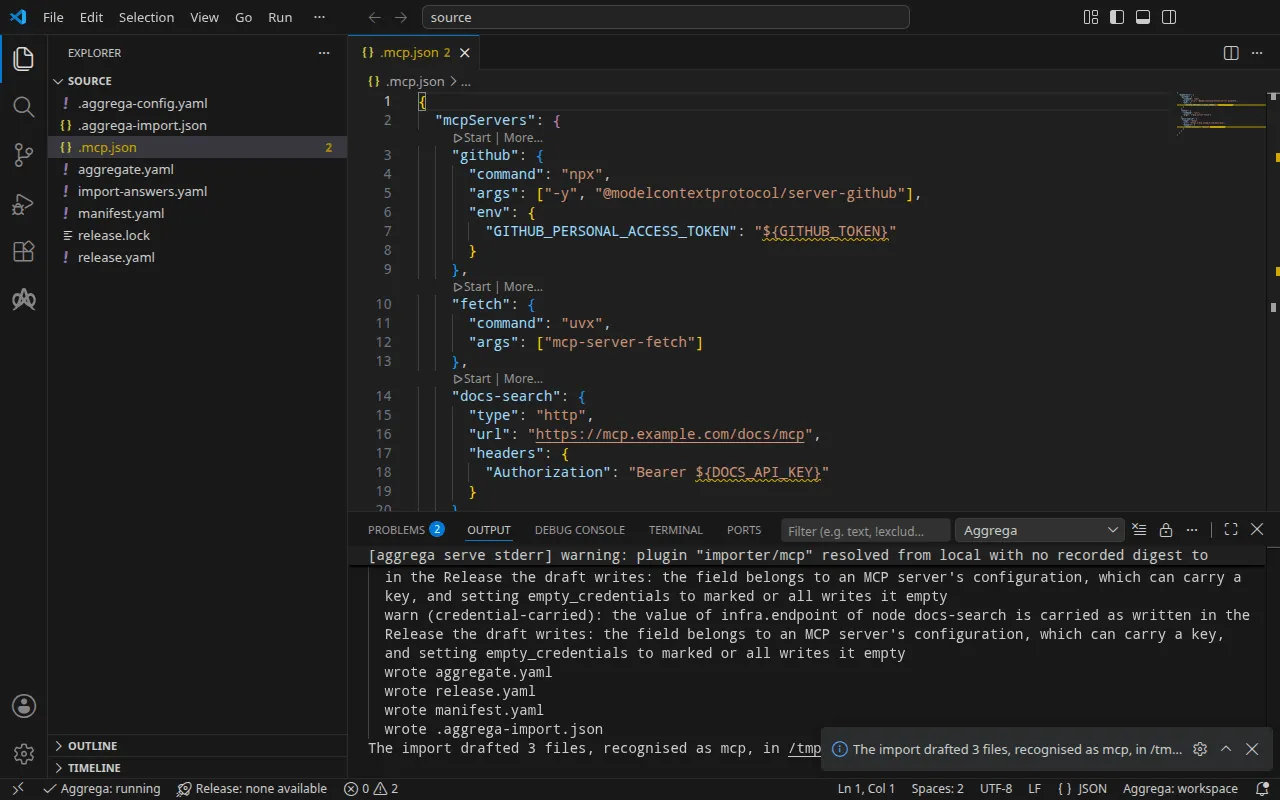
Every server is an instance of the standard library’s MCP tool,
core/ai-tool/mcp, so the import weighs no candidate and prints no mapped
line.
- The
warnlines name the values a server’s configuration holds. No MCP client marks any of them as a credential, and any of them can carry one — a key in a command-line argument, a token in an address — so the import names each item of a command line, each header and each address it carried, by its server and its place, never by its value. Read them before you share the draft. Theenvvalue${GITHUB_TOKEN}is a variable reference and nothing else, so it holds no value of its own and no warning names it. - The
Pull completeline is the import fetching what the drafted Release depends on, asaggrega pulldoes, intorelease.lock, so the drafts validate and build at once. Under--offlinethe import pulls nothing and names theaggrega pullto run.
What it writes
The Aggregate, the Release and the Manifest are named imported/mcp, after the
file, .mcp.json, since a client’s configuration carries no name of its own — a
registry’s server.json is named after its name — under the namespace the
importer’s target_namespace setting sets, imported unless you set another
(Settings).
aggregate.yaml — one instance per server, and nothing that uses them yet:
apiVersion: aggrega.ai/v1beta1kind: Aggregatemetadata: name: imported/mcp version: 0.1.0 description: Draft Aggregate imported from a source in the mcp format.spec: components: github: type: core/ai-tool/mcp fetch: type: core/ai-tool/mcp docs-search: type: core/ai-tool/mcprelease.yaml — how each server is run or reached, as the configuration states
it, and the Secret the GitHub server’s token is read from:
apiVersion: aggrega.ai/v1beta1kind: Releasemetadata: name: imported/mcp # environment is a drafted default, since no source names the environment this Release deploys to; change it to name the one it deploys to. environment: development version: 0.1.0 description: Draft Release imported from a source in the mcp format.spec: aggregate: imported/mcp manifest: imported/mcp components: github: infra: stdio_command: - "npx" - "-y" - "@modelcontextprotocol/server-github" stdio_runtime: npm features: server_env: type: core/referenced-secret infra: # Left for the Release, since the source cannot supply it: the name of a Kubernetes Secret already in the namespace holding the environment github is started with, one data key per variable, each named as the variable it holds: GITHUB_PERSONAL_ACCESS_TOKEN. origin: "github-mcp-token" fetch: infra: stdio_command: - "uvx" - "mcp-server-fetch" stdio_runtime: pypi # The headers the source sends this server, which no infrastructure key of core/ai-tool/mcp takes, since a remote server's credential is held by each consumer, on its connection to the tool: # - Authorization: "Bearer ${DOCS_API_KEY}" docs-search: infra: endpoint: "https://mcp.example.com/docs/mcp"- The environment,
development, is a default the import writes because no configuration names one; change it where the Release deploys elsewhere. stdio_runtimeis read off each command:npxruns an npm package,uvxa PyPI one.- The GitHub token. The server’s environment becomes its
server_envslot. On Kubernetes,core/referenced-secret-set’s realization,helm/k8s-secret-set, writes the values it is given into a Secret the build renders, which would put the token in a file. So for--target helmthe import attachescore/referenced-secretinstead, naming a Secret the cluster already holds — the answer,github-mcp-token— with one data key per variable,GITHUB_PERSONAL_ACCESS_TOKEN. The bridge imports every data key of that Secret as a variable of the same name, so the server reads its token as it did on your machine, and no rendered file carries it. - The
Authorizationheader stays a comment. A remote server’s credential is held by whoever calls it, on that caller’s own connection to the tool, and this workspace has no caller yet. When you wire an agent todocs-search, the header goes on that connection.
manifest.yaml — one realization per server, by its name, and the Secret’s
realization:
apiVersion: aggrega.ai/v1beta1kind: Manifestmetadata: name: imported/mcp version: 0.1.0spec: mappings: components: type: {} name: github: helm/mcp-stdio-bridge fetch: helm/mcp-stdio-bridge docs-search: helm/mcp-remote features: type: core/referenced-secret: helm/k8s-existing-secretThree Kubernetes Recipes realize core/ai-tool/mcp — one for a server
published as an image, one for a package run behind a bridge, one for a server
someone else runs — and which one fits is a property of each server, which the
configuration states. So the import maps each instance by its name: github
and fetch, started from a command line, run behind the stdio bridge,
helm/mcp-stdio-bridge; docs-search, which someone else runs, maps to
helm/mcp-remote, which runs nothing and publishes the address. The token’s
Secret maps to helm/k8s-existing-secret, which references a Secret rather
than writing one.
release.lock records the catalog entities the Release resolved to, by
digest, and .aggrega-import.json is the record of what the import wrote,
which a later aggrega import --sync reads.
On Docker Compose
The servers run on Docker Compose too. aggrega import .mcp.json --target compose
maps github and fetch to compose/mcp-stdio-bridge and docs-search to
compose/mcp-remote, and keeps the GitHub server’s environment as the
configuration writes it: a core/referenced-secret-set entry whose value is
the variable reference ${GITHUB_TOKEN}, realized by
compose/dotenv-secret-set, which writes it into the service’s environment as
written, so Docker Compose fills it from your shell when the stack starts. That
import asks for nothing, and keeps the Secret’s name in the answers file
without using it.
Validate and build
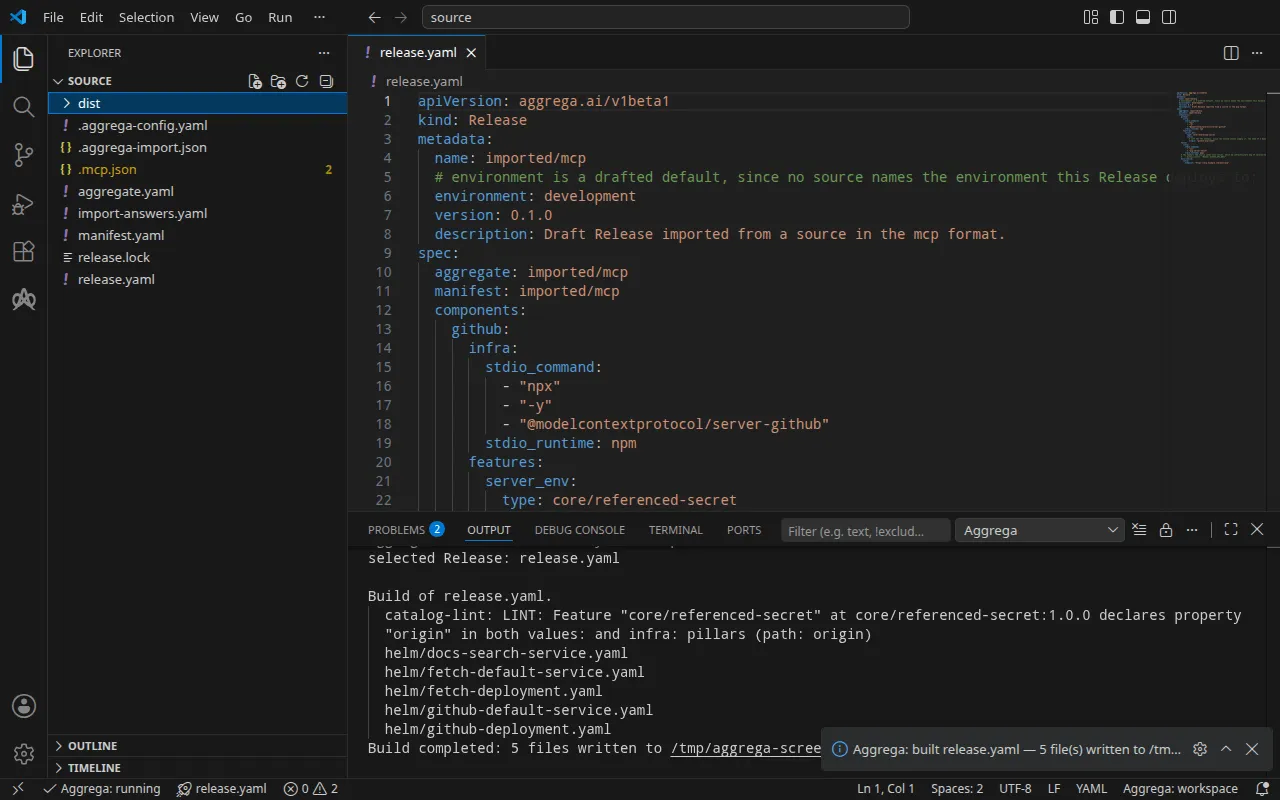
aggrega validate --release release.yamlaggrega build --release release.yaml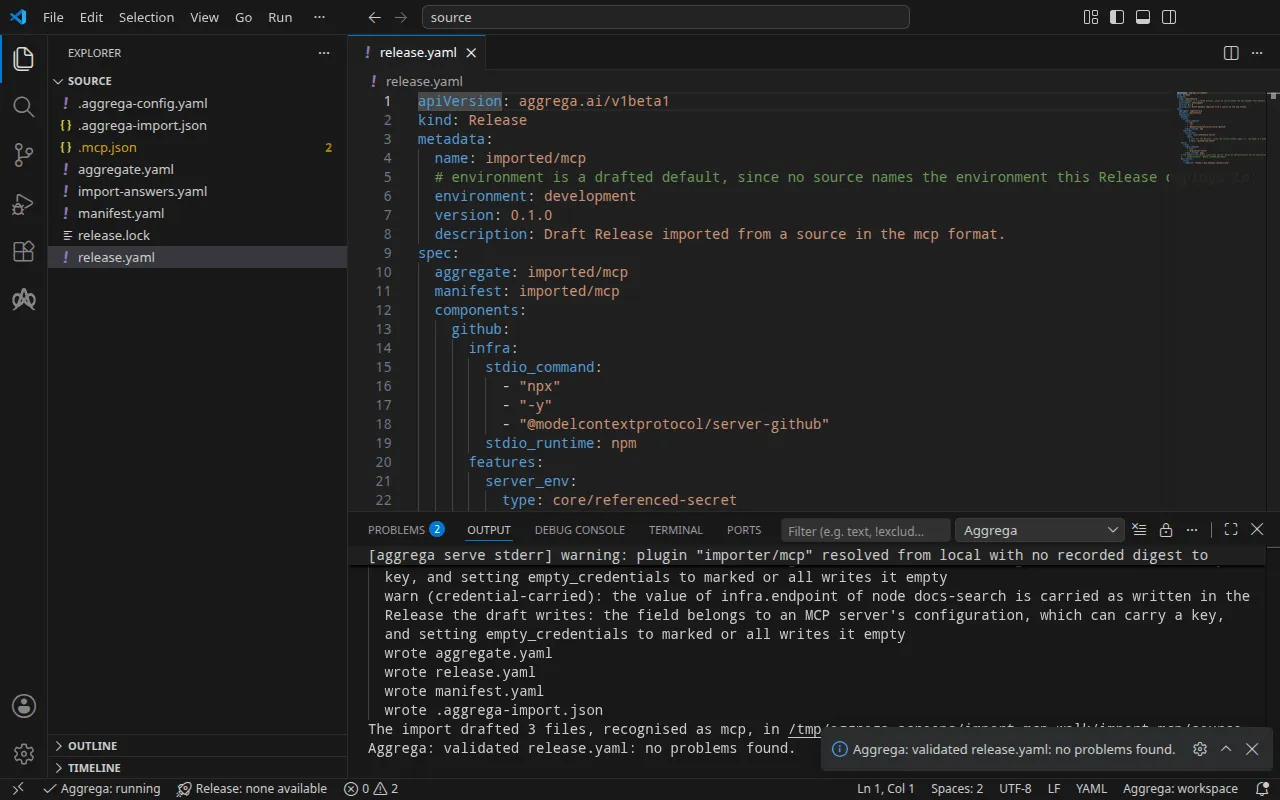
The validation prints:
notice: LINT: Feature "core/referenced-secret" at core/referenced-secret:1.0.0 declares property "origin" in both values: and infra: pillars (path: origin)release dependency validation passed: release.yaml (schema-pillar + dependency pillars)and the build, with <workspace> standing for the folder you ran it in:
notice: LINT: Feature "core/referenced-secret" at core/referenced-secret:1.0.0 declares property "origin" in both values: and infra: pillars (path: origin)[… omitted: a total build time, which differs per run]Build completed: 5 files written to <workspace>/distThe notice line is advisory: the Feature accepts its origin from the
Aggregate’s values or the Release’s infra, and the notice reports that one
leaf is declared in both. It changes no verdict.
The build writes, under dist/helm/, a Deployment and a Service for each of the
two bridged servers, and one Service for docs-search. The GitHub server’s
container, in dist/helm/github-deployment.yaml, runs the bridge with the
server’s command line, and takes its environment from the Secret:
containers: - name: main image: ghcr.io/supercorp-ai/supergateway:4.1.0@sha256:1938c43538a5308bce07d58028e9de00b7acfecb40b39b059b2f3931800ad910 args: - --stdio - '''npx'' ''-y'' ''@modelcontextprotocol/server-github''' - --outputTransport - streamableHttp - --stateful - --port - "8080" - --streamableHttpPath - /mcp - --healthEndpoint - /healthz ports: - name: http containerPort: 8080 env: - name: MCP_TOOL_SIDE_EFFECTS value: mutating - name: MCP_TOOL_TIMEOUT_SECONDS value: "30" - name: MCP_TOOL_PORT value: "8080" envFrom: - secretRef: name: github-mcp-token [… omitted: the container's resources and its readiness probe]dist/helm/docs-search-service.yaml runs nothing: it gives the server someone
else runs a name inside the cluster.
apiVersion: v1kind: Servicemetadata: name: docs-search [… omitted: the labels and annotations the build writes on every resource]spec: type: ExternalName externalName: mcp.example.com ports: - port: 443With an AI assistant
An AI assistant set up with Aggrega’s tools can do the same: paste this prompt into it.
Use the Aggrega tools only, and create no folder yourself. If the Workspace folder holds no `import-mcp` folder yet, call the `scaffold` tool once with `example` set to `import-mcp` and no `dir`: it writes the example into a new `import-mcp` folder, whose `source` folder holds what this page imports. Then call the `import` tool with `workspace_root` set to `import-mcp/source`, `source` set to `.mcp.json` and `target` set to `helm`: it reads the answers it needs from `import-answers.yaml` beside `.mcp.json`, writes its drafts into `import-mcp/source` and pulls what they need. Then call the `validate` tool with `workspace_root` set to `import-mcp/source` and `release` set to `release.yaml`, and the `build` tool with `workspace_root` set to `import-mcp/source`, `release` set to `release.yaml` and `write` set to true. Tell me which files the build wrote; they are under `import-mcp/source/dist/`.Open it in VS Code
With the
Aggrega extension for Visual Studio Code
installed, open the folder import-mcp/source in VS Code, where the import
wrote its drafts. The folder holds one Release, the drafted release.yaml, so
the editor selects it for you, and it checks the drafts against that Release as
you edit them, marking what it finds in the file and in the Problems panel.
Aggrega: Show topology graph, in the Command Palette, draws the Release’s
components and the connections between them. Aggrega: Build,
Aggrega: Preview build and Aggrega: Pull act on the same Release, and
each is also a button on the Commands panel of the Aggrega view in the
activity bar; Build writes its files into the folder’s dist/.
Use Aggrega in Visual Studio Code covers the rest.
Run it
Nothing in the build writes the github-mcp-token Secret, so create it before
you apply the files. Write your token into
github-token.env, as the one line
GITHUB_PERSONAL_ACCESS_TOKEN=<your token>, and create the Secret from it.
The cluster holds the token then, so delete the file:
kubectl create secret generic github-mcp-token --from-env-file=github-token.envrm github-token.envsecret/github-mcp-token createdApply the build, as the run step of How an import runs explains, and wait for the two servers:
kubectl apply -R -f dist/helm/kubectl wait --for=condition=Available deployment.apps/fetch deployment.apps/github --timeout=5mservice/docs-search createdservice/fetch-default createddeployment.apps/fetch createdservice/github-default createddeployment.apps/github createddeployment.apps/fetch condition metdeployment.apps/github condition metOn Docker Compose, in a workspace imported with --target compose and built,
start the stack with your token in your shell’s GITHUB_TOKEN, which Docker
Compose reads when the stack starts:
docker compose -p mcp -f dist/compose/docker-compose.yaml up -d --waitTest it
The bridge serves each server over MCP’s Streamable HTTP transport, at /mcp
on port 8080. Ask the fetch server to open a session with MCP’s initialize
request, which reads no token.
On Docker Compose, send it from a throwaway container on the stack’s network,
mcp_compose, where the server’s name is fetch:
docker run --rm --network mcp_compose curlimages/curl:8.11.1 -sS http://fetch:8080/mcp \ -H 'Content-Type: application/json' -H 'Accept: application/json, text/event-stream' \ -d '{"jsonrpc": "2.0", "id": 1, "method": "initialize", "params": {"protocolVersion": "2025-06-18", "capabilities": {}, "clientInfo": {"name": "test-it", "version": "1.0.0"}}}': keepalive
[… omitted: the same comment, repeated while the server starts]
event: messagedata: {"jsonrpc":"2.0","id":1,"result":{"capabilities":{"prompts":{"listChanged":false},"resources":{"listChanged":false,"subscribe":false},"tools":{"listChanged":false}},"protocolVersion":"2025-06-18","serverInfo":{"name":"mcp-fetch","version":"2026.11.11"}}}On Kubernetes, forward a local port to the server’s Service, fetch-default,
and leave the command running:
kubectl port-forward svc/fetch-default 8080:8080From another terminal, send the same request to the forwarded port:
curl -sS http://127.0.0.1:8080/mcp \ -H 'Content-Type: application/json' -H 'Accept: application/json, text/event-stream' \ -d '{"jsonrpc": "2.0", "id": 1, "method": "initialize", "params": {"protocolVersion": "2025-06-18", "capabilities": {}, "clientInfo": {"name": "test-it", "version": "1.0.0"}}}': keepalive
: keepalive
event: messagedata: {"jsonrpc":"2.0","id":1,"result":{"capabilities":{"prompts":{"listChanged":false},"resources":{"listChanged":false,"subscribe":false},"tools":{"listChanged":false}},"protocolVersion":"2025-06-18","serverInfo":{"name":"mcp-fetch","version":"2026.11.11"}}}The reply names the server, mcp-fetch. It takes a while: the bridge starts
the server’s command line, uvx mcp-server-fetch, for each session, and uvx
downloads and installs the server’s packages first — about half a minute on
Kubernetes and about a minute on Docker Compose in the run. The : keepalive
lines are comments the stream sends meanwhile.
The GitHub server answers the same request at http://github:8080/mcp on
Docker Compose, and through kubectl port-forward svc/github-default 8080:8080
on Kubernetes. initialize reads no token, so it answers whatever the token
holds; the run used a placeholder token:
[… omitted: the keepalive comments, sent while npx installs the server]event: messagedata: {"result":{"protocolVersion":"2024-11-05","capabilities":{"tools":{}},"serverInfo":{"name":"github-mcp-server","version":"0.6.2"}},"jsonrpc":"2.0","id":1}Stop the port forward, then remove what you applied and the Secret:
kubectl delete -R -f dist/helm/kubectl delete secret github-mcp-tokenOn Docker Compose, stop and remove the stack:
docker compose -p mcp -f dist/compose/docker-compose.yaml down