



匯入 MCP 用戶端設定
本逐步說明會匯入程式碼助理所設定的 Model Context Protocol 伺服器——兩個由命令列啟動,一個由他人執行——並為 Kubernetes 建置這些伺服器,讓在叢集中執行的代理程式能使用同樣的工具。匯入會草擬建置所讀取的每個檔案:每個伺服器的命令列或位址、執行它的實現,以及 GitHub 伺服器的權杖來源。下方的每個檔案與每一段輸出都來自實際執行;設定與逐步說明的每個階段都在 import-mcp 範例中,其中的檢查指令碼會再次執行匯入,把它寫出的內容、它印出的內容,以及本頁所引用的區塊,與該處保留的檔案比對,並驗證與建置匯入所寫出的內容。
草擬範例
你可以用本頁的命令執行這個匯入,或是讓你的 AI 助理替你執行。
把範例寫入一個以它命名的新資料夾:
aggrega draft --example import-mcp接著它會印出下一步要執行的命令。第一個切換到新資料夾;其後的那一個(見下方)切換到它的 source 資料夾,其中存放本頁所匯入的內容,也是匯入執行的位置:
cd import-mcp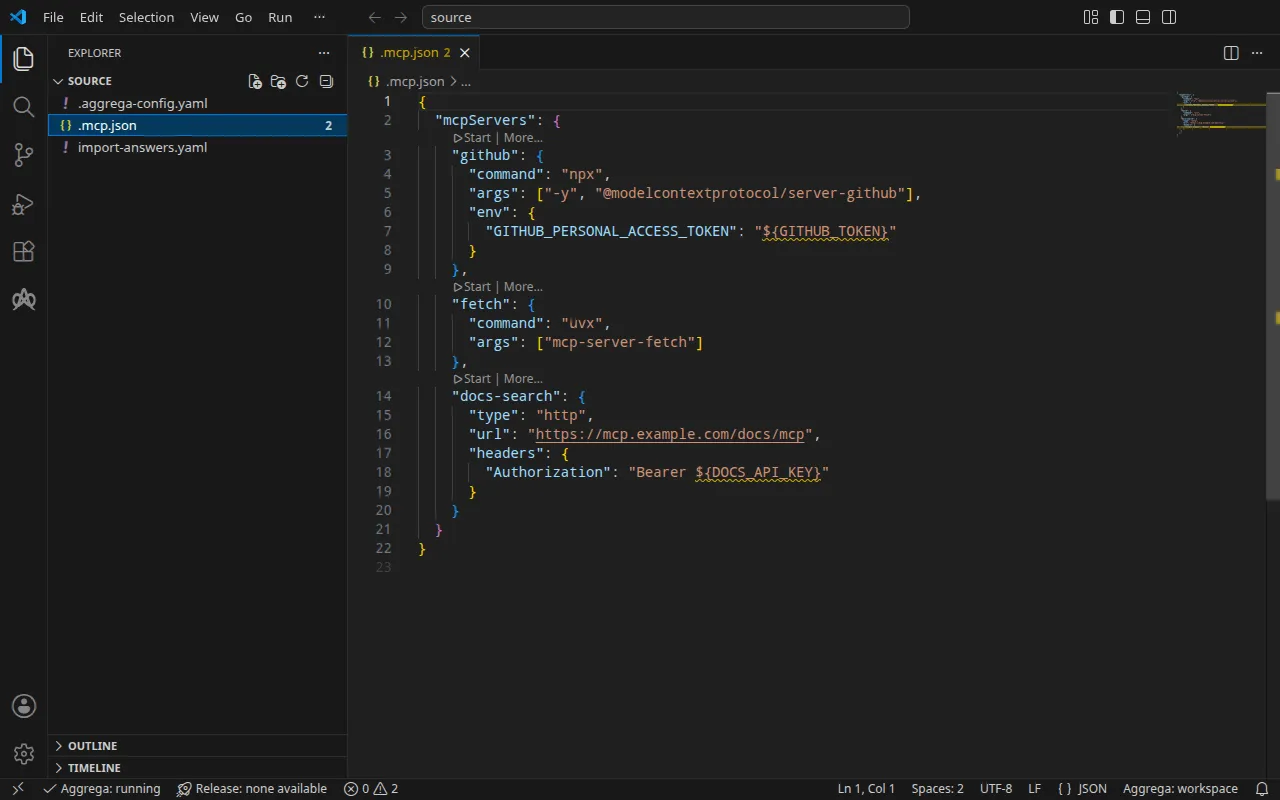
設定
Claude Code 的 .mcp.json,位於專案根目錄:
{ "mcpServers": { "github": { "command": "npx", "args": ["-y", "@modelcontextprotocol/server-github"], "env": { "GITHUB_PERSONAL_ACCESS_TOKEN": "${GITHUB_TOKEN}" } }, "fetch": { "command": "uvx", "args": ["mcp-server-fetch"] }, "docs-search": { "type": "http", "url": "https://mcp.example.com/docs/mcp", "headers": { "Authorization": "Bearer ${DOCS_API_KEY}" } } }}匯入會以同樣方式讀取 Claude Desktop 的 claude_desktop_config.json、Cursor 的 .cursor/mcp.json、Visual Studio Code 的 .vscode/mcp.json,以及 MCP 登錄庫的 server.json。在設定檔旁,.aggrega-config.yaml 使該資料夾成為工作區:
# The workspace key marks this directory as the workspace root, so an import run# here writes its drafts beside .mcp.json.workspace: {}# The registry the importer is fetched from the first time an import needs it.default_registry: hub.aggrega.ai--target 會根據目錄中的 Recipes 草擬 Manifest。工作區沒有指定目錄資料夾,因此匯入會從它取得匯入器的登錄庫讀取標準程式庫目錄:已發布目錄的簽署快照,由第一次匯入擷取、驗證並保存在工作區的內容快取中,並在匯入寫在草稿旁的記錄中以其摘要命名。若工作區指定了自己的目錄資料夾——在 AGGREGA_CATALOG_DIRS 中,或在 workspace.catalog_dirs 之下——則改為針對這些目錄匯入。
答案檔
在 Kubernetes 上,GitHub 伺服器從叢集所持有的 Secret 讀取其權杖,而沒有任何 MCP 設定指名該 Secret:設定是從你 shell 的 GITHUB_TOKEN 讀取權杖。因此匯入會詢問該 Secret 的名稱。範例把答案保存在 import-answers.yaml 中,位於 .mcp.json 旁,也就是匯入尋找它的地方:
# Values the import could not draft from the source, keyed by the drafted file and the key path inside# it. Write each one beside its key; an import of the same source, and a sync, read them from here and# ask nothing. A secret is never written here: its key asks where the secret comes from — a variable# name, ${NAME}, or the name of a Kubernetes Secret.release.yaml: # The origin of the secret value, written by the operator in the Release. Read exactly as # values.origin is. Write it here or in values.origin, never in both. A secret: name where it comes # from, never the value. spec.components.github.features.server_env.infra.origin: "github-mcp-token"匯入自己寫出了該檔案,那是第一次在沒有答案的情況下執行:因為沒有終端機可供詢問,它草擬了其他所有內容,把 Secret 的名稱留空,把該鍵列在檔案中,然後停止,顯示
1 value the drafts leave empty is still owed, listed in the answers file <workspace>/import-answers.yaml: write it beside its key there, then run the import again在終端機中,它會改為詢問該問題,並把答案寫入檔案供下次匯入使用。答案是 Secret 的名稱 github-mcp-token,絕非權杖本身。匯入答案檔 完整說明該檔案與其問題。
aggrega import 列出該命令接受的每個旗標,其中包括 --answers,它可指名保存在別處的答案檔。
切換到 source:
cd source執行匯入
aggrega import .mcp.json --target helm在標準輸出上,它會列出所寫出的內容:
wrote aggregate.yamlwrote release.yamlwrote manifest.yamlwrote .aggrega-import.json在標準錯誤上,其中 <workspace> 代表你執行它所在的資料夾:
[… omitted: a warning that the importer runs unverified, printed where its module is read from beside its Plugin entity in a catalog folder rather than fetched]read as the mcp format, with drafted paths relative to <workspace>warn: the value of infra.stdio_command.0 of node github is carried as written in the Release the draft writes: the field belongs to an MCP server's configuration, which can carry a key, and setting empty_credentials to marked or all writes it emptywarn: the value of infra.stdio_command.1 of node github is carried as written in the Release the draft writes: the field belongs to an MCP server's configuration, which can carry a key, and setting empty_credentials to marked or all writes it emptywarn: the value of infra.stdio_command.2 of node github is carried as written in the Release the draft writes: the field belongs to an MCP server's configuration, which can carry a key, and setting empty_credentials to marked or all writes it emptywarn: the value of infra.stdio_command.0 of node fetch is carried as written in the Release the draft writes: the field belongs to an MCP server's configuration, which can carry a key, and setting empty_credentials to marked or all writes it emptywarn: the value of infra.stdio_command.1 of node fetch is carried as written in the Release the draft writes: the field belongs to an MCP server's configuration, which can carry a key, and setting empty_credentials to marked or all writes it emptywarn: the value of headers.Authorization of node docs-search is carried as written in the Release the draft writes: the field belongs to an MCP server's configuration, which can carry a key, and setting empty_credentials to marked or all writes it emptywarn: the value of infra.endpoint of node docs-search is carried as written in the Release the draft writes: the field belongs to an MCP server's configuration, which can carry a key, and setting empty_credentials to marked or all writes it emptyPull complete: <workspace>/release.lock (entities=7, source_artifacts=0, external_inputs=0)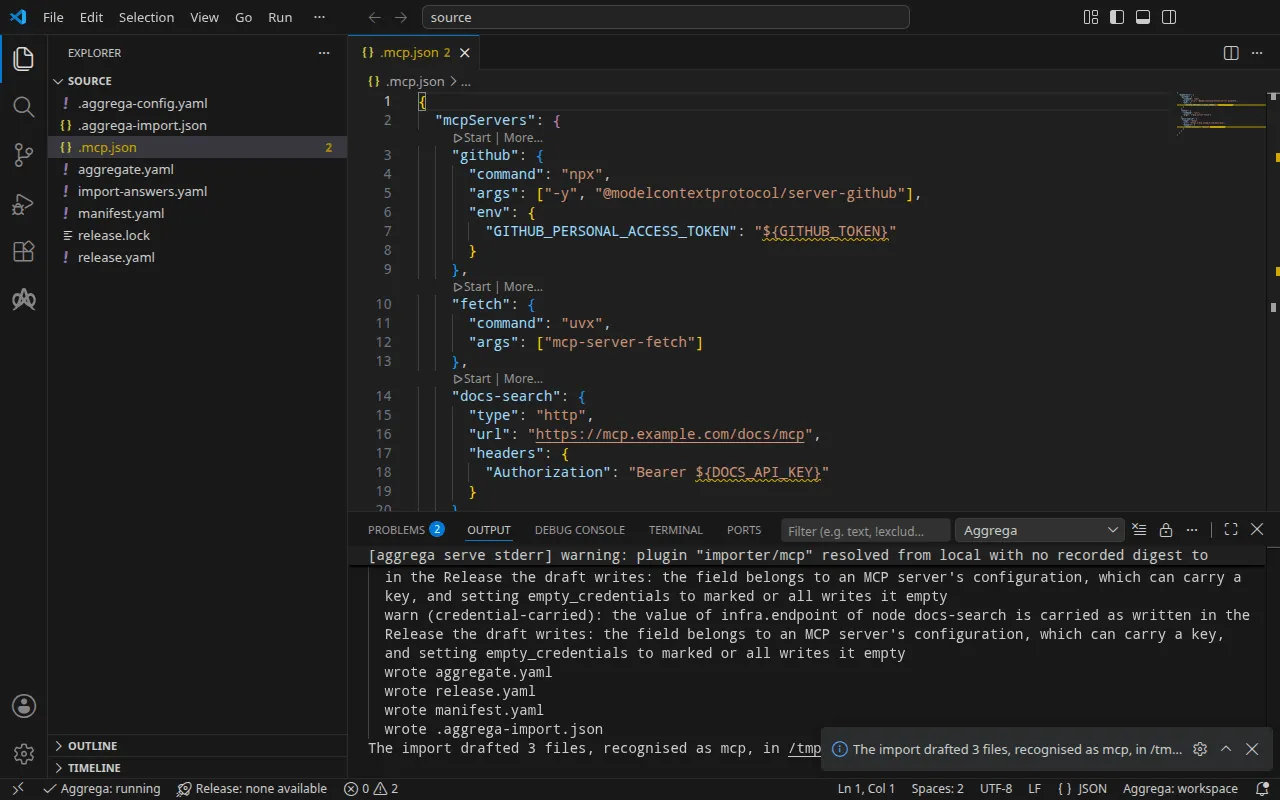
每個伺服器都是標準程式庫 MCP 工具 core/ai-tool/mcp 的實例,因此匯入不衡量任何候選項目,也不印出 mapped 行。
warn行 指名伺服器設定所持有的值。沒有任何 MCP 用戶端把其中任何一項標記為認證,而其中任何一項都可能帶有認證——命令列引數中的金鑰、位址中的權杖——因此匯入會以伺服器與位置,而絕不以值,來指名它所帶有的命令列每一項、每個標頭與每個位址。在你分享草稿之前先閱讀它們。env值${GITHUB_TOKEN}只是變數參照,沒有別的,所以它本身不含任何值,也沒有警告指名它。Pull complete那一行是匯入在擷取草擬 Release 所依賴的內容,就像aggrega pull所做的那樣,寫入release.lock,讓草稿立即就能驗證與建置。在--offline下,匯入不拉取任何東西,並指出該執行的aggrega pull。
它寫出什麼
Aggregate、Release 與 Manifest 的名稱為 imported/mcp,取自檔案 .mcp.json,因為用戶端的設定本身不帶名稱——登錄庫的 server.json 則以其 name 命名——位於匯入器的 target_namespace 設定所指定的命名空間之下,除非你另行設定,否則為 imported(設定)。
aggregate.yaml——每個伺服器一個實例,目前還沒有任何東西使用它們:
apiVersion: aggrega.ai/v1beta1kind: Aggregatemetadata: name: imported/mcp version: 0.1.0 description: Draft Aggregate imported from a source in the mcp format.spec: components: github: type: core/ai-tool/mcp fetch: type: core/ai-tool/mcp docs-search: type: core/ai-tool/mcprelease.yaml——每個伺服器如何執行或連線,依設定所述,以及讀取 GitHub 伺服器權杖的 Secret:
apiVersion: aggrega.ai/v1beta1kind: Releasemetadata: name: imported/mcp # environment is a drafted default, since no source names the environment this Release deploys to; change it to name the one it deploys to. environment: development version: 0.1.0 description: Draft Release imported from a source in the mcp format.spec: aggregate: imported/mcp manifest: imported/mcp components: github: infra: stdio_command: - "npx" - "-y" - "@modelcontextprotocol/server-github" stdio_runtime: npm features: server_env: type: core/referenced-secret infra: # Left for the Release, since the source cannot supply it: the name of a Kubernetes Secret already in the namespace holding the environment github is started with, one data key per variable, each named as the variable it holds: GITHUB_PERSONAL_ACCESS_TOKEN. origin: "github-mcp-token" fetch: infra: stdio_command: - "uvx" - "mcp-server-fetch" stdio_runtime: pypi # The headers the source sends this server, which no infrastructure key of core/ai-tool/mcp takes, since a remote server's credential is held by each consumer, on its connection to the tool: # - Authorization: "Bearer ${DOCS_API_KEY}" docs-search: infra: endpoint: "https://mcp.example.com/docs/mcp"- 環境,
development,是匯入寫入的預設值,因為沒有設定指定環境;若 Release 部署到其他地方,請修改它。 stdio_runtime是從每個命令判讀而得:npx執行 npm 套件,uvx執行 PyPI 套件。- GitHub 權杖。 伺服器的環境變成它的
server_env槽位。在 Kubernetes 上,core/referenced-secret-set的實現helm/k8s-secret-set會把交給它的值寫入建置所渲染的 Secret,這會把權杖放進檔案。因此對於--target helm,匯入改為附加core/referenced-secret,指名叢集已持有的 Secret——即答案github-mcp-token——每個變數一個資料鍵,即GITHUB_PERSONAL_ACCESS_TOKEN。橋接器會把該 Secret 的每個資料鍵匯入為同名變數,所以伺服器讀取權杖的方式與在你機器上相同,且沒有任何渲染出的檔案帶有它。 Authorization標頭保持為註解。 遠端伺服器的認證由呼叫它的一方持有,位於該呼叫端自己到該工具的連線上,而此工作區目前還沒有呼叫端。當你把代理程式連到docs-search時,標頭會放在那條連線上。
manifest.yaml——每個伺服器依其名稱各一個實現,以及 Secret 的實現:
apiVersion: aggrega.ai/v1beta1kind: Manifestmetadata: name: imported/mcp version: 0.1.0spec: mappings: components: type: {} name: github: helm/mcp-stdio-bridge fetch: helm/mcp-stdio-bridge docs-search: helm/mcp-remote features: type: core/referenced-secret: helm/k8s-existing-secret有三個 Kubernetes Recipes 實現 core/ai-tool/mcp——一個用於以映像檔發布的伺服器,一個用於在橋接器後方執行的套件,一個用於他人執行的伺服器——哪一個適用是每個伺服器的屬性,由設定所述。所以匯入依名稱對應每個實例:從命令列啟動的 github 與 fetch 在 stdio 橋接器後方執行,即 helm/mcp-stdio-bridge;由他人執行的 docs-search 對應到 helm/mcp-remote,它不執行任何東西,只發布位址。權杖的 Secret 對應到 helm/k8s-existing-secret,它參照 Secret 而不是寫入一個。
release.lock 以摘要記錄 Release 所解析到的目錄實體,而 .aggrega-import.json 是匯入所寫內容的記錄,之後的 aggrega import --sync 會讀取它。
On Docker Compose
伺服器也能在 Docker Compose 上執行。aggrega import .mcp.json --target compose 把 github 與 fetch 對應到 compose/mcp-stdio-bridge,把 docs-search 對應到 compose/mcp-remote,並保留 GitHub 伺服器的環境,如設定所寫:一個 core/referenced-secret-set 項目,其值是變數參照 ${GITHUB_TOKEN},由 compose/dotenv-secret-set 實現,它把該值原樣寫入服務的環境,使 Docker Compose 在堆疊啟動時從你的 shell 填入。該匯入不詢問任何事,並把 Secret 的名稱保留在答案檔中而不使用它。
驗證並建置
aggrega validate --release release.yamlaggrega build --release release.yaml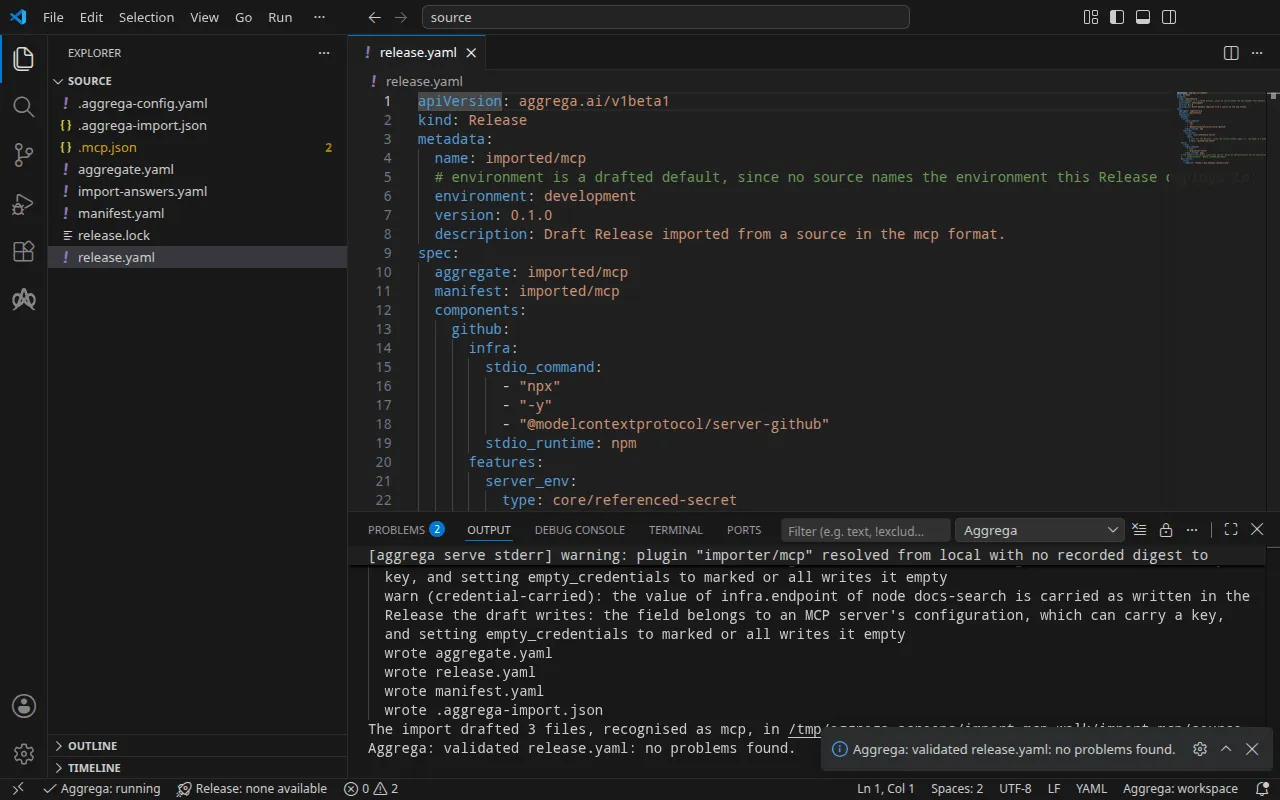
驗證會印出:
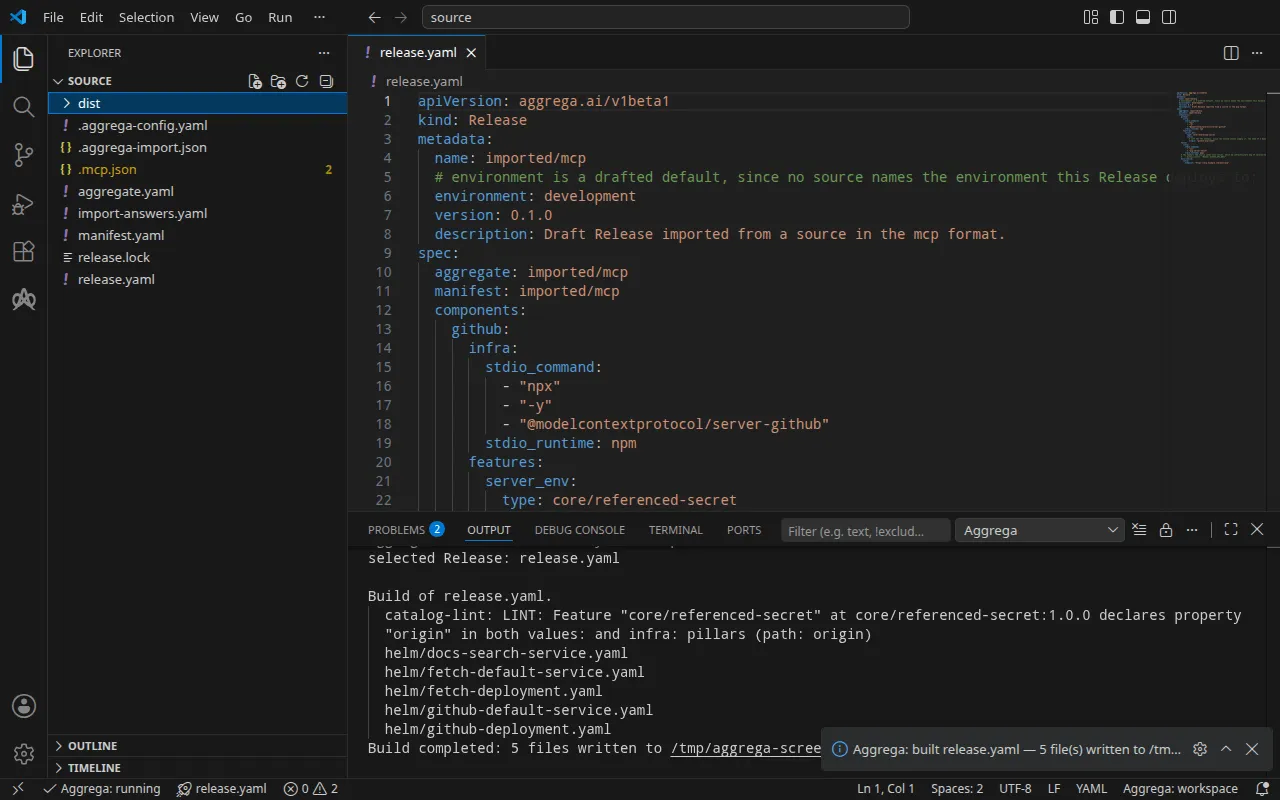
notice: LINT: Feature "core/referenced-secret" at core/referenced-secret:1.0.0 declares property "origin" in both values: and infra: pillars (path: origin)release dependency validation passed: release.yaml (schema-pillar + dependency pillars)而建置(其中 <workspace> 代表你執行它所在的資料夾)會印出:
notice: LINT: Feature "core/referenced-secret" at core/referenced-secret:1.0.0 declares property "origin" in both values: and infra: pillars (path: origin)[… omitted: a total build time, which differs per run]Build completed: 5 files written to <workspace>/distnotice 行僅供參考:Feature 接受來自 Aggregate 的 values 或 Release 的 infra 的 origin,而此通知回報有一個葉節點在兩處都有宣告。它不改變任何判定。
建置會在 dist/helm/ 之下,為兩個橋接的伺服器各寫出一個 Deployment 與一個 Service,並為 docs-search 寫出一個 Service。GitHub 伺服器的容器位於 dist/helm/github-deployment.yaml,以伺服器的命令列執行橋接器,並從 Secret 取得其環境:
containers: - name: main image: ghcr.io/supercorp-ai/supergateway:4.1.0@sha256:1938c43538a5308bce07d58028e9de00b7acfecb40b39b059b2f3931800ad910 args: - --stdio - '''npx'' ''-y'' ''@modelcontextprotocol/server-github''' - --outputTransport - streamableHttp - --stateful - --port - "8080" - --streamableHttpPath - /mcp - --healthEndpoint - /healthz ports: - name: http containerPort: 8080 env: - name: MCP_TOOL_SIDE_EFFECTS value: mutating - name: MCP_TOOL_TIMEOUT_SECONDS value: "30" - name: MCP_TOOL_PORT value: "8080" envFrom: - secretRef: name: github-mcp-token [… omitted: the container's resources and its readiness probe]dist/helm/docs-search-service.yaml 不執行任何東西:它只為他人執行的伺服器提供叢集內的名稱。
apiVersion: v1kind: Servicemetadata: name: docs-search [… omitted: the labels and annotations the build writes on every resource]spec: type: ExternalName externalName: mcp.example.com ports: - port: 443搭配 AI 助理
設定了 Aggrega 工具的 AI 助理也能做同樣的事:把這段提示貼給它。
請只使用 Aggrega 工具,且不要自行建立任何資料夾。如果工作區資料夾中還沒有 `import-mcp` 資料夾,請呼叫 `draft` 工具一次,將 `example` 設為 `import-mcp`,且不帶 `dir`:它會把範例寫入新的 `import-mcp` 資料夾,其 `source` 資料夾存放本頁所匯入的內容。接著呼叫 `import` 工具,將 `workspace_root` 設為 `import-mcp/source`、`source` 設為 `.mcp.json`、`target` 設為 `helm`:它會從 `.mcp.json` 旁的 `import-answers.yaml` 讀取所需的答案,把草稿寫入 `import-mcp/source`,並拉取它們所需的內容。接著呼叫 `validate` 工具,將 `workspace_root` 設為 `import-mcp/source`、`release` 設為 `release.yaml`,再呼叫 `build` 工具,將 `workspace_root` 設為 `import-mcp/source`、`release` 設為 `release.yaml`、`write` 設為 true。告訴我建置寫出了哪些檔案;它們位於 `import-mcp/source/dist/`。在 VS Code 中開啟
安裝 Visual Studio Code 的 Aggrega 擴充功能之後,在 VS Code 中開啟資料夾 import-mcp/source,也就是匯入寫出草稿的地方。資料夾中有一個 Release,即草擬的 release.yaml,所以編輯器會替你選取它,並在你編輯時對照該 Release 檢查草稿,把發現的問題標示在檔案與 Problems 面板中。Command Palette 中的 Aggrega: Show topology graph 會繪出 Release 的元件與它們之間的連線。Aggrega: Build、Aggrega: Preview build 與 Aggrega: Pull 作用於同一個 Release,且每一個也都是活動列中 Aggrega 檢視的 Commands 面板上的按鈕;Build 會把檔案寫入資料夾的 dist/。在 Visual Studio Code 中使用 Aggrega 涵蓋其餘部分。
執行
建置不會寫出 github-mcp-token Secret,所以在套用檔案之前先建立它。把你的權杖寫入 github-token.env,作為單獨一行 GITHUB_PERSONAL_ACCESS_TOKEN=<your token>,並由它建立 Secret。這時叢集已持有權杖,所以刪除該檔案:
kubectl create secret generic github-mcp-token --from-env-file=github-token.envrm github-token.envsecret/github-mcp-token created套用建置結果,如 匯入如何執行 的執行步驟所說明,並等待兩個伺服器:
kubectl apply -R -f dist/helm/kubectl wait --for=condition=Available deployment.apps/fetch deployment.apps/github --timeout=5mservice/docs-search createdservice/fetch-default createddeployment.apps/fetch createdservice/github-default createddeployment.apps/github createddeployment.apps/fetch condition metdeployment.apps/github condition met在 Docker Compose 上,於以 --target compose 匯入並建置的工作區中,把你的權杖放在 shell 的 GITHUB_TOKEN 中並啟動堆疊,Docker Compose 會在堆疊啟動時讀取它:
docker compose -p mcp -f dist/compose/docker-compose.yaml up -d --wait測試
橋接器透過 MCP 的 Streamable HTTP 傳輸,在連接埠 8080 的 /mcp 提供每個伺服器。請 fetch 伺服器以 MCP 的 initialize 請求開啟工作階段,該請求不讀取任何權杖。
在 Docker Compose 上,從堆疊網路 mcp_compose 中的拋棄式容器送出,伺服器的名稱在那裡是 fetch:
docker run --rm --network mcp_compose curlimages/curl:8.11.1 -sS http://fetch:8080/mcp \ -H 'Content-Type: application/json' -H 'Accept: application/json, text/event-stream' \ -d '{"jsonrpc": "2.0", "id": 1, "method": "initialize", "params": {"protocolVersion": "2025-06-18", "capabilities": {}, "clientInfo": {"name": "test-it", "version": "1.0.0"}}}': keepalive
[… omitted: the same comment, repeated while the server starts]
event: messagedata: {"jsonrpc":"2.0","id":1,"result":{"capabilities":{"prompts":{"listChanged":false},"resources":{"listChanged":false,"subscribe":false},"tools":{"listChanged":false}},"protocolVersion":"2025-06-18","serverInfo":{"name":"mcp-fetch","version":"2026.11.11"}}}在 Kubernetes 上,把本機連接埠轉送到伺服器的 Service fetch-default,並讓命令持續執行:
kubectl port-forward svc/fetch-default 8080:8080從另一個終端機,把相同的請求傳送到轉送的連接埠:
curl -sS http://127.0.0.1:8080/mcp \ -H 'Content-Type: application/json' -H 'Accept: application/json, text/event-stream' \ -d '{"jsonrpc": "2.0", "id": 1, "method": "initialize", "params": {"protocolVersion": "2025-06-18", "capabilities": {}, "clientInfo": {"name": "test-it", "version": "1.0.0"}}}': keepalive
: keepalive
event: messagedata: {"jsonrpc":"2.0","id":1,"result":{"capabilities":{"prompts":{"listChanged":false},"resources":{"listChanged":false,"subscribe":false},"tools":{"listChanged":false}},"protocolVersion":"2025-06-18","serverInfo":{"name":"mcp-fetch","version":"2026.11.11"}}}回覆指名伺服器 mcp-fetch。它需要一些時間:橋接器會為每個工作階段啟動伺服器的命令列 uvx mcp-server-fetch,而 uvx 會先下載並安裝伺服器的套件——在該次執行中,Kubernetes 上約半分鐘,Docker Compose 上約一分鐘。: keepalive 行是串流在此期間送出的註解。
GitHub 伺服器在 Docker Compose 上於 http://github:8080/mcp 回答同一個請求,在 Kubernetes 上則透過 kubectl port-forward svc/github-default 8080:8080。initialize 不讀取任何權杖,所以無論權杖內容為何它都會回答;該次執行使用的是預留位置權杖:
[… omitted: the keepalive comments, sent while npx installs the server]event: messagedata: {"result":{"protocolVersion":"2024-11-05","capabilities":{"tools":{}},"serverInfo":{"name":"github-mcp-server","version":"0.6.2"}},"jsonrpc":"2.0","id":1}停止連接埠轉送,然後移除你所套用的內容與 Secret:
kubectl delete -R -f dist/helm/kubectl delete secret github-mcp-token在 Docker Compose 上,停止並移除堆疊:
docker compose -p mcp -f dist/compose/docker-compose.yaml down