



匯入 Langflow flow
本逐步說明會將從 Langflow 匯出的 flow——Basic Prompting,Langflow 1.6.0 隨附的入門專案——匯入為 Aggregate、Release 與 Manifest,它們會建置帶著該 flow 的 Langflow,依原樣用於 Docker Compose,接著建置並執行結果。下方的每個檔案與每段輸出都來自真實執行;該 flow 與逐步說明的每個階段都在 import-langflow 範例中,其中的檢查指令碼會再次執行匯入,將其寫出的內容、印出的內容,以及本頁引用的區塊與該處保存的檔案比對,並驗證與建置匯入所寫出的內容。
草擬範例
你可以用本頁的命令執行這個匯入,或是讓你的 AI 助理替你執行。
把範例寫入一個以它命名的新資料夾:
aggrega draft --example import-langflow接著它會印出接下來要執行的命令。第一個切換到新資料夾;其後的下一個,在下方,切換到其 source 資料夾,匯入就在那裡執行。該資料夾帶有 flow 檔案 basic-prompting.json,本頁只描述而不引用它:
cd import-langflow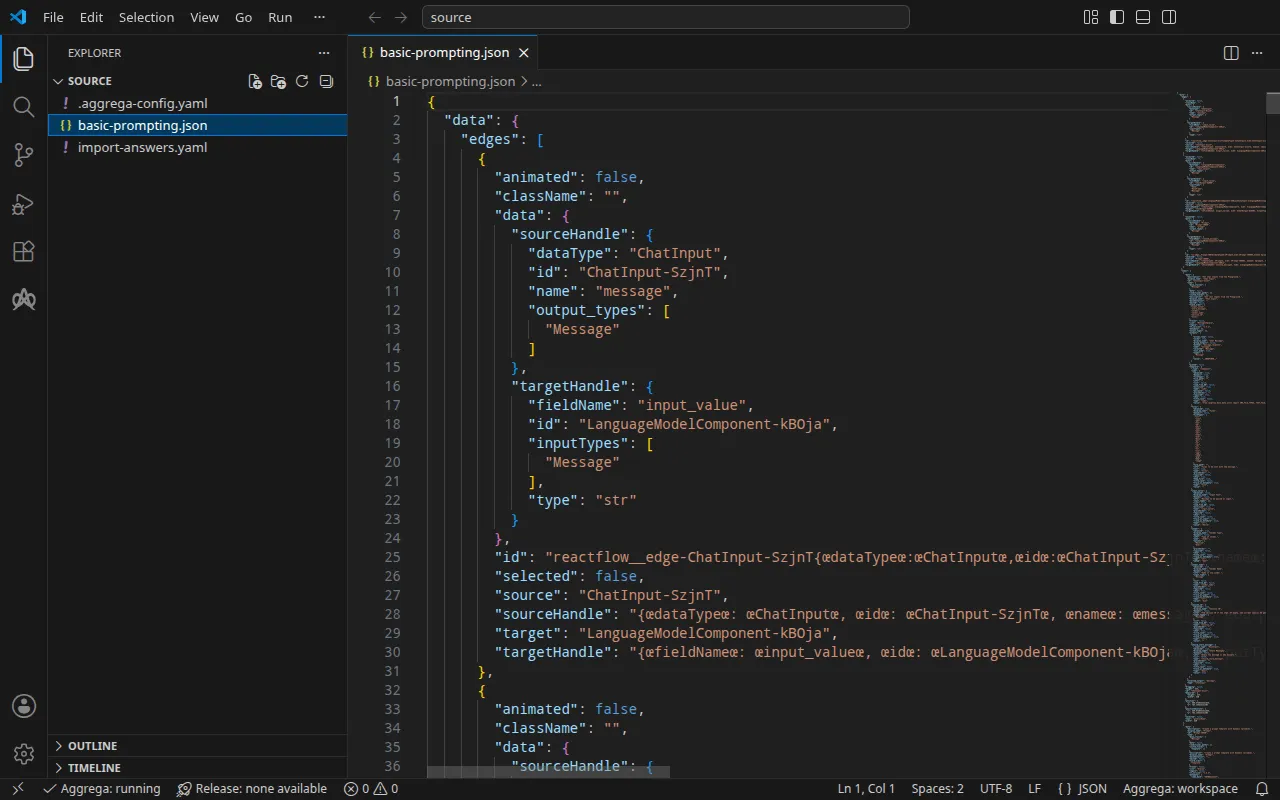
flow
Basic Prompting 串接四個節點:一個 Chat Input、一個 Prompt、一個呼叫 OpenAI 的 gpt-4.1 的 Language Model,以及一個 Chat Output。就 Langflow 隨附的形式而言,它是一個約 54 KB 的 JSON 檔案 basic-prompting.json,除了 flow 之外,還帶有每個元件的原始碼。其 Language Model 節點從全域變數 OPENAI_API_KEY 讀取其金鑰,而在沒有儲存該名稱的變數時,Langflow 會從其環境讀取它。
flow 旁的 .aggrega-config.yaml 讓該資料夾成為工作區:
# The workspace key marks this directory as the workspace root, so an import run# here writes its drafts beside basic-prompting.json.workspace: {}# The registry the importer is fetched from the first time an import needs it.default_registry: hub.aggrega.ai而 import-answers.yaml 保存的是任何 flow 都無法保存之內容的答案。Docker Compose 的匯入不需要其中任何一個:它以 Docker Compose 從你的 shell 填入的變數參照附加每個機密。Kubernetes 的匯入則以 Kubernetes Secret 的名稱附加每個機密,那只有你能命名,所以該檔案會指名該匯入所詢問的兩個 Secret(見 On Kubernetes):
# Values the import could not draft from the source, keyed by the drafted file and the key path inside# it. Write each one beside its key; an import of the same source, and a sync, read them from here and# ask nothing. A secret is never written here: its key asks where the secret comes from — a variable# name, ${NAME}, or the name of a Kubernetes Secret.release.yaml: # The origin of the secret value, written by the operator in the Release. Read exactly as # values.origin is. Write it here or in values.origin, never in both. A secret: name where it comes # from, never the value. spec.components.langflow.features.admin_password.infra.origin: "langflow-admin" # The origin of the secret value, written by the operator in the Release. Read exactly as # values.origin is. Write it here or in values.origin, never in both. A secret: name where it comes # from, never the value. spec.components.langflow.uses.model.languagemodelcomponent-kboja.features.credential.infra.origin: "openai-api-key"每個答案都是 Secret 的名稱,絕不是機密本身,所以該檔案可以和 flow 一起保存。匯入答案檔完整說明了該檔案。
匯入會將每個節點與工作區目錄的 Components 比對,而 --target 會從其 Recipes 草擬 Manifest。工作區沒有指定目錄資料夾,所以匯入會從它取得匯入器的登錄庫讀取標準程式庫目錄:那是已發布目錄的簽署快照,由第一次匯入取得、驗證並保存在工作區的內容快取中,並以其摘要記載於匯入寫在草稿旁的記錄中。若工作區在 AGGREGA_CATALOG_DIRS 或 workspace.catalog_dirs 之下指定了自己的目錄資料夾,則改為針對那些目錄匯入。切換到 source:
cd source執行匯入
aggrega import basic-prompting.json --target compose在標準輸出上,它會列出所寫出的內容:
wrote aggregate.yamlwrote release.yamlwrote manifest.yamlwrote .aggrega-import.json在標準錯誤上,其中 <workspace> 代表你執行它所在的資料夾:
[… omitted: a warning that the importer runs unverified, printed where its module is read from beside its Plugin entity in a catalog folder rather than fetched]read as the langflow format, with drafted paths relative to <workspace>warn: the flow is carried in values.flow_definition with the handles of all 3 of its edges written as Langflow's editor writes them — the same handles, their keys in order with no space between them — since the editor compares an edge's handles with the ones it writes for the nodes the edge joins, character for character, when it opens the flow, and drops every edge whose handles differwarn: node LanguageModelComponent-kBOja reaches languagemodelcomponent-kboja through the model connection languagemodelcomponent-kboja of core/ai-agent/langflow: its field api_key names the variable OPENAI_API_KEY, which the platform delivers for this connection and Langflow reads as a global variable; no field of it gives its API's address, so the OpenAI client it runs takes OPENAI_BASE_URL, the address the platform delivers for this connection, from the environmentmade no choice for ChatInput-SzjnT (ChatInput)made no choice for Prompt-tOH5D (Prompt)made no choice for ChatOutput-8ZWWB (ChatOutput)mapped LanguageModelComponent-kBOja (LanguageModelComponent) to core/ai-model/openai as a reference, HIGH at 0.9 warning: node "langflow" (provider "compose"): artifact "langflow-flow/langflow-flow.yaml": skipped provenance label injection — the fragment declares no compose service. Compose carries build provenance as service labels, so a fragment contributing only top-level networks, volumes or configs carries none; the services this component emits elsewhere carry the full set.Pull complete: <workspace>/release.lock (entities=8, source_artifacts=0, external_inputs=0)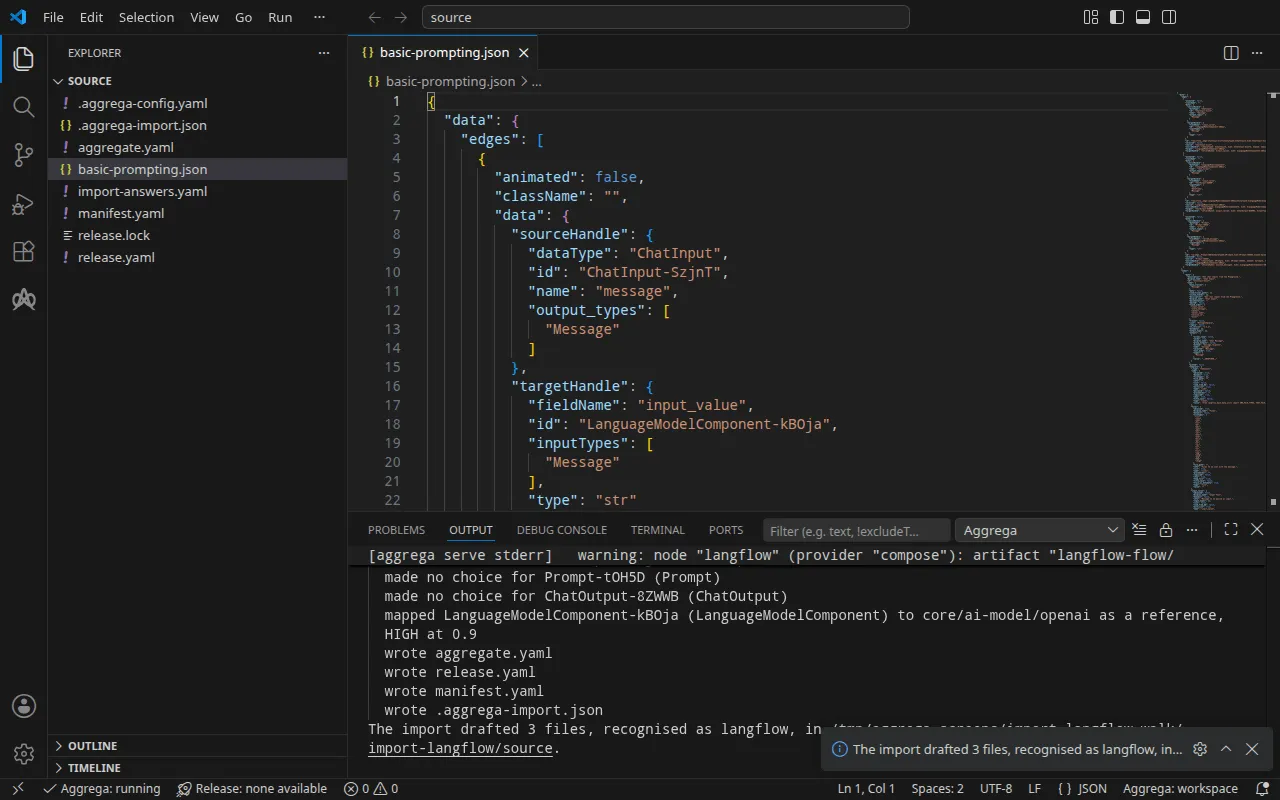
mapped行說明 Language Model 節點變成了什麼:標準程式庫的 OpenAI 模型core/ai-model/openai,是被參照而非草擬,因為它在高階層以 0.9 相符。它是自己的元件,連接到平台的model插槽。依預設,草稿會在執行 Langflow 的平台上執行整個 flow,並且只為平台的插槽所接受的節點——模型、工具、向量儲存區——在節點被辨識為其中之一時,給予自己的元件。- 第一個
warn行說明 flow 帶著每條邊的控點,以 Langflow 編輯器寫出它們的方式寫成。Langflow 保存其入門專案時,在邊的控點的每個冒號與逗號後都有一個空格;其編輯器在開啟 flow 時,會捨棄每條控點未完全依其寫法寫成的邊,然後在沒有它們的情況下儲存 flow。如此寫成後,flow 開啟時帶有其三個連線,並帶著它們執行。 - 指名該節點的
warn行說明 flow 如何連到該模型。該節點從變數OPENAI_API_KEY讀取其金鑰,並從OPENAI_BASE_URL讀取其位址,而平台為模型連線提供這兩者,所以 flow 不需要編輯。 made no choice行指出平台沒有任何插槽接受的節點:它們留在 flow 內,Langflow 依匯出原樣執行它。- 最後兩行是拉取。沒有任何內容需要回答,所以匯入像
aggrega pull一樣拉取了草稿 Release 的相依項目,並寫出release.lock;下方的建置不需要更多內容。warning行是建置也會印出的一行,Validate and build 會加以說明。
答案檔指名了這次匯入沒有詢問的兩個 Secret:它沒有為它們留下任何空白,所以兩者都不套用,並讓檔案保持原樣。
它寫出什麼
Aggregate、Release 與 Manifest 都命名為 imported/basic-prompting,取自 flow 自己的名稱 Basic Prompting,簡化為 basic-prompting——沒有名稱的 flow 則以其檔案命名——位於匯入器的 target_namespace 設定所指定的命名空間之下,除非你另行設定,否則為 imported(Settings)。
aggregate.yaml——標準程式庫之 Langflow 平台 core/ai-agent/langflow 的一個實例,帶著依匯出原樣的 flow,只是其邊的控點以 Langflow 編輯器寫出它們的方式寫成(此處省略了超過一千行),以及它所連到的模型:
apiVersion: aggrega.ai/v1beta1kind: Aggregatemetadata: name: imported/basic-prompting version: 0.1.0 description: Draft Aggregate imported from a source in the langflow format.spec: components: langflow: type: core/ai-agent/langflow features: # For the compose target, the lines below declare admin_password on langflow: a secret the Release alone attaches arrives under the key value, so each is declared with a key of its own and no two arrive under one; the Release attaches its origin, naming this type or none. admin_password: type: core/secret-value values: key: LANGFLOW_SUPERUSER_PASSWORD values: flow_id: '0dbee653-41ae-4e51-af2e-55757fb24be3' flow_definition: |- { "data": { "edges": [ [… omitted: the rest of the flow] } uses: model: languagemodelcomponent-kboja: target: languagemodelcomponent-kboja # For the compose target, the lines below declare credential on languagemodelcomponent-kboja: a secret the Release alone attaches arrives under the key value, so each is declared with a key of its own and no two arrive under one; the Release attaches its origin, naming this type or none. features: credential: type: core/secret-value values: key: OPENAI_API_KEY # swap to core/ai-model/azure-openai (score 0.4000) by setting type: core/ai-model/azure-openai languagemodelcomponent-kboja: type: core/ai-model/openai values: model: |- gpt-4.1- 模型是
core/ai-model/openai,使用 flow 的節點所選的模型gpt-4.1。其上方的註解為想要那一個的讀者,指出目錄中該節點所相似的另一個 Component,並附上其分數。 - 兩個機密——Langflow 編輯器要求的管理員密碼,以及平台出示給模型的 OpenAI 金鑰——在此宣告,並附上各自在 Langflow 環境中送達時所用的變數
LANGFLOW_SUPERUSER_PASSWORD與OPENAI_API_KEY。在 Docker Compose 上,僅由 Release 附加的機密會以鍵value送達,而兩者會衝突;在此宣告後,各自有自己的鍵。Release 說明各自的來源。 flow_id是匯出內容給予該 flow 的識別碼。
release.yaml——Release,它以 Manifest 部署該 Aggregate:
apiVersion: aggrega.ai/v1beta1kind: Releasemetadata: name: imported/basic-prompting # environment is a drafted default, since no source names the environment this Release deploys to; change it to name the one it deploys to. environment: development version: 0.1.0 description: Draft Release imported from a source in the langflow format.spec: aggregate: imported/basic-prompting manifest: imported/basic-prompting components: langflow: infra: # The image running core/ai-agent/langflow, at the version this importer drafts, which the catalog's Recipes for it are known to run; the import does not raise or lower it to follow the source. The source states version "1.5.0" of the platform. image: "langflowai/langflow:1.6.0" # Published on this machine's loopback address, 127.0.0.1: reachable from this machine only, by any process running on it. Delete this line to keep the service internal. published_port: 7860 features: admin_password: type: core/secret-value infra: # Attached by reference, never as a value: the administrator's password, read while values.require_authentication stays true, read from the variable LANGFLOW_ADMIN_PASSWORD, which a target substituting variable references, as Docker Compose does when the stack starts, reads from the environment, so no file carries the value. origin: "${LANGFLOW_ADMIN_PASSWORD}" uses: model: languagemodelcomponent-kboja: features: credential: type: core/secret-value infra: # Attached by reference, never as a value: the credential langflow presents to languagemodelcomponent-kboja on its model connection, read from the variable OPENAI_API_KEY, which a target substituting variable references, as Docker Compose does when the stack starts, reads from the environment, so no file carries the value. origin: "${OPENAI_API_KEY}" languagemodelcomponent-kboja: {}environment是development,這是預設值,其上方的註解說明要將它改為該 Release 部署的環境。- 映像檔是 Langflow 1.6.0,也就是目錄中 Langflow 的 Recipes 所執行的版本。如註解所說,該 flow 最後是在 Langflow 1.5.0 上測試的;匯入保留 Recipes 所執行的版本,而不是跟隨 flow 的版本。
published_port是 7860,也就是 Langflow 提供服務的連接埠,所以編輯器在你機器上的http://127.0.0.1:7860回應。如其註解所說,這部機器上的任何處理程序都能在那裡連到它,其他則都不能;刪除該行可讓 Langflow 只留在堆疊的網路上。- 兩個機密是變數參照
${LANGFLOW_ADMIN_PASSWORD}與${OPENAI_API_KEY},由 Docker Compose 在堆疊啟動時從你的 shell 填入,所以沒有任何檔案帶有任一值。
manifest.yaml——平台與模型的 Compose Recipes,以及將機密的變數參照依原樣寫入 Compose 檔案的實現:
apiVersion: aggrega.ai/v1beta1kind: Manifestmetadata: name: imported/basic-prompting version: 0.1.0spec: mappings: components: type: core/ai-agent/langflow: compose/langflow core/ai-model/openai: compose/openai features: type: core/secret-value: compose/dotenv-secret.aggrega-import.json 是匯入所寫內容的記錄,之後的 aggrega import --sync 會讀取它,而 release.lock 以版本與摘要鎖定該 Release 所解析到的每個目錄實體。
驗證並建置
aggrega validate --release release.yamlaggrega build --release release.yaml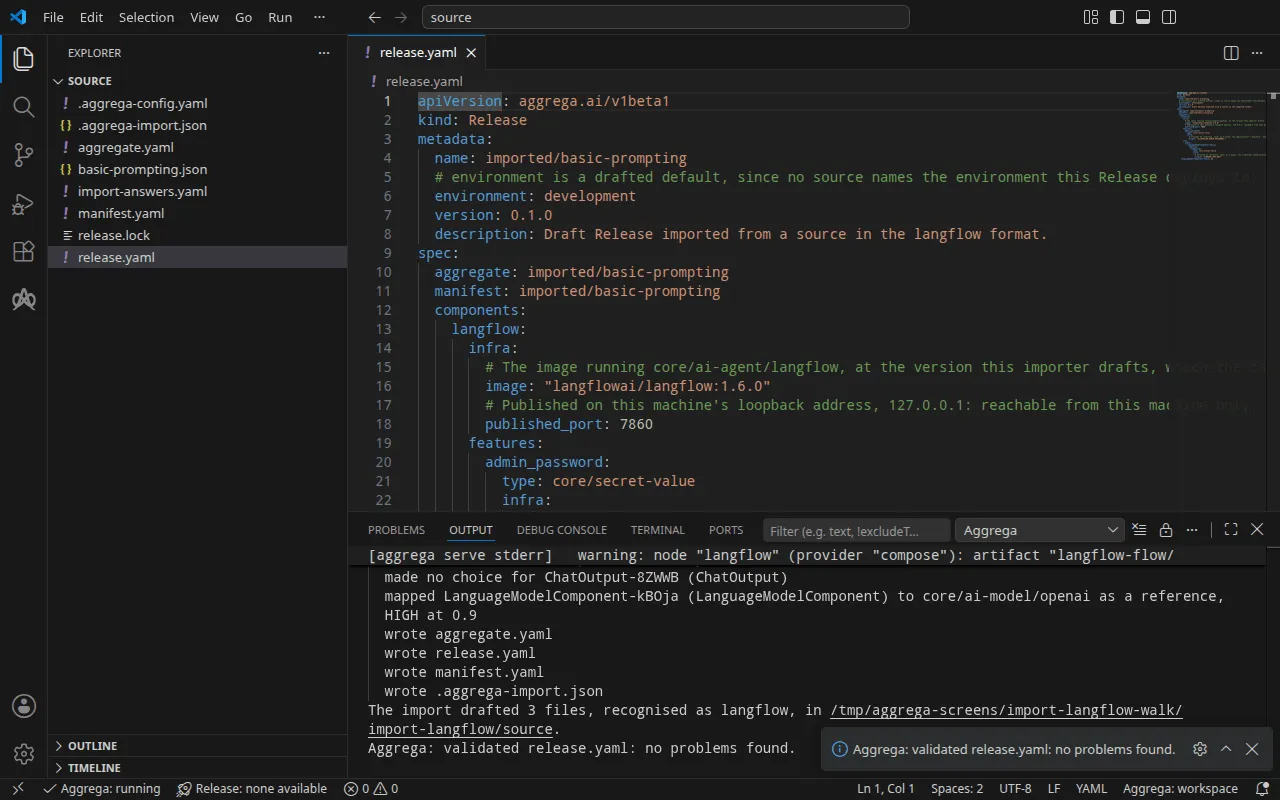
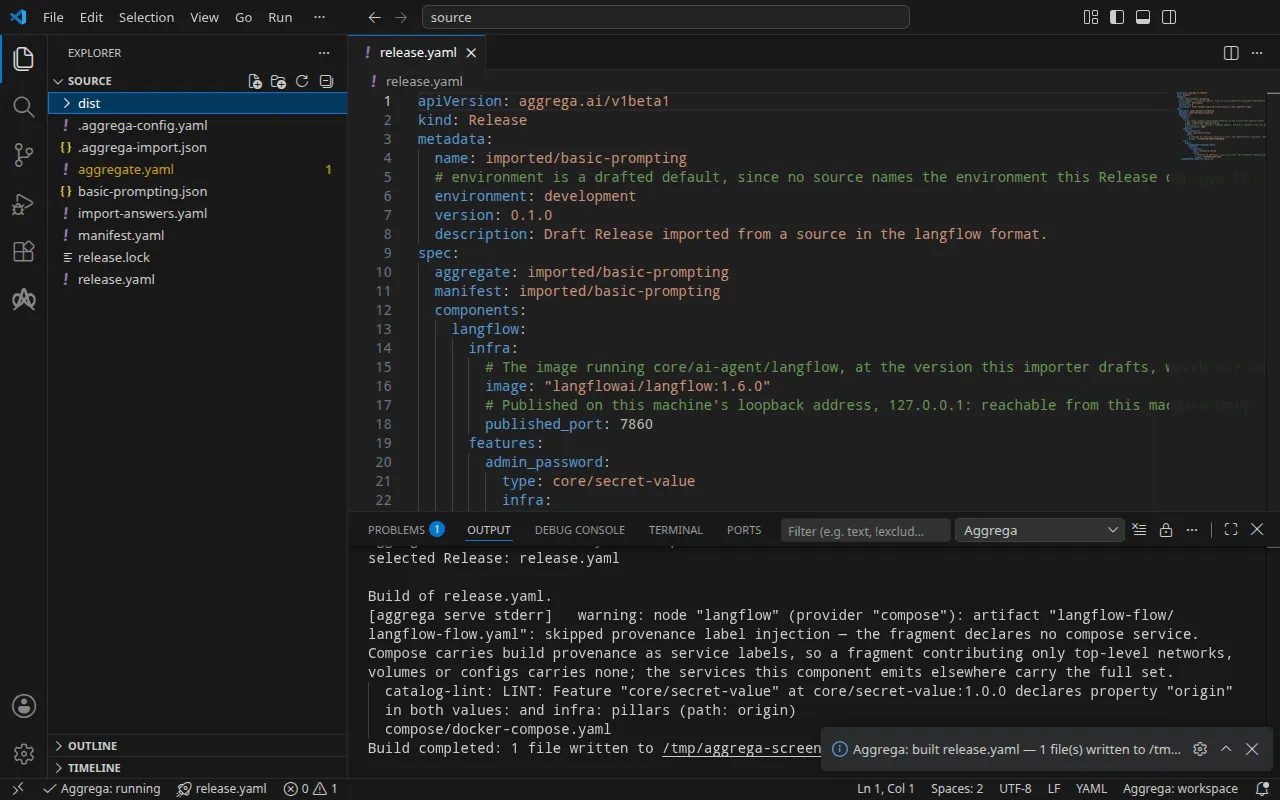
驗證會印出:
notice: LINT: Feature "core/secret-value" at core/secret-value:1.0.0 declares property "origin" in both values: and infra: pillars (path: origin)release dependency validation passed: release.yaml (schema-pillar + dependency pillars)以及建置,其中 <workspace> 代表保存草稿的資料夾:
warning: node "langflow" (provider "compose"): artifact "langflow-flow/langflow-flow.yaml": skipped provenance label injection — the fragment declares no compose service. Compose carries build provenance as service labels, so a fragment contributing only top-level networks, volumes or configs carries none; the services this component emits elsewhere carry the full set. notice: LINT: Feature "core/secret-value" at core/secret-value:1.0.0 declares property "origin" in both values: and infra: pillars (path: origin)[… omitted: a total build time, which differs per run]Build completed: 1 file written to <workspace>/distwarning 行與 Compose 檔案中帶有 flow 的部分有關,也就是最上層的 configs 項目,它沒有可讓建置放置標籤的服務。notice 行僅供參考:機密 Feature 接受來自 Aggregate 的 values 或 Release 的 infra 的 origin,而該通知回報有一個葉節點在兩處都被宣告。兩者都不改變判定結果。
dist/compose/docker-compose.yaml 保存 Langflow,以及一個在它之前執行一次的服務:
services: langflow: image: langflowai/langflow:1.6.0 environment: LANGFLOW_CONFIG_DIR: /app/langflow LANGFLOW_SAVE_DB_IN_CONFIG_DIR: "true" LANGFLOW_AUTO_LOGIN: "false" LANGFLOW_SUPERUSER: admin LANGFLOW_SUPERUSER_PASSWORD: ${LANGFLOW_ADMIN_PASSWORD} OPENAI_BASE_URL: https://api.openai.com/v1 OPENAI_API_KEY: ${OPENAI_API_KEY} LANGFLOW_LOAD_FLOWS_PATH: /app/flows ports: - 127.0.0.1:7860:7860 [… omitted: the labels the build writes on every service, naming the Aggregate, the component, the environment and the compiler's version] volumes: - type: volume source: langflow--data target: /app/langflow networks: - compose depends_on: langflow--data-owner: condition: service_completed_successfully [… omitted: the service's health check] configs: - source: langflow-flow target: /app/flows/flow.json langflow--data-owner: image: langflowai/langflow:1.6.0 entrypoint: - chown - "1000:0" - /app/langflow [… omitted: the labels the build writes on every service] volumes: - type: volume source: langflow--data target: /app/langflow networks: - compose restart: "no" user: "0"flow 以 /app/flows/flow.json 送達 Langflow,來自保存 Aggregate 所帶之 flow 的 configs 項目,而 Langflow 在每次啟動時從 LANGFLOW_LOAD_FLOWS_PATH 載入它。金鑰與密碼是變數參照,在堆疊啟動時從你的 shell 填入。只有在 Release 於 Langflow 的 infra 中設定 published_port 時,Langflow 的 Compose Recipe 才會在你的機器上發布連接埠,而且僅限回送位址 127.0.0.1;沒有它時,該服務只能在堆疊的網路上連到。
langflow--data-owner 以 root 身分執行 Langflow 的映像檔,將資料磁碟區交給使用者 1000、群組 0(Langflow 的映像檔所執行的身分),然後結束。Langflow 在它完成後才啟動:Docker 建立的磁碟區由 root 擁有,否則 Langflow 無法在那裡寫入其資料。
搭配 AI 助理
設定了 Aggrega 工具的 AI 助理也能做同樣的事:把這段提示貼給它。
只使用 Aggrega 工具,且不要自行建立任何資料夾。如果 Workspace 資料夾中還沒有 `import-langflow` 資料夾,請呼叫一次 `draft` 工具,將 `example` 設為 `import-langflow`,且不帶 `dir`:它會將範例寫入新的 `import-langflow` 資料夾,其 `source` 資料夾保存本頁所匯入的內容。接著呼叫 `import` 工具,將 `workspace_root` 設為 `import-langflow/source`、`source` 設為 `basic-prompting.json`、`target` 設為 `compose`:它會從 `basic-prompting.json` 旁的 `import-answers.yaml` 讀取所需的答案,將草稿寫入 `import-langflow/source`,並拉取它們所需的內容。接著呼叫 `validate` 工具,將 `workspace_root` 設為 `import-langflow/source`、`release` 設為 `release.yaml`,並呼叫 `build` 工具,將 `workspace_root` 設為 `import-langflow/source`、`release` 設為 `release.yaml`、`write` 設為 true。告訴我建置寫出了哪些檔案;它們位於 `import-langflow/source/dist/` 之下。在 VS Code 中開啟
安裝 Aggrega extension for Visual Studio Code 後,在 VS Code 中開啟資料夾 import-langflow/source,匯入就是把草稿寫在那裡。該資料夾保存一個 Release,即草稿的 release.yaml,所以編輯器會替你選取它,並在你編輯草稿時依該 Release 檢查它們,在檔案與 Problems 面板中標示所發現的問題。命令選擇區中的 Aggrega: Show topology graph 會繪出該 Release 的元件以及它們之間的連線。Aggrega: Build、Aggrega: Preview build 與 Aggrega: Pull 都作用於同一個 Release,而且每一個也是活動列中 Aggrega 檢視的 Commands 面板上的按鈕;Build 會將其檔案寫入該資料夾的 dist/。其餘內容請見 Use Aggrega in Visual Studio Code。
執行
在你的 shell 中設定金鑰與管理員的密碼,然後啟動堆疊:
export OPENAI_API_KEY='your OpenAI key'export LANGFLOW_ADMIN_PASSWORD='a password of your own'docker compose -p basic-prompting -f dist/compose/docker-compose.yaml up -d --wait-p 為專案命名,如 How an import runs 的執行步驟所說明。--wait 在 langflow--data-owner 完成且 Langflow 回報健康後返回。
測試
開啟 http://127.0.0.1:7860,也就是 published_port 所發布的位址,並以 admin 身分,使用你設定的密碼登入:Basic Prompting 就在編輯器中,帶有其三個連線。
Langflow 只對 API 金鑰透過其 API 執行 flow,而 API 金鑰由管理員在登入後建立一次。登入:
curl -sS -X POST http://127.0.0.1:7860/api/v1/login \ -d username=admin --data-urlencode "password=$LANGFLOW_ADMIN_PASSWORD"{"access_token":"[… omitted: the access token]","refresh_token":"[… omitted: the refresh token]","token_type":"bearer"}以存取權杖建立金鑰:
curl -sS -X POST http://127.0.0.1:7860/api/v1/api_key/ \ -H 'Authorization: Bearer <access_token>' -H 'Content-Type: application/json' -d '{"name": "test-it"}'{"name":"test-it","last_used_at":null,"total_uses":0,"is_active":true,"id":"[… omitted: the key's identifier]","api_key":"[… omitted: the key]","user_id":"[… omitted: the owner's identifier]"}並以該金鑰執行 flow:
curl -sS -X POST 'http://127.0.0.1:7860/api/v1/run/0dbee653-41ae-4e51-af2e-55757fb24be3?stream=false' \ -H 'x-api-key: <api_key>' -H 'Content-Type: application/json' \ -d '{"input_value": "In one short sentence: what is Docker Compose?", "input_type": "chat", "output_type": "chat"}'該次執行對 OpenAI 金鑰使用了預留位置,所以答案是 OpenAI 對該金鑰的拒絕,這顯示 flow 已執行到其對模型的呼叫為止:
{"detail":"{\"message\":\"Error running graph: Error building Component Language Model: \\n\\nError code: 401 - {'error': {'message': 'Incorrect API key provided: sk-place*****************-key. You can find your API key at https://platform.openai.com/account/api-keys.', 'type': 'invalid_request_error', 'code': 'invalid_api_key', 'param': None}, 'status': 401}\",[… omitted: three empty fields, and a suggestion to update three of the flow's components]}"}使用你的金鑰時,回覆會在 outputs[0].outputs[0].results.message.text 帶有模型的答案。
在 Kubernetes 上,套用 On Kubernetes 所說明的建置後,將本機連接埠轉送到 Langflow 的 Service langflow-default,位於你套用到的命名空間中,並讓該命令持續執行:
kubectl port-forward -n <namespace> svc/langflow-default 7860:7860在另一個終端機中,上面的三個請求會在同一位址原封不動地連到 Langflow;該次執行得到對預留位置金鑰的同樣拒絕。
以下方命令停止堆疊。-v 也會移除 Langflow 的資料磁碟區,連同管理員的帳號、API 金鑰與 flow 的執行歷程:
docker compose -p basic-prompting -f dist/compose/docker-compose.yaml down -v在 Kubernetes 上
同一個 flow 可用 helm 目標匯入到 Kubernetes。供 Docker Compose 使用的草稿已經在 source 中,而匯入從不覆寫那裡的 Aggregate,所以請用 --output-dir 將這些草稿草擬到它們自己的資料夾,然後從那裡驗證並建置:
aggrega import basic-prompting.json --target helm --output-dir helmcd helmaggrega validate --release release.yamlaggrega build --release release.yaml草稿在目標不同之處會有差異。Manifest 將平台對應到 helm/langflow,將模型對應到 helm/openai,並將每個機密對應到 helm/k8s-existing-secret,後者從命名空間中已存在的 Secret 讀取它。Release 將這兩個機密附加為 core/referenced-secret,各自指名該 Secret,而這些名稱就是答案檔所保存的內容:
features: admin_password: type: core/referenced-secret infra: # Left for the Release, since the source cannot supply it: the name of a Kubernetes Secret already in the namespace holding, under the data key value, the administrator's password, read while values.require_authentication stays true. origin: "langflow-admin"沒有答案檔時,匯入會在終端機中詢問這兩個名稱,並將你的答案寫入新的答案檔。在無法詢問的情況下,它會寫出帶有這兩個鍵與空白答案的該檔案,並以狀態 1 與這一行結束,其中 <workspace> 代表你執行它所在的資料夾:
2 values the drafts leave empty are still owed, listed in the answers file <workspace>/import-answers.yaml: write each beside its key there, then run the import again建置會將一般的 Kubernetes 資訊清單寫在工作區根目錄 source 的 dist/helm/ 之下,從 helm 看來是 ../dist/helm/。在你套用到的命名空間中建立這兩個 Secret,各自在資料鍵 value 之下保存其值,然後套用該資料夾,如 How an import runs 的執行步驟所說明。