



استيراد تكوين عميل MCP
يستورد هذا الشرح العملي خوادم Model Context Protocol التي يكوَّن بها مساعد برمجي — اثنان يبدؤهما من سطر أوامر وواحد يشغّله شخص آخر — ويبني الخوادم من أجل Kubernetes، ليستطيع وكيل يعمل في عنقود الوصول إلى الأدوات نفسها. يصوغ الاستيراد كل ملف يقرؤه البناء: سطر أوامر كل خادم أو عنوانه، والتحقيق الذي يشغّله، ومصدر رمز خادم GitHub المميز. يأتي كل ملف وكل كتلة إخراج أدناه من تشغيل فعلي؛ ويوجد التكوين وكل مرحلة من مراحل الشرح العملي في المثال import-mcp، حيث يعيد نص فحص برمجي تشغيل الاستيراد، ويقارن ما يكتبه وما يطبعه والكتل التي تنقلها هذه الصفحة بالملفات المحفوظة هناك، ويتحقق مما كتبه الاستيراد ويبنيه.
صُغ مسودة المثال
يمكنك تشغيل هذا الاستيراد بالأوامر الواردة في هذه الصفحة، أو اجعل مساعد الذكاء الاصطناعي يشغّله نيابةً عنك.
اكتب المثال في مجلد جديد يحمل اسمه:
aggrega draft --example import-mcpثم يطبع الأوامر التي تُشغَّل بعد ذلك. يدخل الأول إلى المجلد الجديد؛ ويدخل الذي يليه، أدناه، إلى مجلد source الخاص به، الذي يحوي ما تستورده هذه الصفحة وهو المكان الذي يجري فيه الاستيراد:
cd import-mcp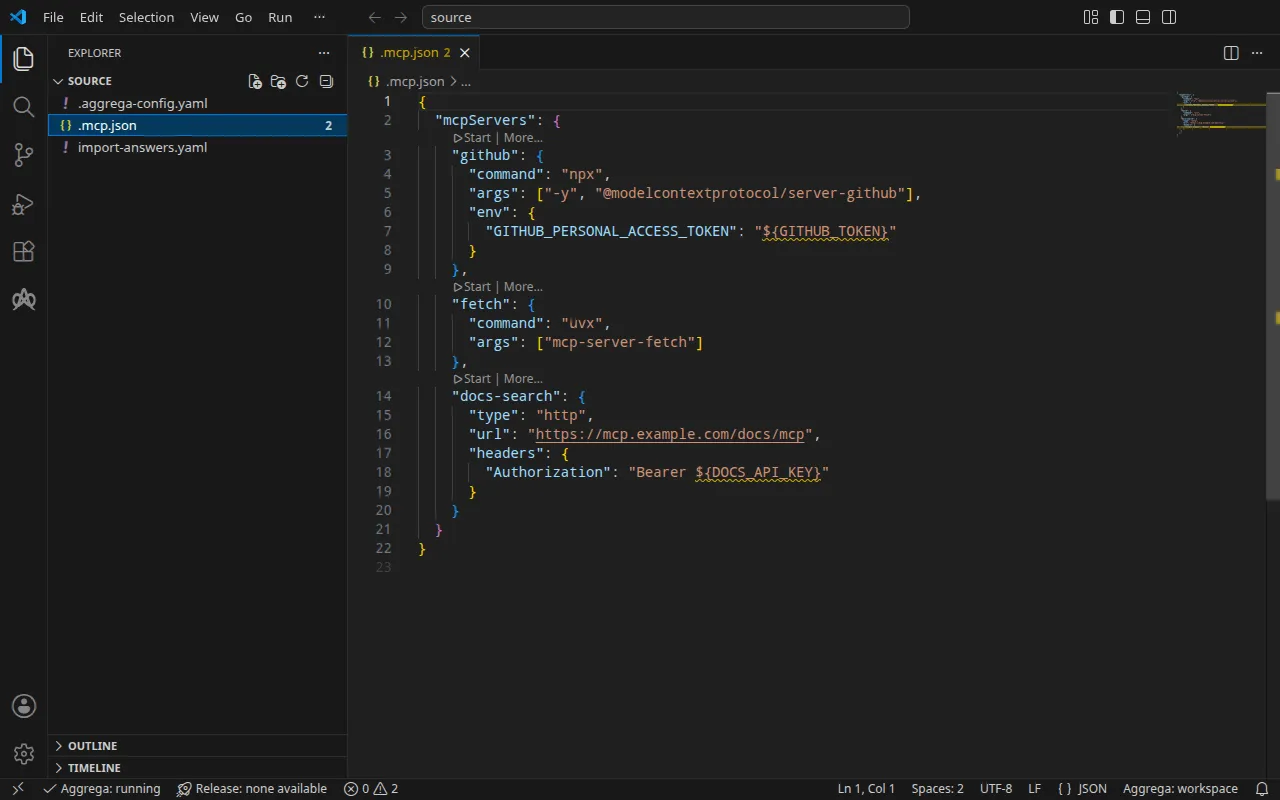
التكوين
ملف .mcp.json الخاص بأداة Claude Code، في جذر المشروع:
{ "mcpServers": { "github": { "command": "npx", "args": ["-y", "@modelcontextprotocol/server-github"], "env": { "GITHUB_PERSONAL_ACCESS_TOKEN": "${GITHUB_TOKEN}" } }, "fetch": { "command": "uvx", "args": ["mcp-server-fetch"] }, "docs-search": { "type": "http", "url": "https://mcp.example.com/docs/mcp", "headers": { "Authorization": "Bearer ${DOCS_API_KEY}" } } }}يقرأ الاستيراد بالطريقة نفسها ملف claude_desktop_config.json الخاص بتطبيق Claude Desktop، وملف .cursor/mcp.json الخاص بتطبيق Cursor، وملف .vscode/mcp.json الخاص بتطبيق Visual Studio Code، وملف server.json من MCP registry. وإلى جانب التكوين، يجعل ملف .aggrega-config.yaml المجلد مساحة عمل:
# The workspace key marks this directory as the workspace root, so an import run# here writes its drafts beside .mcp.json.workspace: {}# The registry the importer is fetched from the first time an import needs it.default_registry: hub.aggrega.aiيصوغ الخيار --target مسودة Manifest من Recipes في الكتالوج. لا تسمّي مساحة العمل أي مجلد كتالوج، لذا يقرأ الاستيراد كتالوج المكتبة القياسية من registry الذي يجلب منه المستورِد الخاص به: لقطة موقَّعة من الكتالوج المطروح، تُجلب ويُتحقق منها وتُحفظ في ذاكرة التخزين المؤقت للمحتوى في مساحة العمل عند أول استيراد، ويُسمّى ملخّصها في السجل الذي يكتبه الاستيراد بجانب مسوداته. أما مساحة العمل التي تسمّي مجلدات الكتالوج الخاصة بها — في AGGREGA_CATALOG_DIRS أو ضمن workspace.catalog_dirs — فيستورد الاستيراد مقابلها بدلًا من ذلك.
ملف الإجابات
على Kubernetes، يقرأ خادم GitHub رمزه المميز من Secret يحتفظ به العنقود، ولا يسمّي أي تكوين MCP ذلك Secret: إذ يقرأ التكوين الرمز المميز من GITHUB_TOKEN في shell لديك. لذا يسأل الاستيراد عن اسم Secret. يحتفظ المثال بالإجابة في import-answers.yaml، بجانب .mcp.json، حيث يبحث عنها الاستيراد:
# Values the import could not draft from the source, keyed by the drafted file and the key path inside# it. Write each one beside its key; an import of the same source, and a sync, read them from here and# ask nothing. A secret is never written here: its key asks where the secret comes from — a variable# name, ${NAME}, or the name of a Kubernetes Secret.release.yaml: # The origin of the secret value, written by the operator in the Release. Read exactly as # values.origin is. Write it here or in values.origin, never in both. A secret: name where it comes # from, never the value. spec.components.github.features.server_env.infra.origin: "github-mcp-token"كتب الاستيراد الملف بنفسه في أول مرة شُغِّل فيها دون إجابة: ولأنه لا توجد طرفية يسأل عندها، صاغ كل ما عدا ذلك، وترك اسم Secret فارغًا، وسرد المفتاح في الملف، وتوقف برسالة
1 value the drafts leave empty is still owed, listed in the answers file <workspace>/import-answers.yaml: write it beside its key there, then run the import againوفي الطرفية يسأل السؤال بدلًا من ذلك، ويكتب الإجابة في الملف للاستيراد التالي. والإجابة هي اسم Secret، أي github-mcp-token، وليست الرمز المميز أبدًا. يصف ملف إجابات الاستيراد الملف والأسئلة بالتفصيل الكامل.
يسرد aggrega import كل علامة يقبلها الأمر، ومنها --answers التي تسمّي ملف إجابات محفوظًا في مكان آخر.
انتقل إلى source:
cd sourceشغّل الاستيراد
aggrega import .mcp.json --target helmيسرد على الإخراج القياسي ما كتبه:
wrote aggregate.yamlwrote release.yamlwrote manifest.yamlwrote .aggrega-import.jsonعلى الخطأ القياسي، حيث يمثّل <workspace> المجلد الذي شغّلته فيه:
[… omitted: a warning that the importer runs unverified, printed where its module is read from beside its Plugin entity in a catalog folder rather than fetched]read as the mcp format, with drafted paths relative to <workspace>warn: the value of infra.stdio_command.0 of node github is carried as written in the Release the draft writes: the field belongs to an MCP server's configuration, which can carry a key, and setting empty_credentials to marked or all writes it emptywarn: the value of infra.stdio_command.1 of node github is carried as written in the Release the draft writes: the field belongs to an MCP server's configuration, which can carry a key, and setting empty_credentials to marked or all writes it emptywarn: the value of infra.stdio_command.2 of node github is carried as written in the Release the draft writes: the field belongs to an MCP server's configuration, which can carry a key, and setting empty_credentials to marked or all writes it emptywarn: the value of infra.stdio_command.0 of node fetch is carried as written in the Release the draft writes: the field belongs to an MCP server's configuration, which can carry a key, and setting empty_credentials to marked or all writes it emptywarn: the value of infra.stdio_command.1 of node fetch is carried as written in the Release the draft writes: the field belongs to an MCP server's configuration, which can carry a key, and setting empty_credentials to marked or all writes it emptywarn: the value of headers.Authorization of node docs-search is carried as written in the Release the draft writes: the field belongs to an MCP server's configuration, which can carry a key, and setting empty_credentials to marked or all writes it emptywarn: the value of infra.endpoint of node docs-search is carried as written in the Release the draft writes: the field belongs to an MCP server's configuration, which can carry a key, and setting empty_credentials to marked or all writes it emptyPull complete: <workspace>/release.lock (entities=7, source_artifacts=0, external_inputs=0)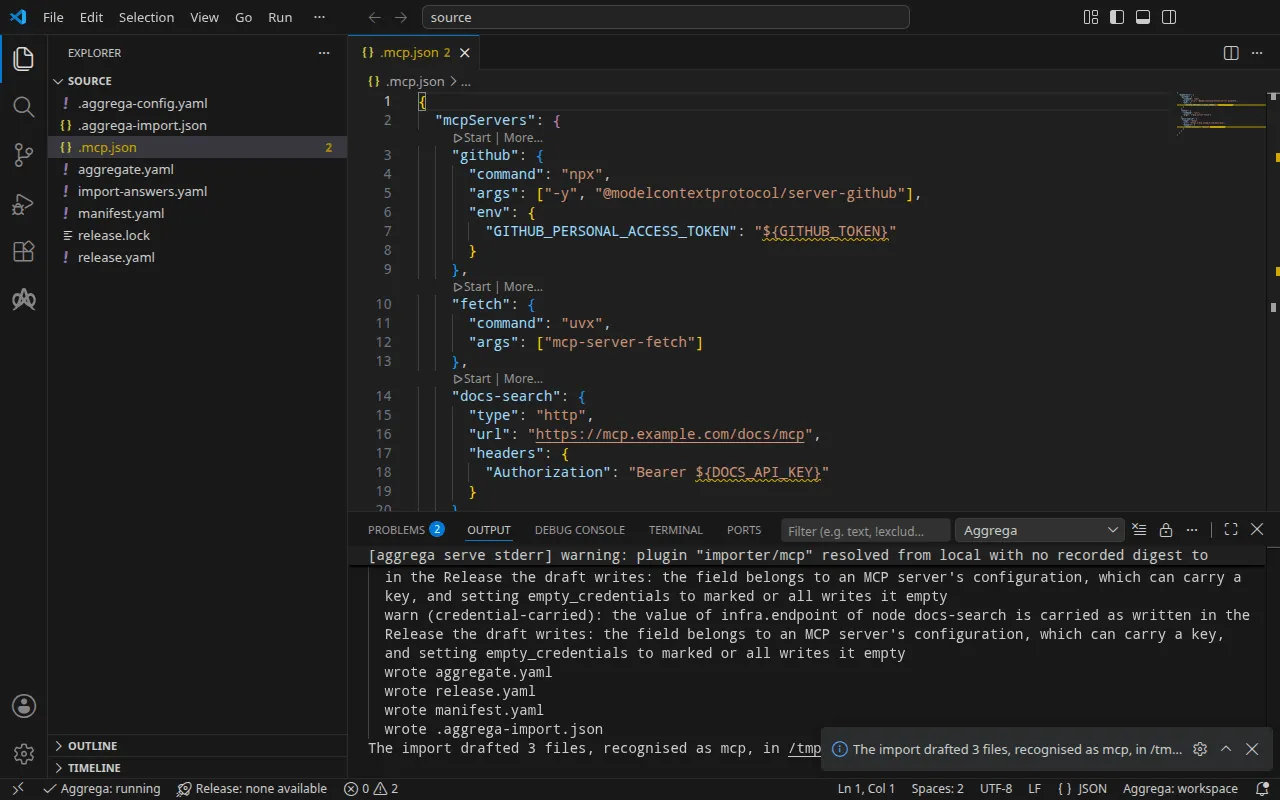
كل خادم هو مثيل من أداة MCP في المكتبة القياسية، core/ai-tool/mcp، لذا لا يزن الاستيراد أي مرشح ولا يطبع سطر mapped.
- أسطر
warnتسمّي القيم التي يحملها تكوين الخادم. لا يعلّم أي عميل MCP أيًّا منها بوصفه من بيانات الاعتماد، ويمكن لأي منها أن يحمل واحدة — مفتاحًا في وسيطة سطر أوامر، أو رمزًا مميزًا في عنوان — لذا يسمّي الاستيراد كل عنصر من سطر الأوامر وكل ترويسة وكل عنوان حمله، باسم خادمه ومكانه، وليس بقيمته أبدًا. اقرأها قبل أن تشارك المسودة. والقيمة${GITHUB_TOKEN}فيenvهي إشارة إلى متغيّر ولا شيء غير ذلك، فلا تحمل قيمة خاصة بها ولا يسمّيها أي تحذير. - السطر
Pull completeهو الاستيراد وهو يجلب ما يعتمد عليه Release المسوَّد، كما يفعلaggrega pull، إلىrelease.lock، فتجتاز المسودات التحقق وتُبنى فورًا. وتحت--offlineلا يجلب الاستيراد شيئًا ويسمّي الأمرaggrega pullالذي ينبغي تشغيله.
ما يكتبه
يُسمّى كل من Aggregate و Release و Manifest باسم imported/mcp، نسبة إلى الملف .mcp.json، لأن تكوين العميل لا يحمل اسمًا خاصًا به — أما server.json في registry فيُسمّى نسبة إلى name فيه — وذلك ضمن مساحة الأسماء التي يحددها إعداد target_namespace الخاص بالمستورِد، وهي imported ما لم تحدد غيرها (الإعدادات).
aggregate.yaml — مثيل واحد لكل خادم، ولا شيء يستخدمها بعد:
apiVersion: aggrega.ai/v1beta1kind: Aggregatemetadata: name: imported/mcp version: 0.1.0 description: Draft Aggregate imported from a source in the mcp format.spec: components: github: type: core/ai-tool/mcp fetch: type: core/ai-tool/mcp docs-search: type: core/ai-tool/mcprelease.yaml — كيف يُشغَّل كل خادم أو يُتَّصل به، كما يذكر التكوين ذلك، و Secret الذي يُقرأ منه رمز خادم GitHub المميز:
apiVersion: aggrega.ai/v1beta1kind: Releasemetadata: name: imported/mcp # environment is a drafted default, since no source names the environment this Release deploys to; change it to name the one it deploys to. environment: development version: 0.1.0 description: Draft Release imported from a source in the mcp format.spec: aggregate: imported/mcp manifest: imported/mcp components: github: infra: stdio_command: - "npx" - "-y" - "@modelcontextprotocol/server-github" stdio_runtime: npm features: server_env: type: core/referenced-secret infra: # Left for the Release, since the source cannot supply it: the name of a Kubernetes Secret already in the namespace holding the environment github is started with, one data key per variable, each named as the variable it holds: GITHUB_PERSONAL_ACCESS_TOKEN. origin: "github-mcp-token" fetch: infra: stdio_command: - "uvx" - "mcp-server-fetch" stdio_runtime: pypi # The headers the source sends this server, which no infrastructure key of core/ai-tool/mcp takes, since a remote server's credential is held by each consumer, on its connection to the tool: # - Authorization: "Bearer ${DOCS_API_KEY}" docs-search: infra: endpoint: "https://mcp.example.com/docs/mcp"- البيئة،
development، قيمة افتراضية يكتبها الاستيراد لأن أي تكوين لا يسمّي بيئة؛ غيّرها حيث ينشر Release في بيئة أخرى. stdio_runtimeيُقرأ من كل أمر: يشغّلnpxحزمة npm، ويشغّلuvxحزمة PyPI.- رمز GitHub المميز. تصبح بيئة الخادم خانته
server_env. على Kubernetes، يكتب تحقيقcore/referenced-secret-set، وهوhelm/k8s-secret-set، القيم المعطاة له في Secret يصيّره البناء، مما يضع الرمز المميز في ملف. لذا مع--target helmيُرفق الاستيرادcore/referenced-secretبدلًا من ذلك، ويسمّي Secret يحتفظ به العنقود أصلًا — وهو الإجابةgithub-mcp-token— مع مفتاح بيانات واحد لكل متغيّر، هوGITHUB_PERSONAL_ACCESS_TOKEN. يستورد الجسر كل مفتاح بيانات في ذلك Secret بوصفه متغيّرًا بالاسم نفسه، فيقرأ الخادم رمزه المميز كما كان يفعل على جهازك، ولا يحمله أي ملف مُصيَّر. - تظل ترويسة
Authorizationتعليقًا. يحتفظ ببيانات اعتماد الخادم البعيد من يستدعيه، على اتصاله الخاص بالأداة، وليس لمساحة العمل هذه مستدعٍ بعد. عندما توصّل وكيلًا بالخادمdocs-search، توضع الترويسة على ذلك الاتصال.
manifest.yaml — تحقيق واحد لكل خادم، باسمه، وتحقيق Secret:
apiVersion: aggrega.ai/v1beta1kind: Manifestmetadata: name: imported/mcp version: 0.1.0spec: mappings: components: type: {} name: github: helm/mcp-stdio-bridge fetch: helm/mcp-stdio-bridge docs-search: helm/mcp-remote features: type: core/referenced-secret: helm/k8s-existing-secretتوجد ثلاث Recipes على Kubernetes تحقق core/ai-tool/mcp — واحدة لخادم مطروح بوصفه صورة، وواحدة لحزمة تعمل خلف جسر، وواحدة لخادم يشغّله طرف آخر — والمناسبة منها خاصية لكل خادم يذكرها التكوين. لذا يطابق الاستيراد كل مثيل باسمه: يطابق github و fetch، المبدوءين من سطر أوامر والعاملين خلف جسر stdio، مع helm/mcp-stdio-bridge؛ ويطابق docs-search، الذي يشغّله طرف آخر، مع helm/mcp-remote، الذي لا يشغّل شيئًا ويعلن العنوان. ويطابق Secret الخاص بالرمز المميز مع helm/k8s-existing-secret، الذي يشير إلى Secret بدلًا من أن يكتب واحدًا.
يسجّل release.lock كيانات الكتالوج التي انتهى إليها Release، بحسب الملخّص، أما .aggrega-import.json فهو سجل ما كتبه الاستيراد، الذي يقرؤه aggrega import --sync لاحقًا.
على Docker Compose
تعمل الخوادم على Docker Compose أيضًا. يطابق aggrega import .mcp.json --target compose الخادمين github و fetch مع compose/mcp-stdio-bridge، و docs-search مع compose/mcp-remote، ويُبقي بيئة خادم GitHub كما يكتبها التكوين: إدخال core/referenced-secret-set قيمته إشارة المتغيّر ${GITHUB_TOKEN}، يحققه compose/dotenv-secret-set، الذي يكتبها في بيئة الخدمة كما هي، فيملؤها Docker Compose من shell لديك عند بدء المكدس. لا يسأل ذلك الاستيراد عن شيء، ويُبقي اسم Secret في ملف الإجابات دون استخدامه.
التحقق والبناء
aggrega validate --release release.yamlaggrega build --release release.yaml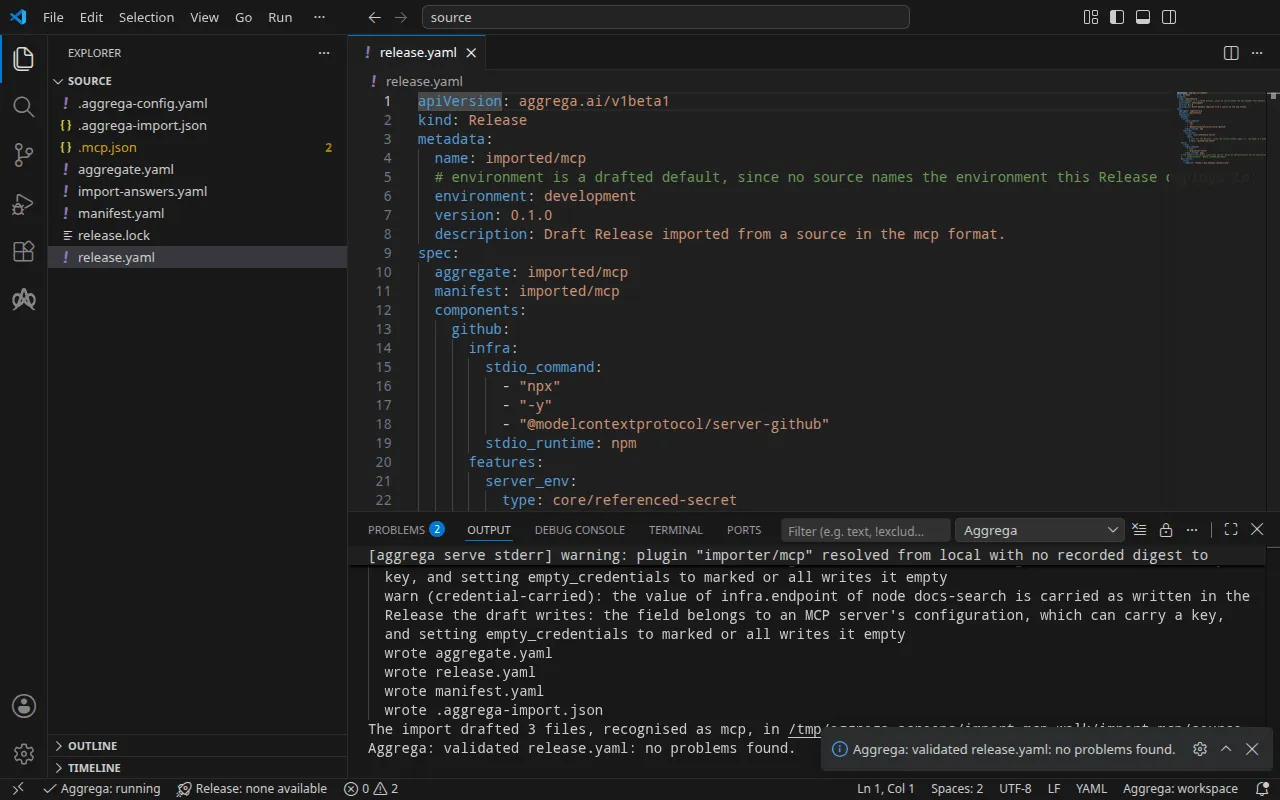
يطبع التحقق:
notice: LINT: Feature "core/referenced-secret" at core/referenced-secret:1.0.0 declares property "origin" in both values: and infra: pillars (path: origin)release dependency validation passed: release.yaml (schema-pillar + dependency pillars)ويطبع البناء، حيث يمثّل <workspace> المجلد الذي شغّلته فيه:
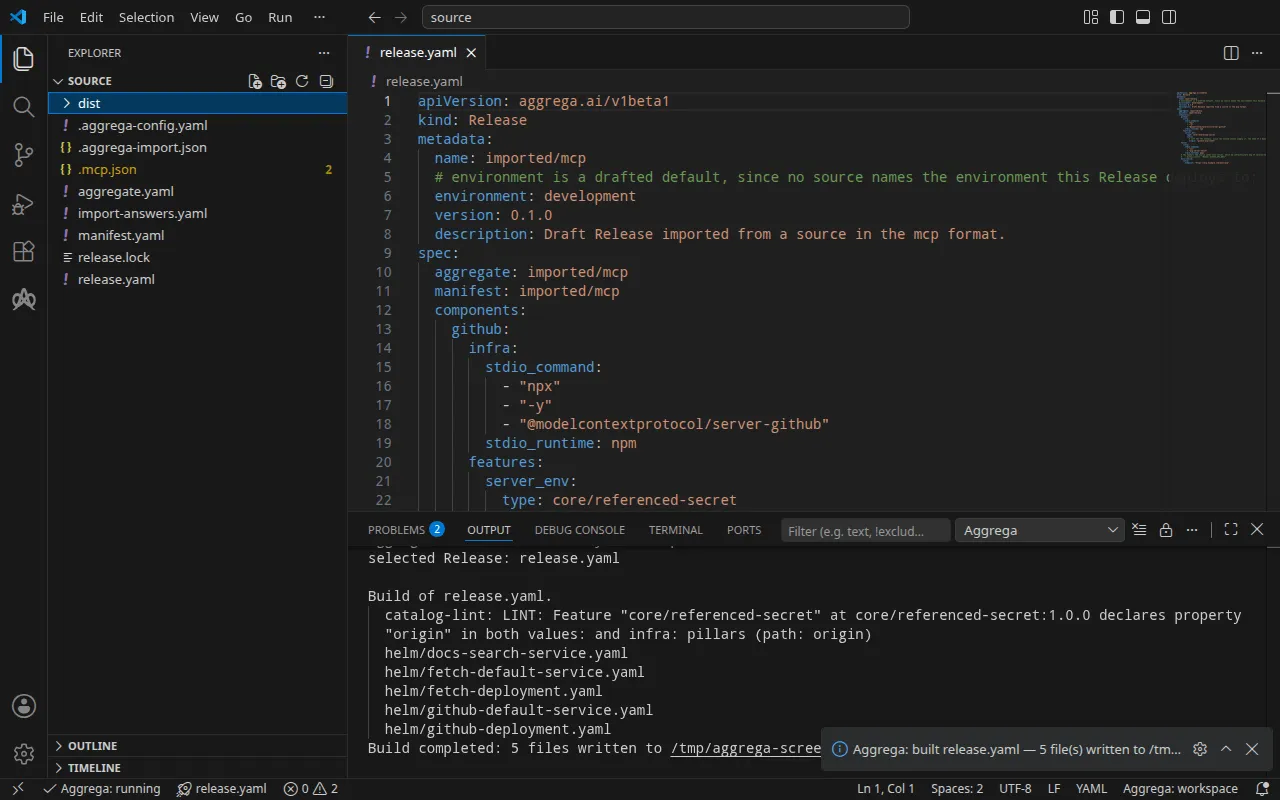
notice: LINT: Feature "core/referenced-secret" at core/referenced-secret:1.0.0 declares property "origin" in both values: and infra: pillars (path: origin)[… omitted: a total build time, which differs per run]Build completed: 5 files written to <workspace>/distسطر notice استشاري: يقبل Feature قيمة origin الخاصة به من values في Aggregate أو من infra في Release، ويبلّغ الإشعار بأن ورقة واحدة معلنة في كليهما. وهو لا يغيّر أي حكم.
يكتب البناء، ضمن dist/helm/، كلًّا من Deployment و Service لكل من الخادمين المربوطين بالجسر، و Service واحدًا للخادم docs-search. وحاوية خادم GitHub، في dist/helm/github-deployment.yaml، تشغّل الجسر بسطر أوامر الخادم، وتأخذ بيئتها من Secret:
containers: - name: main image: ghcr.io/supercorp-ai/supergateway:4.1.0@sha256:1938c43538a5308bce07d58028e9de00b7acfecb40b39b059b2f3931800ad910 args: - --stdio - '''npx'' ''-y'' ''@modelcontextprotocol/server-github''' - --outputTransport - streamableHttp - --stateful - --port - "8080" - --streamableHttpPath - /mcp - --healthEndpoint - /healthz ports: - name: http containerPort: 8080 env: - name: MCP_TOOL_SIDE_EFFECTS value: mutating - name: MCP_TOOL_TIMEOUT_SECONDS value: "30" - name: MCP_TOOL_PORT value: "8080" envFrom: - secretRef: name: github-mcp-token [… omitted: the container's resources and its readiness probe]dist/helm/docs-search-service.yaml لا يشغّل شيئًا: إنه يمنح الخادم الذي يشغّله طرف آخر اسمًا داخل العنقود.
apiVersion: v1kind: Servicemetadata: name: docs-search [… omitted: the labels and annotations the build writes on every resource]spec: type: ExternalName externalName: mcp.example.com ports: - port: 443مع مساعد الذكاء الاصطناعي
يستطيع مساعد الذكاء الاصطناعي المُعَدّ بأدوات Aggrega أن يفعل الشيء نفسه: الصق هذا الموجِّه فيه.
استخدم أدوات Aggrega فقط، ولا تنشئ أي مجلد بنفسك. إذا كان مجلد مساحة العمل لا يحتوي بعد على مجلد `import-mcp`، فاستدعِ الأداة `draft` مرة واحدة مع ضبط `example` على `import-mcp` ودون `dir`: فهي تكتب المثال في مجلد `import-mcp` جديد، يحتوي مجلده `source` على ما تستورده هذه الصفحة. ثم استدعِ الأداة `import` مع ضبط `workspace_root` على `import-mcp/source` و `source` على `.mcp.json` و `target` على `helm`: فهي تقرأ الإجابات التي تحتاجها من `import-answers.yaml` بجانب `.mcp.json`، وتكتب مسوداتها في `import-mcp/source` وتجري pull لكل ما تحتاجه. ثم استدعِ الأداة `validate` مع ضبط `workspace_root` على `import-mcp/source` و `release` على `release.yaml`، والأداة `build` مع ضبط `workspace_root` على `import-mcp/source` و `release` على `release.yaml` و `write` على true. أخبرني بالملفات التي كتبها البناء؛ فهي ضمن `import-mcp/source/dist/`.افتحه في VS Code
بعد تثبيت امتداد Aggrega لمحرر Visual Studio Code، افتح المجلد import-mcp/source في VS Code، حيث كتب الاستيراد مسوداته. يحتوي المجلد على Release واحد هو release.yaml المصوغ، فيحدده المحرر لك، ويفحص المسودات مقابل ذلك Release أثناء تحريرك لها، ويعلّم ما يجده في الملف وفي لوحة Problems. ويرسم الأمر Aggrega: Show topology graph، في لوحة الأوامر، مكوِّنات Release والاتصالات بينها. وتعمل Aggrega: Build و Aggrega: Preview build و Aggrega: Pull على Release نفسه، وكل منها أيضًا زر في لوحة Commands ضمن عرض Aggrega في شريط النشاط؛ ويكتب Build ملفاته في dist/ الخاص بالمجلد. يغطي استخدام Aggrega في Visual Studio Code بقية الأمور.
شغِّله
لا شيء في البناء يكتب Secret github-mcp-token، فأنشئه قبل أن تطبّق الملفات. اكتب رمزك المميز في github-token.env، بوصفه السطر الواحد GITHUB_PERSONAL_ACCESS_TOKEN=<your token>، وأنشئ Secret منه. يحتفظ العنقود بالرمز المميز حينئذ، فاحذف الملف:
kubectl create secret generic github-mcp-token --from-env-file=github-token.envrm github-token.envsecret/github-mcp-token createdطبّق البناء، كما تشرح خطوة التشغيل في كيف يعمل الاستيراد، وانتظر الخادمين:
kubectl apply -R -f dist/helm/kubectl wait --for=condition=Available deployment.apps/fetch deployment.apps/github --timeout=5mservice/docs-search createdservice/fetch-default createddeployment.apps/fetch createdservice/github-default createddeployment.apps/github createddeployment.apps/fetch condition metdeployment.apps/github condition metعلى Docker Compose، في مساحة عمل استُوردت مع --target compose وبُنيت، ابدأ المكدس والرمز المميز موجود في GITHUB_TOKEN ضمن shell لديك، وهو ما يقرؤه Docker Compose عند بدء المكدس:
docker compose -p mcp -f dist/compose/docker-compose.yaml up -d --waitاختبره
يقدّم الجسر كل خادم عبر وسيلة النقل Streamable HTTP في MCP، على /mcp في المنفذ 8080. اطلب من خادم fetch فتح جلسة بطلب initialize في MCP، الذي لا يقرأ أي رمز مميز.
على Docker Compose، أرسله من حاوية مؤقتة على شبكة المكدس، mcp_compose، حيث اسم الخادم fetch:
docker run --rm --network mcp_compose curlimages/curl:8.11.1 -sS http://fetch:8080/mcp \ -H 'Content-Type: application/json' -H 'Accept: application/json, text/event-stream' \ -d '{"jsonrpc": "2.0", "id": 1, "method": "initialize", "params": {"protocolVersion": "2025-06-18", "capabilities": {}, "clientInfo": {"name": "test-it", "version": "1.0.0"}}}': keepalive
[… omitted: the same comment, repeated while the server starts]
event: messagedata: {"jsonrpc":"2.0","id":1,"result":{"capabilities":{"prompts":{"listChanged":false},"resources":{"listChanged":false,"subscribe":false},"tools":{"listChanged":false}},"protocolVersion":"2025-06-18","serverInfo":{"name":"mcp-fetch","version":"2026.11.11"}}}على Kubernetes، أعد توجيه منفذ محلي إلى Service الخاص بالخادم، fetch-default، واترك الأمر يعمل:
kubectl port-forward svc/fetch-default 8080:8080من طرفية أخرى، أرسل الطلب نفسه إلى المنفذ المُعاد توجيهه:
curl -sS http://127.0.0.1:8080/mcp \ -H 'Content-Type: application/json' -H 'Accept: application/json, text/event-stream' \ -d '{"jsonrpc": "2.0", "id": 1, "method": "initialize", "params": {"protocolVersion": "2025-06-18", "capabilities": {}, "clientInfo": {"name": "test-it", "version": "1.0.0"}}}': keepalive
: keepalive
event: messagedata: {"jsonrpc":"2.0","id":1,"result":{"capabilities":{"prompts":{"listChanged":false},"resources":{"listChanged":false,"subscribe":false},"tools":{"listChanged":false}},"protocolVersion":"2025-06-18","serverInfo":{"name":"mcp-fetch","version":"2026.11.11"}}}تسمّي الاستجابة الخادم mcp-fetch. وهي تستغرق وقتًا: إذ يبدأ الجسر سطر أوامر الخادم، uvx mcp-server-fetch، لكل جلسة، ويقوم uvx بتنزيل حزم الخادم وتثبيتها أولًا — نحو نصف دقيقة على Kubernetes ونحو دقيقة على Docker Compose في التشغيل. وأسطر : keepalive تعليقات يرسلها التدفق خلال ذلك.
يجيب خادم GitHub عن الطلب نفسه على http://github:8080/mcp على Docker Compose، وعبر kubectl port-forward svc/github-default 8080:8080 على Kubernetes. لا يقرأ initialize أي رمز مميز، فيجيب أيًّا كان ما يحمله الرمز؛ وقد استخدم التشغيل رمزًا مميزًا نائبًا:
[… omitted: the keepalive comments, sent while npx installs the server]event: messagedata: {"result":{"protocolVersion":"2024-11-05","capabilities":{"tools":{}},"serverInfo":{"name":"github-mcp-server","version":"0.6.2"}},"jsonrpc":"2.0","id":1}أوقف إعادة توجيه المنفذ، ثم أزل ما طبّقته، وأزل Secret أيضًا:
kubectl delete -R -f dist/helm/kubectl delete secret github-mcp-tokenعلى Docker Compose، أوقف المكدس وأزله:
docker compose -p mcp -f dist/compose/docker-compose.yaml down