

Nhập một ứng dụng Dify
Hướng dẫn từng bước này nhập một ứng dụng được xuất từ Dify — một trợ lý trò chuyện trên một mô hình OpenAI — vào một Aggregate, một Release và một Manifest mà, đúng như được viết ra, xây dựng bản cài đặt Dify của thư viện chuẩn, mang theo ứng dụng đó, cho Kubernetes, rồi xây dựng chúng và chạy kết quả. Mọi tệp và mọi khối đầu ra bên dưới đều đến từ một lần chạy thực; ứng dụng và từng giai đoạn của hướng dẫn nằm trong ví dụ import-dify, nơi một script kiểm tra chạy lại quá trình nhập, so sánh những gì nó ghi, những gì nó in ra và các khối mà trang này trích dẫn với các tệp được lưu giữ ở đó, đồng thời xác thực và xây dựng những gì quá trình nhập đã ghi.
Tạo ví dụ
Bạn có thể chạy lần nhập này bằng các lệnh trên trang này, hoặc để trợ lý AI của bạn chạy giúp bạn.
Ghi ví dụ vào một thư mục mới đặt theo tên của nó:
aggrega scaffold --example import-difySau đó nó in ra các lệnh cần chạy tiếp theo. Lệnh đầu tiên chuyển vào thư mục mới; lệnh tiếp sau đó, ở bên dưới, chuyển vào thư mục source của thư mục mới, nơi chứa những gì trang này nhập và là nơi chạy lệnh nhập:
cd import-dify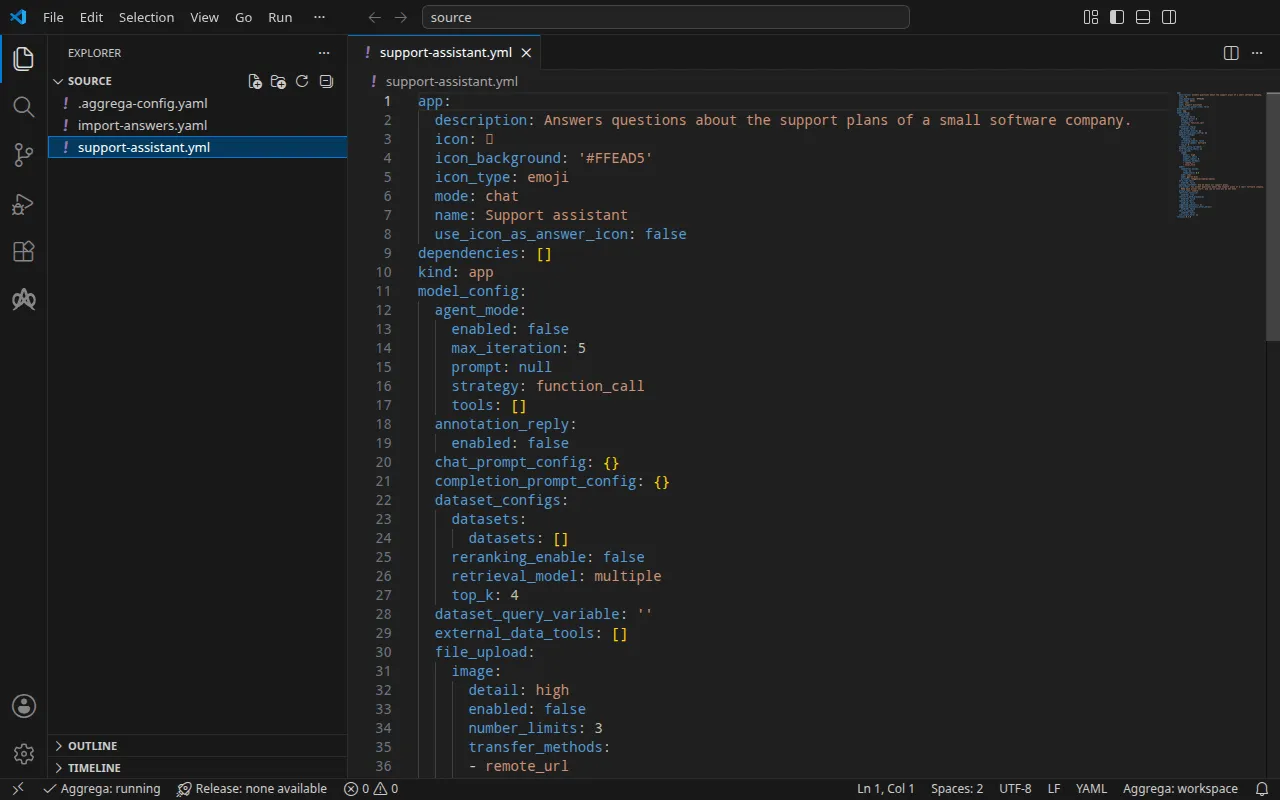
Ứng dụng
support-assistant.yml, được viết cho hướng dẫn này, là một ứng dụng trò chuyện trong DSL của Dify, tức YAML mà Dify xuất ra cho một ứng dụng, ở phiên bản DSL 0.7.0: một lời mở đầu, một prompt ngắn, và mô hình mà nó dùng để trả lời, được nêu tên theo nhà cung cấp của nó:
model: completion_params: stop: [] temperature: 0.4 mode: chat name: gpt-4o-mini provider: langgenius/openai/openaiBên cạnh nó, một tệp .aggrega-config.yaml biến thư mục thành một không gian làm việc:
# The workspace key marks this directory as the workspace root, so an import run# here writes its drafts beside support-assistant.yml.workspace: {}# The registry the importer is fetched from the first time an import needs it.default_registry: hub.aggrega.aivà import-answers.yaml chứa các câu trả lời cho những gì không ứng dụng nào có thể chứa: bí mật ứng dụng của bản cài đặt, tức khóa mà Dify dùng để ký các phiên và để mã hóa các khóa nhà cung cấp mô hình mà nó lưu trữ; và tài khoản chủ sở hữu mà ứng dụng được nhập vào, cùng email và mật khẩu của tài khoản đó. Trên Kubernetes, mỗi bí mật được đọc từ một Secret của Kubernetes, nên câu trả lời của nó là tên của Secret đó; cùng tệp này cũng phục vụ một lần nhập cho Docker Compose, như Trên Docker Compose trình bày:
# Values the import could not draft from the source, keyed by the drafted file and the key path inside# it. Write each one beside its key; an import of the same source, and a sync, read them from here and# ask nothing. A secret is never written here: its key asks where the secret comes from — a variable# name, ${NAME}, or the name of a Kubernetes Secret.release.yaml: # Passed down to core/dify's secret_key parameter, which has no default; that parameter's description # in core/dify says what the value is. spec.parameters.secret_key: "dify-credentials" # Email address of the installation's owner account, read only when values.app_definition is set. The # step that imports the application creates this account when it performs Dify's first-time setup, and # signs in as it; on an installation whose setup has already run, it names an existing account allowed # to import applications, and the password attached to the owner_password slot is that account's. # Required when values.app_definition is set: the build halts when it is empty. It has no default. spec.boundaries.platform.aggregates.dify.components.api.infra.owner_email: "owner@example.com" # The origin of the secret value, written by the operator in the Release. Read exactly as # values.origin is. Write it here or in values.origin, never in both. A secret: name where it comes # from, never the value. spec.boundaries.platform.aggregates.dify.components.api.features.owner_password.infra.origin: "dify-owner"owner@example.com đại diện cho một email của riêng bạn; dify-credentials và dify-owner là các Secret mà Chạy thử tạo ra. Khi không có tệp này, một lần nhập tại terminal sẽ hỏi từng giá trị trong ba giá trị, mỗi lần một câu hỏi, và ghi các câu trả lời của bạn vào một tệp câu trả lời mới; ở nơi không thể hỏi gì, nó ghi tệp đó với ba khóa và các câu trả lời trống, liệt kê chúng và thoát với trạng thái 1. Tệp câu trả lời nhập mô tả đầy đủ tệp này.
Không gian làm việc không chỉ định thư mục danh mục nào, vì vậy quá trình nhập đọc danh mục thư viện chuẩn từ registry mà từ đó nó tải trình nhập của mình về: một bản chụp nhanh có chữ ký của danh mục đã phát hành, được lần nhập đầu tiên tải về, xác minh và lưu trong bộ nhớ đệm nội dung của không gian làm việc, và được nêu tên theo digest của nó trong bản ghi mà quá trình nhập ghi bên cạnh các bản nháp. Một không gian làm việc chỉ định các thư mục danh mục riêng — trong AGGREGA_CATALOG_DIRS, hoặc dưới workspace.catalog_dirs — thì thay vào đó nhập dựa trên các thư mục đó. Chuyển vào source:
cd sourceChạy lệnh nhập
Bản cài đặt Dify của thư viện chuẩn được hiện thực hóa trên Kubernetes và trên Docker Compose. Hướng dẫn này nêu tên đích helm:
aggrega import support-assistant.yml --target helmTrên đầu ra chuẩn, nó liệt kê những gì đã ghi:
wrote aggregate.yamlwrote release.yamlwrote manifest.yamlwrote .aggrega-import.jsonTrên luồng lỗi chuẩn, với <workspace> đại diện cho thư mục nơi bạn đã chạy nó:
[… omitted: a warning that the importer runs unverified, printed where its module is read from beside its Plugin entity in a catalog folder rather than fetched]read as the dify format, with drafted paths relative to <workspace>warn: node model_config.model (model) names the model "gpt-4o-mini" of the model provider "langgenius/openai/openai", whose credentials are set inside Dify, and core/ai-agent/dify configures that for itself rather than reaching it through a socket, so the draft wires no part for itmade no choice for model_config.model (model)Pull complete: <workspace>/release.lock (entities=25, source_artifacts=0, external_inputs=0)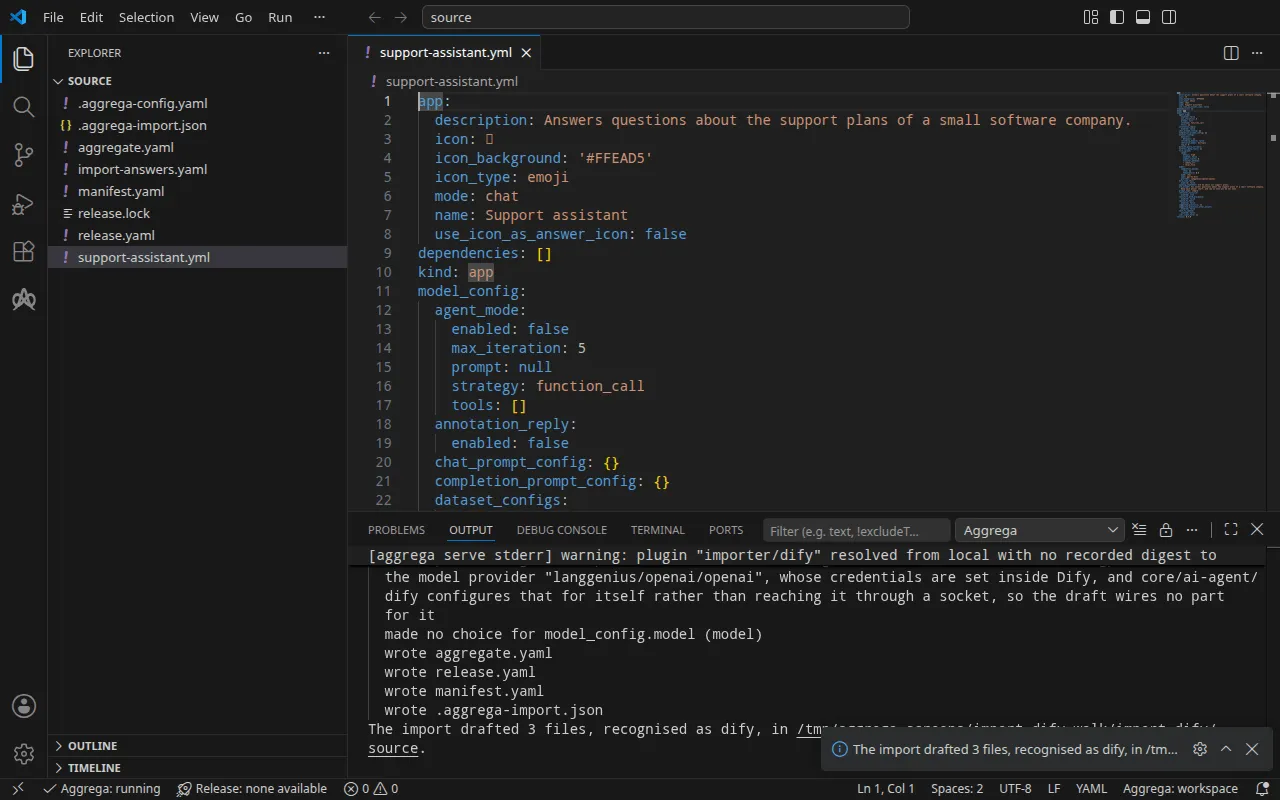
- Dòng
warncho biết mô hình ở lại bên trong Dify: Dify tự cấu hình các nhà cung cấp mô hình của mình, cùng các khóa của chúng, vì vậy bản nháp không nối mô hình nào. Khi Dify đã chạy, bạn cài đặt nhà cung cấp OpenAI của nó và đặt khóa của nhà cung cấp, như Kiểm thử trình bày. - Dòng
Pull completelà bước pull. Vì mọi giá trị đều được trả lời từ tệp câu trả lời, quá trình nhập đã pull các phụ thuộc của Release được soạn nháp, nhưaggrega pulllàm, và ghirelease.lock; bước dựng bên dưới không cần gì thêm.
Những gì được ghi
Aggregate, Release và Manifest được đặt tên imported/support-assistant, theo tên của ứng dụng, Support assistant dưới app, rút gọn thành support-assistant — một ứng dụng không có tên được đặt tên theo tệp của nó — dưới namespace mà thiết lập target_namespace của trình nhập đặt ra, là imported trừ khi bạn đặt namespace khác (Thiết lập).
aggregate.yaml — bản cài đặt Dify của thư viện chuẩn, core/dify, một Aggregate mà bản nháp kết hợp dưới aggregates, với ứng dụng được mang theo đúng như đã viết trong tham số app_definition của nó, phần lớn được lược bỏ ở đây, và secret_key của bản cài đặt được truyền xuống từ một tham số mà bản nháp khai báo:
apiVersion: aggrega.ai/v1beta1kind: Aggregatemetadata: name: imported/support-assistant version: 0.1.0 description: Draft Aggregate imported from a source in the dify format.spec: parameters: secret_key: type: string required: true minLength: 1 description: "Passed down to core/dify's secret_key parameter, which has no default; that parameter's description in core/dify says what the value is." aggregates: # An import sees the Components of the workspace's catalog and none of its Aggregates, so it does not check that the catalog holds core/dify. dify: type: core/dify parameters: secret_key: "{{ .parameters.secret_key }}" app_definition: | app: description: Answers questions about the support plans of a small software company. [… omitted: the rest of the application, as exported] version: 0.7.0Bản cài đặt gồm mười thành phần — máy chủ API của Dify, worker, bộ lập lịch, giao diện web, sandbox mã và runtime plugin của nó, một proxy egress, PostgreSQL, một bộ nhớ đệm tương thích Redis và Weaviate — được nối với nhau, và việc nhập ứng dụng là một bước mà Recipe của máy chủ API kết xuất. Khóa bí mật ứng dụng của nó không có giá trị mặc định trong core/dify, vì vậy bản nháp khai báo secret_key làm một tham số của riêng nó, không có giá trị mặc định, và truyền xuống để Release đáp ứng. Các thông tin xác thực khác của bản cài đặt giữ các giá trị mặc định mà core/dify gán cho chúng, như Chạy mô tả.
release.yaml — Release, định tuyến bản cài đặt vào một ranh giới, platform, và đáp ứng từ tệp câu trả lời những gì ứng dụng không thể cung cấp:
apiVersion: aggrega.ai/v1beta1kind: Releasemetadata: name: imported/support-assistant # environment is a drafted default, since no source names the environment this Release deploys to; change it to name the one it deploys to. environment: development version: 0.1.0 description: Draft Release imported from a source in the dify format.spec: aggregate: imported/support-assistant manifest: imported/support-assistant parameters: # Left for the Release, since the source cannot supply it: secret_key, which the drafted Aggregate declares and passes down to core/dify; that parameter's description there says what the value is secret_key: "dify-credentials" boundaries: platform: aggregates: dify: components: api: infra: # Lets the installation reach Dify's plugin marketplace, which the plugin serving the application's model, such as OpenAI's, is installed from. marketplace_enabled: true # Left for the Release, since the source cannot supply it: components.api.infra.owner_email, the email of the installation's owner account the application is imported under, on the api component of core/dify owner_email: "owner@example.com" features: owner_password: type: core/referenced-secret infra: # Left for the Release, since the source cannot supply it: the name of a Kubernetes Secret already in the namespace holding, under the data key value, the owner account's password. origin: "dify-owner" worker: infra: # Lets the installation reach Dify's plugin marketplace, which the plugin serving the application's model, such as OpenAI's, is installed from. marketplace_enabled: true scheduler: infra: # Lets the installation reach Dify's plugin marketplace, which the plugin serving the application's model, such as OpenAI's, is installed from. marketplace_enabled: trueenvironmentlàdevelopment, một giá trị mặc định mà chú thích phía trên nó bảo hãy đổi thành môi trường mà Release triển khai tới.secret_keylà tên của Secret chứa khóa bí mật ứng dụng,dify-credentials, dưới khóa dữ liệu mà bản cài đặt nêu tên,secret-key: Manifest đọc mọi thông tin xác thực từ một Secret đã có sẵn trong namespace.- Tài khoản chủ sở hữu được đặt trên thành phần
apicủa bản cài đặt, trong mục định tuyến đặt bản cài đặt vào ranh giới của nó: email của nó, và mật khẩu của nó được đính kèm dưới dạng mộtcore/referenced-secretnêu tên Secret chứa mật khẩu,dify-owner, dưới khóa dữ liệuvalue. Các chú thích phía trên các giá trị đã trả lời cho biết vì sao quá trình nhập không thể soạn thảo chúng. marketplace_enabledlàtruetrên máy chủ API,api, worker và bộ lập lịch của nó, trên mọi đích: bản cài đặt không tiếp cận bất cứ thứ gì của nhà cung cấp Dify trừ khi Release cho phép, và nhà cung cấp OpenAI mà ứng dụng dùng để trả lời là một plugin mà Dify cài đặt từ chợ plugin của nó, như Kiểm thử cho thấy. Mỗi thành phần trong ba thành phần đọc thiết lập riêng của nó.
manifest.yaml — một Recipe Helm cho mỗi thành phần mà bản cài đặt kết hợp, và phần hiện thực đọc một thông tin xác thực từ một Secret đã có sẵn trong namespace:
apiVersion: aggrega.ai/v1beta1kind: Manifestmetadata: name: imported/support-assistant version: 0.1.0spec: mappings: components: type: core/datastore/postgres: helm/postgres core/datastore/redis: helm/redis core/datastore/weaviate: helm/weaviate core/ai-agent/dify-ssrf-proxy: helm/dify-ssrf-proxy core/ai-agent/dify-sandbox: helm/dify-sandbox core/ai-agent/dify-plugin-daemon: helm/dify-plugin-daemon core/ai-agent/dify: helm/dify core/ai-agent/dify-worker: helm/dify-worker core/ai-agent/dify-worker-beat: helm/dify-worker-beat core/ai-agent/dify-web: helm/dify-web features: type: core/referenced-secret: helm/k8s-existing-secret--target ánh xạ các kiểu thành phần của bản cài đặt mà bản nháp kết hợp cũng như các kiểu của chính nó. Khi danh mục cung cấp nhiều Recipes Helm cho một kiểu, như với PostgreSQL, nó ánh xạ Recipe được đặt tên theo kiểu, helm/postgres.
.aggrega-import.json là bản ghi những gì quá trình nhập đã ghi, được một lệnh aggrega import --sync sau đó đọc, và release.lock ghim mọi thực thể danh mục mà Release phân giải tới, theo phiên bản và digest.
Xác thực và dựng
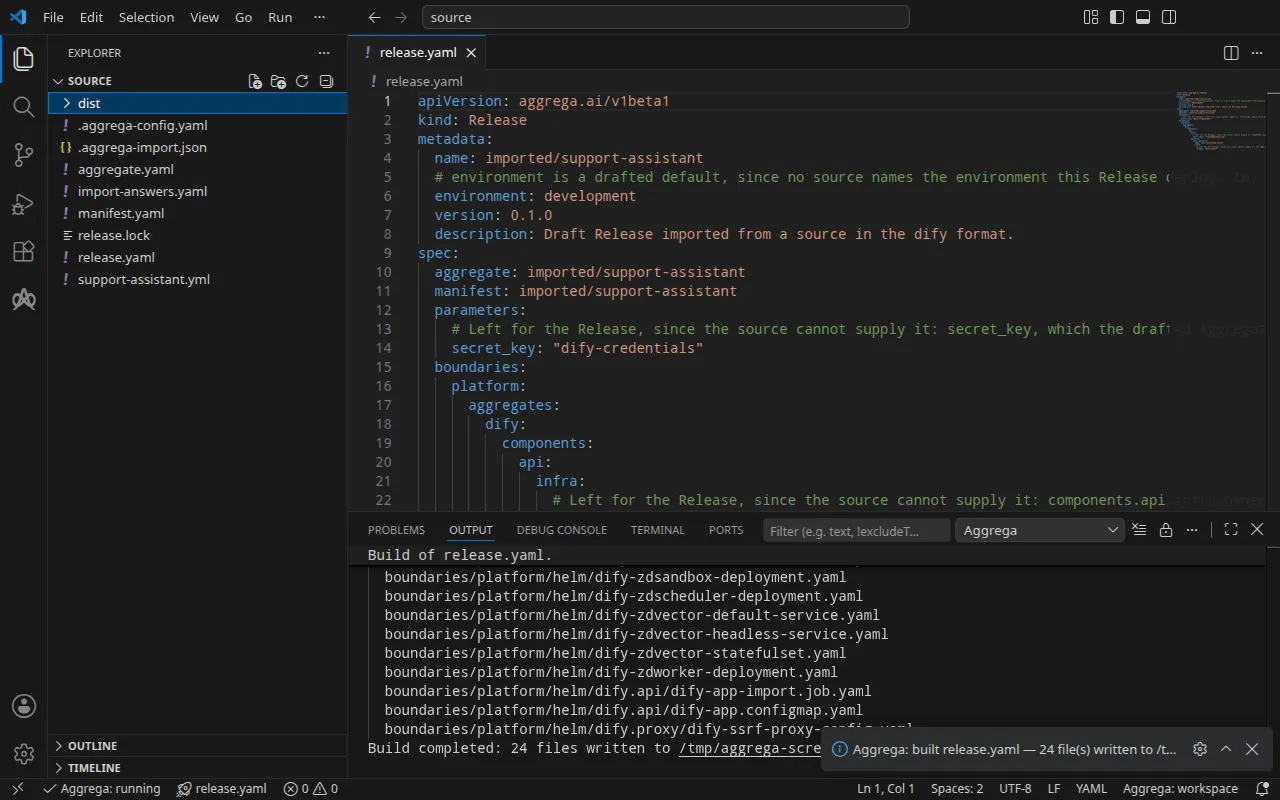
aggrega validate --release release.yamlaggrega build --release release.yaml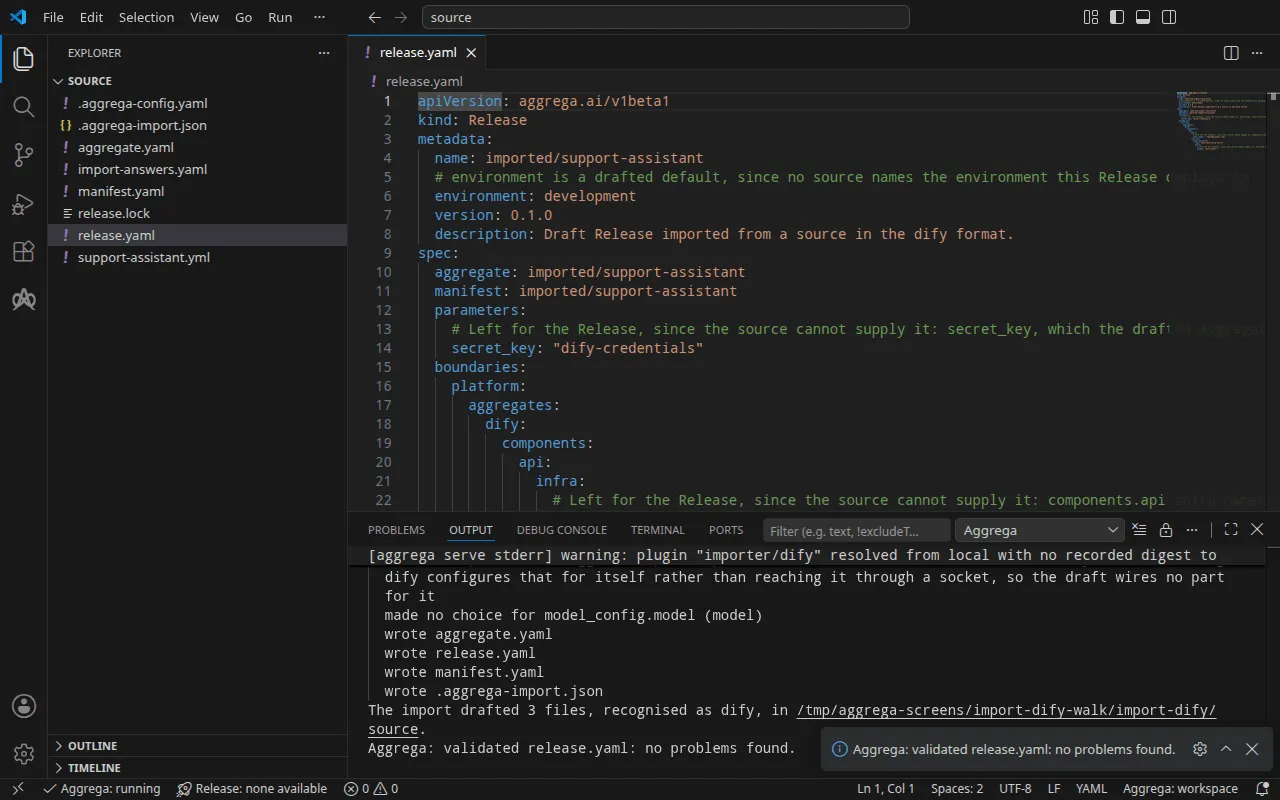
Bước xác thực in ra:
notice: LINT: Feature "core/referenced-secret" at core/referenced-secret:1.0.0 declares property "origin" in both values: and infra: pillars (path: origin)release dependency validation passed: release.yaml (schema-pillar + dependency pillars)và bản dựng, với <workspace> đại diện cho thư mục chứa các bản nháp:
notice: LINT: Feature "core/referenced-secret" at core/referenced-secret:1.0.0 declares property "origin" in both values: and infra: pillars (path: origin)[… omitted: a total build time, which differs per run]Build completed: 24 files written to <workspace>/distDòng notice chỉ mang tính tham khảo: Feature bí mật chấp nhận origin của nó từ values của Aggregate hoặc infra của Release, và thông báo cho biết có một lá được khai báo ở cả hai. Nó không thay đổi phán quyết nào.
Bản build ghi các manifest Kubernetes của bản cài đặt vào dist/boundaries/platform/helm/. Trong số đó có Job nhập ứng dụng, dify.api/dify-app-import.job.yaml. Job này chờ máy chủ API của Dify phản hồi, thực hiện thiết lập lần đầu của Dify với tư cách tài khoản chủ sở hữu mà Release nêu tên ở nơi thiết lập đó chưa chạy, và nhập ứng dụng:
spec: podFailurePolicy: rules: - action: FailJob onExitCodes: containerName: import operator: In values: [2] template: spec: restartPolicy: Never containers: - name: import image: "langgenius/dify-api:1.17.0" command: ["python", "/seed/import.py"] env: - name: DIFY_API_URL value: "http://dify-zdapi-default:5001" - name: OWNER_EMAIL value: "owner@example.com" - name: OWNER_PASSWORD valueFrom: secretKeyRef: name: "dify-owner" key: "value" volumeMounts: - name: seed mountPath: /seed readOnly: true volumes: - name: seed configMap: name: dify-zdapi-appBản thân ứng dụng nằm trong ConfigMap bên cạnh. Khi Dify từ chối những gì bước đó gửi tới, bằng một phản hồi lỗi phía client khác với hết thời gian chờ yêu cầu hay giới hạn tốc độ, hoặc bằng cách báo rằng việc nhập đã thất bại, bước đó in ra thông điệp mà phản hồi của Dify mang theo và thoát với trạng thái 2, giống như khi định nghĩa không nêu tên ứng dụng nào dưới app.name; podFailurePolicy của Job làm Job thất bại ở lần thử đó, vì một lần thử lại cũng sẽ bị từ chối theo cùng cách; mọi lỗi khác, chẳng hạn máy chủ không trả lời trong khoảng mười phút, đều được thử lại.
Với trợ lý AI
Một trợ lý AI được thiết lập với các công cụ của Aggrega có thể làm điều tương tự: dán prompt này vào nó.
Chỉ dùng các công cụ của Aggrega, và không tự tạo thư mục nào. Nếu thư mục Workspace chưa có thư mục `import-dify`, hãy gọi công cụ `scaffold` một lần với `example` đặt thành `import-dify` và không có `dir`: nó ghi ví dụ vào một thư mục `import-dify` mới, trong đó thư mục `source` chứa những gì trang này nhập. Sau đó gọi công cụ `import` với `workspace_root` đặt thành `import-dify/source`, `source` đặt thành `support-assistant.yml` và `target` đặt thành `helm`: nó đọc các câu trả lời cần thiết từ `import-answers.yaml` bên cạnh `support-assistant.yml`, ghi các bản nháp vào `import-dify/source` và kéo về những gì chúng cần. Sau đó gọi công cụ `validate` với `workspace_root` đặt thành `import-dify/source` và `release` đặt thành `release.yaml`, và công cụ `build` với `workspace_root` đặt thành `import-dify/source`, `release` đặt thành `release.yaml` và `write` đặt thành true. Cho tôi biết bản build đã ghi những tệp nào; chúng nằm trong `import-dify/source/dist/`.Mở trong VS Code
Khi đã cài tiện ích mở rộng Aggrega cho Visual Studio Code, hãy mở thư mục import-dify/source trong VS Code, nơi quá trình nhập đã ghi các bản nháp. Thư mục chứa một Release duy nhất, bản nháp release.yaml, nên trình soạn thảo tự chọn nó cho bạn; khi Trên Docker Compose đã soạn một Release thứ hai vào compose, Aggrega: Select Release… chọn Release mà trình soạn thảo làm việc. Trình soạn thảo kiểm tra các bản nháp đối chiếu với Release đã chọn khi bạn chỉnh sửa, đánh dấu những gì nó tìm thấy trong tệp và trong bảng Problems. Aggrega: Show topology graph, trong Command Palette, vẽ các thành phần của Release đã chọn và các kết nối giữa chúng. Aggrega: Build, Aggrega: Preview build và Aggrega: Pull tác động lên cùng Release đó, và mỗi lệnh cũng là một nút trên bảng Commands của chế độ xem Aggrega trong thanh hoạt động; Build ghi các tệp của nó vào dist/ của thư mục. Dùng Aggrega trong Visual Studio Code trình bày phần còn lại.
Chạy thử
Trước khi áp dụng các manifest, hãy tạo các Secret mà chúng đọc. Một khối lượng công việc tham chiếu đến một Secret không tồn tại sẽ không khởi động. Hai trong số đó chứa những gì tệp câu trả lời đã nêu: dify-owner, chứa mật khẩu của chủ sở hữu dưới value, và dify-credentials, chứa khóa bí mật của ứng dụng dưới secret-key. Bốn thông tin xác thực còn lại của bản cài đặt — mật khẩu cơ sở dữ liệu và ba khóa mà các thành phần của nó xuất trình cho nhau — giữ các giá trị mặc định mà core/dify gán cho chúng, và trên Kubernetes mỗi giá trị mặc định là tên của Secret mà các manifest đọc nó từ đó: dify-db-password-for-evaluation-only dưới db-password, dify-code-execution-key-for-evaluation-only dưới code-execution-key, dify-plugin-daemon-key-for-evaluation-only dưới plugin-daemon-key và dify-inner-api-key-for-evaluation-only dưới inner-api-key. Hãy tạo cả bốn Secret đó, mỗi cái chứa một giá trị của riêng bạn; để đọc chúng từ các Secret có tên khác, hãy truyền các tên đó cho core/dify trong mục dify của Aggregate, dưới parameters, dưới dạng db_password, code_execution_key, plugin_daemon_key và inner_api_key.
Hãy đặt mật khẩu của chủ sở hữu trong shell của bạn, dưới dạng DIFY_OWNER_PASSWORD, vì bạn sẽ đăng nhập bằng nó ở bên dưới. Dify chấp nhận mật khẩu chủ sở hữu dài ít nhất tám ký tự, có chứa một chữ cái và một chữ số: nếu đưa mật khẩu khác, Job nhập sẽ thất bại ngay khi Dify từ chối bước thiết lập ban đầu, và log của nó ghi first-time setup was refused with HTTP 422: Validation error for parameter 'payload', phản hồi mà Dify đưa ra cho một tài khoản chủ sở hữu bị nó từ chối. Bước chờ bên dưới chờ Job hoàn tất, và một Job thất bại không bao giờ hoàn tất, nên khi đó bước chờ kéo dài đến khi hết thời gian chờ; hãy chạy kubectl wait --for=condition=failed job/dify-zdapi-app-import --timeout=15m trong một terminal thứ hai bên cạnh, và bước chờ đó sẽ trả về ngay khi Job thất bại. Hãy xóa Job và Secret dify-owner, tạo lại Secret với một mật khẩu mà Dify chấp nhận, rồi áp dụng lại.
Hãy viết một tệp cho mỗi Secret trong năm Secret còn lại, chứa một dòng: khóa dữ liệu, = và một giá trị của riêng bạn — dify-credentials.env với secret-key=, db-password.env với db-password=, code-execution-key.env với code-execution-key=, plugin-daemon-key.env với plugin-daemon-key= và inner-api-key.env với inner-api-key=. Sau đó tạo sáu Secret. Khi đó cụm đã giữ các giá trị, vì vậy hãy xóa các tệp:
printf 'value=%s\n' "$DIFY_OWNER_PASSWORD" > dify-owner.envkubectl create secret generic dify-owner --from-env-file=dify-owner.envkubectl create secret generic dify-credentials --from-env-file=dify-credentials.envkubectl create secret generic dify-db-password-for-evaluation-only --from-env-file=db-password.envkubectl create secret generic dify-code-execution-key-for-evaluation-only --from-env-file=code-execution-key.envkubectl create secret generic dify-plugin-daemon-key-for-evaluation-only --from-env-file=plugin-daemon-key.envkubectl create secret generic dify-inner-api-key-for-evaluation-only --from-env-file=inner-api-key.envrm dify-owner.env dify-credentials.env db-password.env code-execution-key.env plugin-daemon-key.env inner-api-key.envÁp dụng các manifest, như bước chạy trong Cách một lần nhập diễn ra giải thích — -R bao gồm cả Job và hai ConfigMap trong dify.api/ và dify.proxy/ — rồi chờ Job nhập và đọc log của nó, và chờ runtime plugin:
kubectl apply -R -f dist/boundaries/platform/helm/kubectl wait --for=condition=complete job/dify-zdapi-app-import --timeout=15mkubectl logs job/dify-zdapi-app-importkubectl rollout status statefulset/dify-zdpluginsservice/dify-zdapi-default createddeployment.apps/dify-zdapi created[… omitted: a line for each of the other Services, Deployments and StatefulSets]job.batch/dify-zdapi-app-import createdconfigmap/dify-zdapi-app createdconfigmap/dify-zdproxy-config createdjob.batch/dify-zdapi-app-import condition metfirst-time setup done: owner account owner@example.comimported 'Support assistant' as application 7e03e85c-b13f-4ddc-b539-040470a61d4cpartitioned roll out complete: 1 new pods have been updated...Log cho biết mã định danh của ứng dụng, thứ mà Kiểm thử cần.
Kiểm thử
API của Dify trả lời tại http://127.0.0.1:5001. Trên Kubernetes, hãy chuyển tiếp một cổng cục bộ tới Service của máy chủ API, dify-zdapi-default, trong namespace mà bạn đã áp dụng, và để lệnh tiếp tục chạy trong một terminal thứ hai:
kubectl port-forward -n <namespace> svc/dify-zdapi-default 5001:5001Trên Docker Compose, khởi động như Trên Docker Compose trình bày, Release đã công bố API tại địa chỉ đó, và console tại http://127.0.0.1:3001. Hãy mở http://127.0.0.1:3001/signin, trang đăng nhập của console; / chuyển hướng tới đó. Trang gửi các yêu cầu tới API tại http://127.0.0.1:5001, và API của Dify chỉ trả lời trình duyệt cho các trang được phục vụ từ địa chỉ mà console_url trong bản nháp nêu, http://127.0.0.1:3001, vì vậy hãy đăng nhập ở đó với tư cách chủ sở hữu. Nếu mở ở bất kỳ địa chỉ nào khác, các yêu cầu của console không nhận được câu trả lời như vậy và trình duyệt từ chối mọi câu trả lời; hãy công bố console trên một cổng khác và thay đổi console_url theo.
Ứng dụng cũng trả lời qua API, không cần trình duyệt. Trong một terminal đã đặt DIFY_OWNER_PASSWORD, hãy đăng nhập với tư cách chủ sở hữu. API console nhận mật khẩu ở dạng mã hóa Base64, và việc đăng nhập để lại phiên trong cookies.txt. Mọi yêu cầu console sau đó đều gửi lại phiên, kèm token CSRF từ cùng tệp đó trong header X-CSRF-Token; yêu cầu thiếu nó sẽ bị từ chối với CSRF token is missing or invalid.
printf '{"email": "owner@example.com", "password": "%s"}' "$(printf %s "$DIFY_OWNER_PASSWORD" | base64 | tr -d '\n')" | curl -sS -c cookies.txt http://127.0.0.1:5001/console/api/login -H 'Content-Type: application/json' -d @-CSRF=$(awk '$6 == "csrf_token" {print $7}' cookies.txt){"result":"success"}Các nhà cung cấp mô hình của Dify là plugin, và một bản cài đặt mới không có cái nào. Hãy cài đặt nhà cung cấp OpenAI của Dify, ở phiên bản 1.1.0, phiên bản mà lần chạy đã cài đặt; runtime plugin tải nó từ marketplace của Dify, nơi mà marketplace_enabled trong bản nháp cho phép bản cài đặt truy cập, vì vậy bản cài đặt phải truy cập được internet:
curl -sS -b cookies.txt -H "X-CSRF-Token: $CSRF" -H 'Content-Type: application/json' \ http://127.0.0.1:5001/console/api/workspaces/current/plugin/install/marketplace \ -d '{"plugin_unique_identifiers": ["langgenius/openai:1.1.0@1ded02acee56efd5788c86fd447d792e4923e959554a4942f440c7859d164340"]}'{"all_installed":false,"task_id":"01a1dc0a-653d-756b-a104-e5d6d1e43695","task":null}Khi xóa marketplace_enabled khỏi Release, Dify sẽ từ chối yêu cầu thay vào đó, với {"code":"invalid_param","message":"marketplace is not enabled","status":400}. Quá trình cài đặt chạy ở chế độ nền. Hãy truy vấn tác vụ của nó, với task_id mà phản hồi nêu, cho đến khi status của nó là success:
curl -sS -b cookies.txt -H "X-CSRF-Token: $CSRF" \ http://127.0.0.1:5001/console/api/workspaces/current/plugin/tasks/<task id>{"task":{"id":"01a1dc0a-653d-756b-a104-e5d6d1e43695",[… omitted: when it was created and last updated],"status":"success","total_plugins":1,"completed_plugins":1,"plugins":[{"plugin_unique_identifier":"langgenius\/openai:1.1.0@1ded02acee56efd5788c86fd447d792e4923e959554a4942f440c7859d164340",[… omitted: the plugin's status, its icon and its names in four languages]}]}}Hãy ghi khóa của nhà cung cấp vào openai.json, dưới dạng {"credentials": {"openai_api_key": "your OpenAI key"}}, đặt nó, rồi xóa tệp:
curl -sS -b cookies.txt -H "X-CSRF-Token: $CSRF" -H 'Content-Type: application/json' \ http://127.0.0.1:5001/console/api/workspaces/current/model-providers/langgenius/openai/openai/credentials \ -d @openai.jsonrm openai.jsonDify kiểm tra khóa bằng một yêu cầu tới nhà cung cấp trước khi lưu nó, và trả lời {"result":"success"} cho một khóa mà nhà cung cấp chấp nhận. Lần chạy đã đặt một giá trị giữ chỗ, và Dify đã từ chối nó với câu trả lời của OpenAI:
{"code":"invalid_param","message":"Error code: 401 - {'error': {'message': 'Incorrect API key provided: sk-place*****************-key. You can find your API key at https:\/\/platform.openai.com\/account\/api-keys.', 'type': 'invalid_request_error', 'code': 'invalid_api_key', 'param': None}, 'status': 401}","status":400}Một ứng dụng trả lời các yêu cầu được gửi bằng khóa API riêng của nó. Hãy tạo một khóa, với mã định danh của ứng dụng lấy từ log của bước nhập nó — trên Docker Compose là docker compose -p support-assistant -f ../dist/boundaries/platform/compose/docker-compose.yaml logs dify-zdapi-app-import:
curl -sS -X POST -b cookies.txt -H "X-CSRF-Token: $CSRF" \ http://127.0.0.1:5001/console/api/apps/<application id>/api-keys{"id":"8d6c1eb1-cf61-4825-9b04-f32689ed0489","type":"app","token":"[… omitted: the key]","last_used_at":null,"created_at":1794693042}và gửi cho ứng dụng một tin nhắn bằng khóa, tức token trong phản hồi:
curl -sS http://127.0.0.1:5001/v1/chat-messages \ -H 'Authorization: Bearer <app key>' -H 'Content-Type: application/json' \ -d '{"inputs": {}, "query": "In one short sentence: what does a support plan cover?", "response_mode": "blocking", "user": "test-it"}'Khi giá trị giữ chỗ bị từ chối, mô hình không có khóa, và Dify cho biết điều đó:
{"code":"provider_not_initialize","message":"Model gpt-4o-mini credentials is not initialized.","status":400}Các lần chạy trên Kubernetes và trên Docker Compose nhận được cùng các câu trả lời. Với một khóa mà nhà cung cấp chấp nhận, câu trả lời mang câu trả lời của mô hình tại answer.
Trên Kubernetes, hãy dừng chuyển tiếp cổng, rồi xóa những gì bạn đã áp dụng, các Secret và tệp phiên:
kubectl delete -R -f dist/boundaries/platform/helm/kubectl delete secret dify-owner dify-credentials dify-db-password-for-evaluation-only dify-code-execution-key-for-evaluation-only dify-plugin-daemon-key-for-evaluation-only dify-inner-api-key-for-evaluation-onlykubectl delete pvc data-dify-zddb-0 storage-dify-zdplugins-0 data-dify-zdvector-0rm cookies.txtKubernetes giữ lại các yêu cầu volume mà một StatefulSet đã tạo khi StatefulSet bị xóa, vì vậy lệnh thứ ba sẽ xóa chúng, và cùng với chúng là cơ sở dữ liệu, plugin đã cài đặt và kho vector. Trên Docker Compose, docker compose -p support-assistant -f ../dist/boundaries/platform/compose/docker-compose.yaml down -v xóa stack và các volume của nó.
Trên Docker Compose
Cùng ứng dụng đó được nhập cho Docker Compose với target compose, từ cùng tệp câu trả lời. Các bản nháp cho Kubernetes đã nằm trong source, nên hãy tạo bản nháp cho Compose vào một thư mục riêng bằng --output-dir; lần nhập vẫn đọc tệp câu trả lời bên cạnh ứng dụng:
aggrega import support-assistant.yml --target compose --output-dir composeDocker Compose không có Secret nào để chỉ định, nên với compose bản nháp tự ghi bí mật ứng dụng và mật khẩu của chủ sở hữu, mỗi thứ dưới dạng một tham chiếu biến mà Docker Compose điền từ môi trường của người khởi động stack. Ở đó chỉ cần email của chủ sở hữu. Lần nhập giữ hai tên Secret trong tệp câu trả lời mà không áp dụng chúng, và cho biết điều đó trên standard error:
info: the answers file <workspace>/import-answers.yaml also answers spec.boundaries.platform.aggregates.dify.components.api.features.owner_password.infra.origin in release.yaml, spec.parameters.secret_key in release.yaml, which these drafts do not leave empty; those answers are kept there and not appliedRelease bản nháp đọc bí mật ứng dụng từ DIFY_SECRET_KEY và mật khẩu của chủ sở hữu từ DIFY_OWNER_PASSWORD, và công bố API trên cổng 5001 và front end, console, trên cổng 3001 của địa chỉ loopback:
parameters: # Passed by reference, never as a value: secret_key, which the drafted Aggregate declares and passes down to core/dify; that parameter's description there says what the value is; it is read from the variable DIFY_SECRET_KEY, which a target substituting variable references, as Docker Compose does when the stack starts, reads from the environment, so no file carries the value. secret_key: "${DIFY_SECRET_KEY}" [… omitted: the boundary, the marketplace switch, and the owner's email, answered as above] # Published on this machine's loopback address, 127.0.0.1: reachable from this machine only, by any process running on it. Delete this line to keep the service internal. published_port: 5001 console_url: "http://127.0.0.1:3001" features: owner_password: type: core/referenced-secret infra: # Attached by reference, never as a value: the owner account's password, read from the variable DIFY_OWNER_PASSWORD, which a target substituting variable references, as Docker Compose does when the stack starts, reads from the environment, so no file carries the value. origin: "${DIFY_OWNER_PASSWORD}" [… omitted: the worker and the scheduler, each with the marketplace switch, as above] console: infra: # Published on this machine's loopback address, 127.0.0.1: reachable from this machine only, by any process running on it. Delete this line to keep the service internal. published_port: 3001Mỗi cổng chỉ truy cập được từ máy của bạn, như chú thích của nó cho biết, và xóa một dòng sẽ giữ dịch vụ đó chỉ trên mạng của stack. Front end lắng nghe trên 3000 bên trong container của nó và được công bố trên 3001, nên nó chạy được bên cạnh một ví dụ khác công bố 3000. console_url của máy chủ API là địa chỉ mà front end được công bố, nên một cổng bạn thay đổi cho front end cũng được thay đổi ở đó.
Manifest ánh xạ mỗi thành phần tới Recipe Compose của nó và core/referenced-secret tới compose/dotenv-referenced-secret, thứ ghi mỗi tham chiếu vào tệp Compose nguyên như vậy. Hãy xác thực và build từ thư mục mới:
cd composeaggrega validate --release release.yamlaggrega build --release release.yamlBản build ghi vào dist ở thư mục gốc của workspace, và workspace vẫn là source, thư mục chứa .aggrega-config.yaml: tệp Compose là source/dist/boundaries/platform/compose/docker-compose.yaml, mà từ compose là ../dist/boundaries/platform/compose/docker-compose.yaml, và không có thư mục dist nào được ghi bên trong compose. Tệp này chứa SECRET_KEY: ${DIFY_SECRET_KEY} và OWNER_PASSWORD: ${DIFY_OWNER_PASSWORD} thay vì giá trị nào trong hai giá trị đó. Hãy đặt cả hai biến trong shell của bạn, hoặc trong một tệp .env bên cạnh tệp Compose, trước khi khởi động stack.
Bốn thông tin xác thực còn lại của bản cài đặt giữ các giá trị mặc định mà core/dify gán cho chúng, và trên Docker Compose mỗi giá trị mặc định chính là giá trị đó, được ghi vào tệp Compose nguyên như vậy: DB_PASSWORD: dify-db-password-for-evaluation-only, với POSTGRES_PASSWORD giống như vậy trên cơ sở dữ liệu, và tương tự là dify-code-execution-key-for-evaluation-only, dify-plugin-daemon-key-for-evaluation-only và dify-inner-api-key-for-evaluation-only. Mọi người đọc catalog đều biết các giá trị mặc định này, nên chúng chỉ dùng để đánh giá. Để thay một giá trị, hãy khai báo một tham số chuỗi cho nó trong Aggregate bản nháp, truyền nó xuống trong parameters của mục dify dưới tên mà core/dify đặt cho nó — db_password, code_execution_key, plugin_daemon_key hoặc inner_api_key — như bản nháp truyền secret_key, và đáp ứng nó trong parameters của Release. Một Release ghi db_password: "${DIFY_DB_PASSWORD}" sẽ build ra một tệp Compose chứa DB_PASSWORD: ${DIFY_DB_PASSWORD} và POSTGRES_PASSWORD: ${DIFY_DB_PASSWORD}, được điền từ môi trường như hai giá trị ở trên.
Hãy khởi động stack từ compose, với một mật khẩu chủ sở hữu mà Dify chấp nhận, như Chạy thử mô tả:
export DIFY_SECRET_KEY='a long random value of your own'export DIFY_OWNER_PASSWORD='a password of your own'docker compose -p support-assistant -f ../dist/boundaries/platform/compose/docker-compose.yaml up -d --waitTrong lần chạy, --wait trả về sau khoảng một phút, khi mọi máy chủ đã báo cáo trạng thái khỏe. Bước nhập ứng dụng chạy bên cạnh chúng và thoát sau khi đã nhập xong; khi đó log của nó ghi:
first-time setup done: owner account owner@example.comimported 'Support assistant' as application 7fae73f4-826b-4918-a623-a3383aa0da8cKiểm thử truy cập bản cài đặt qua hai cổng đã công bố.