



นำเข้าเอเจนต์ Google ADK
บท
ร่างตัวอย่าง
คุณ
เขียน
aggrega draft --example import-google-adkจากsource ซึ่ง
cd import-google-adk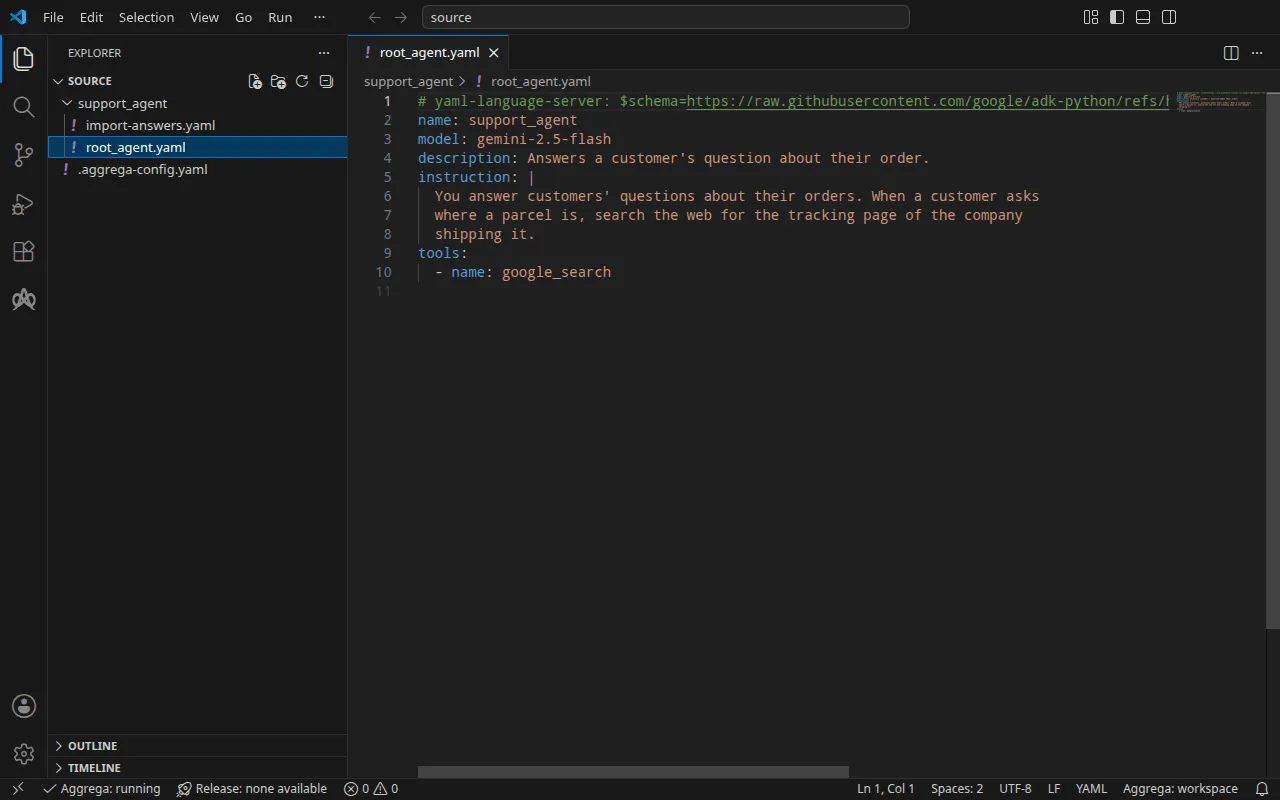
โปรเจกต์
ADK ประกาศadk create --type=config เขียน root_agent.yaml ซึ่งgemini-2.5-flash ของ Gemini พร้อม
# yaml-language-server: $schema=https://raw.githubusercontent.com/google/adk-python/refs/heads/main/src/google/adk/agents/config_schemas/AgentConfig.jsonname: support_agentmodel: gemini-2.5-flashdescription: Answers a customer's question about their order.instruction: | You answer customers' questions about their orders. When a customer asks where a parcel is, search the web for the tracking page of the company shipping it.tools: - name: google_searchการนำ.aggrega-config.yaml ทำให้
# The workspace key marks this directory as the workspace root, so an import run# here writes its drafts beside support_agent/.workspace: {}# The registry the importer is fetched from the first time an import needs it.default_registry: hub.aggrega.aiการนำ--target ร่าง Manifest จาก Recipes ของAGGREGA_CATALOG_DIRS หรือworkspace.catalog_dirs จะ
สิ่งที่การนำเข้าถาม
Agent Config ระบุimport-answers.yaml ภายในsupport_agent/ การนำghcr.io/example/support-agent:1.0.0 ซึ่ง
# Values the import could not draft from the source, keyed by the drafted file and the key path inside# it. Write each one beside its key; an import of the same source, and a sync, read them from here and# ask nothing. A secret is never written here: its key asks where the secret comes from — a variable# name, ${NAME}, or the name of a Kubernetes Secret.release.yaml: # Container image running the application built on ADK, serving its API on infra.port on every # interface. spec.components.support-agent.infra.image: "ghcr.io/example/support-agent:1.0.0" # The origin of the secret value, written by the operator in the Release. Read exactly as # values.origin is. Write it here or in values.origin, never in both. A secret: name where it comes # from, never the value. spec.components.support-agent.uses.model.gemini-2-5-flash.features.credential.infra.origin: "google-api-key"คำ--target helm ซึ่งgoogle-api-key ไม่ใช่
aggrega import ระบุ--answers ซึ่ง
เปลี่ยนsource:
cd sourceรันการนำเข้า
ระบุroot_agent.yaml ของ
aggrega import support_agent --target composeที่
wrote aggregate.yamlwrote release.yamlwrote manifest.yamlwrote .aggrega-import.jsonที่<workspace> แทน
[… omitted: a warning that the importer runs unverified, printed where its module is read from beside its Plugin entity in a catalog folder rather than fetched]read as the google-adk format, with drafted paths relative to <workspace>info: the answers file <workspace>/support_agent/import-answers.yaml also answers spec.components.support-agent.uses.model.gemini-2-5-flash.features.credential.infra.origin in release.yaml, which these drafts do not leave empty; those answers are kept there and not appliedmapped support_agent (agent) to core/ai-agent/google-adk as a reference, NONEmapped gemini-2.5-flash (model) to core/ai-model/gemini as a reference, NONEmade no choice for google_search (tool)Pull complete: <workspace>/release.lock (entities=8, source_artifacts=0, external_inputs=0)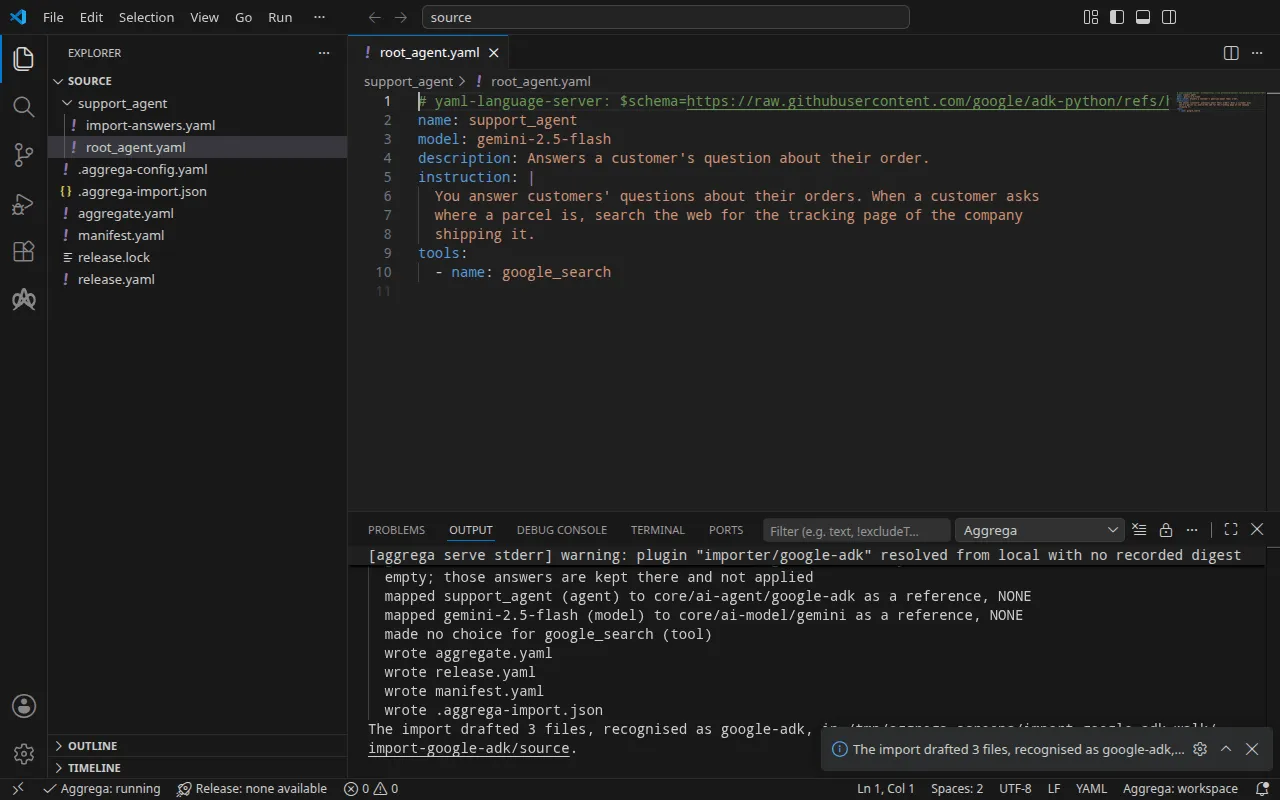
- บรรทัด
infoระบุคำ ตอบ ที่ ฉบับ ร่าง สำหรับ Docker Compose ไม่ ใช้ ซึ่ง เก็บ ไว้ ใน ไฟล์ คำ ตอบ สำหรับ บิลด์ สำหรับ Kubernetes - บรรทัด
mappedระบุว่า เอเจนต์ เป็น อินสแตนซ์ ของ เอเจนต์ ADK ใน ไลบรารี มาตรฐาน คือ core/ai-agent/google-adkและโมเดล ที่ เอเจนต์ ระบุ เป็น อินสแตนซ์ ของ core/ai-model/geminiระดับของ บรรทัด เหล่า นี้ อ่าน ว่า NONE: การนำเข้า ADK อ้างอิง Components เหล่า นี้ ตาม สิ่ง ที่ การ กำหนด ค่า ระบุ แทนที่ จะ ชั่ง น้ำ หนัก แต่ละ รายการ เทียบ กับ แค็ตตาล็อก - บรรทัด
made no choiceระบุว่า ไม่ ร่าง อะไร สำหรับ เครื่อง มือ Google Search: เป็น เครื่อง มือ ที่ ADK มี มา ให้ และ รัน อยู่ ภายใน แอปพลิเคชัน - บรรทัด
Pull completeคือการนำ เข้า ดึง สิ่ง ที่ Release ที่ ร่าง พึ่งพา เหมือน ที่ aggrega pullทำ ลงในrelease.lockฉบับร่าง จึง ตรวจ สอบ ความ ถูก ต้อง และ บิลด์ ได้ ทันที ภาย ใต้ --offlineการนำเข้า ไม่ pull สิ่ง ใด และ ระบุ aggrega pullที่ต้อง รัน
สิ่งที่การนำเข้าเขียน
Aggregate, Release และ Manifest ตั้งimported/support-agent ตาม name ของsupport_agent ที่support-agent ภายtarget_namespace ของimported เว้น
aggregate.yaml — เอเจนต์
# Google ADK agent configurations read:# - root_agent.yaml# Not read: the application's code, which defines the tools, callbacks and agents a configuration names by their code, nor the environment file ADK's scaffold writes beside root_agent.yaml; the application runs in the image the Release names for each instance, and loads its configurations itself.# ADK states that its Agent Config is experimental. An agent's model is a Gemini model by default; ADK serves some other providers' models by name through classes of its own, such as claude-sonnet-4-5 and gpt-4o, and others through a LiteLLM model string.apiVersion: aggrega.ai/v1beta1kind: Aggregatemetadata: name: imported/support-agent version: 0.1.0 description: Draft Aggregate imported from a source in the google-adk format.spec: components: # The agent tree of root_agent.yaml, served from its root agent support_agent. # Tools ADK ships, which run inside the application, drafted as no Component: google_search. support-agent: type: core/ai-agent/google-adk values: description: "Answers a customer's question about their order." uses: model: gemini-2-5-flash: target: gemini-2-5-flash # For the compose target, the lines below declare credential on gemini-2-5-flash: a secret the Release alone attaches arrives under the key value, so each is declared with a key of its own and no two arrive under one; the Release attaches its origin, naming this type or none. features: credential: type: core/secret-value values: key: GOOGLE_API_KEY # The model gemini-2.5-flash. gemini-2-5-flash: type: core/ai-model/gemini values: model: "gemini-2.5-flash"ADK ให้instruction ของ
ADK ให้gemini-2.5-flash ผ่านmodel ของGOOGLE_API_KEY โมเดลgpt-4o ที่ ADK ให้openai/gpt-4o จะ
release.yaml — สภาพ
apiVersion: aggrega.ai/v1beta1kind: Releasemetadata: name: imported/support-agent # environment is a drafted default, since no source names the environment this Release deploys to; change it to name the one it deploys to. environment: development version: 0.1.0 description: Draft Release imported from a source in the google-adk format.spec: aggregate: imported/support-agent manifest: imported/support-agent components: support-agent: infra: # Left for the Release, since the source cannot supply it: infra.image, the container image running the application built on ADK, holding its configurations image: "ghcr.io/example/support-agent:1.0.0" # Published on this machine's loopback address, 127.0.0.1: reachable from this machine only, by any process running on it. Delete this line to keep the service internal. published_port: 8000 uses: model: gemini-2-5-flash: features: credential: type: core/secret-value infra: # Attached by reference, never as a value: the credential support-agent presents to gemini-2-5-flash on its model connection (the source names no variable for it, so it is read from the one Google's Gemini API's client libraries read the API key from), read from the variable GOOGLE_API_KEY, which a target substituting variable references, as Docker Compose does when the stack starts, reads from the environment, so no file carries the value. origin: "${GOOGLE_API_KEY}" gemini-2-5-flash: {}สภาพdevelopment เป็นsupport_agent/import-answers.yaml published_port คือ 8000 ซึ่งhttp://127.0.0.1:8000 บน${GOOGLE_API_KEY} ซึ่ง
manifest.yaml ประกอบ
apiVersion: aggrega.ai/v1beta1kind: Manifestmetadata: name: imported/support-agent version: 0.1.0spec: mappings: components: type: core/ai-agent/google-adk: compose/google-adk core/ai-model/gemini: compose/gemini features: type: core/secret-value: compose/dotenv-secretrelease.lock บันทึก.aggrega-import.json เป็นaggrega import --sync ครั้ง
ตรวจสอบความถูกต้องและบิลด์
aggrega validate --release release.yamlaggrega build --release release.yaml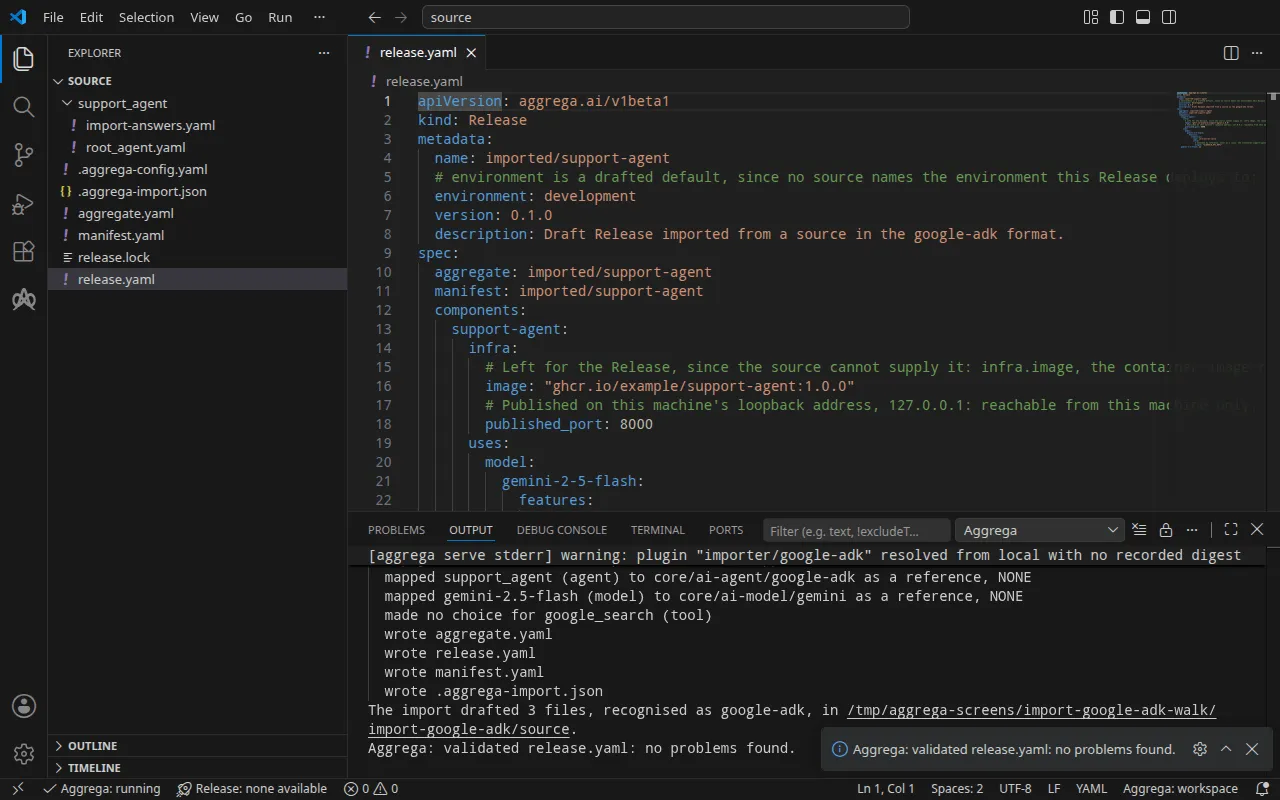
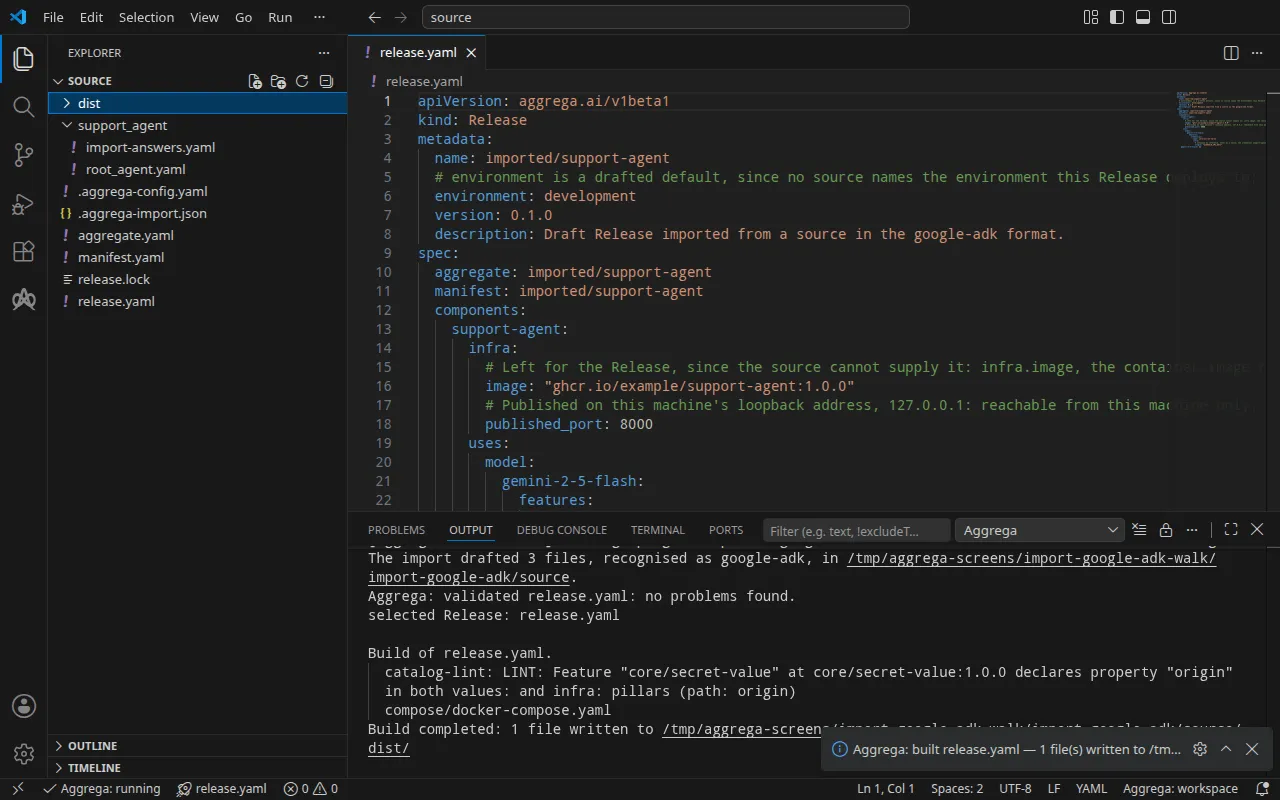
การ
notice: LINT: Feature "core/secret-value" at core/secret-value:1.0.0 declares property "origin" in both values: and infra: pillars (path: origin)release dependency validation passed: release.yaml (schema-pillar + dependency pillars)และ<workspace> แทน
notice: LINT: Feature "core/secret-value" at core/secret-value:1.0.0 declares property "origin" in both values: and infra: pillars (path: origin)[… omitted: a total build time, which differs per run]Build completed: 1 file written to <workspace>/distบรรทัด notice เป็นorigin จาก values ของ Aggregate หรือ infra ของ Release และ
บริการdist/compose/docker-compose.yaml:
services: support-agent: image: ghcr.io/example/support-agent:1.0.0 environment: PORT: "8000" GOOGLE_API_KEY: ${GOOGLE_API_KEY} ports: - 127.0.0.1:8000:8000 [… omitted: the labels the build writes on every service, naming the Aggregate, the component, the environment and the compiler's version] networks: - composeแอปพลิเคชันPORT และGOOGLE_API_KEY ซึ่งpublished_port ใน infra ของ
กับผู้ช่วย AI
ผู้
ใช้เฉพาะเครื่องมือของ Aggrega และอย่าสร้างโฟลเดอร์เอง ถ้าโฟลเดอร์ Workspace ยังไม่มีโฟลเดอร์ `import-google-adk` เรียกเครื่องมือ `draft` หนึ่งครั้ง โดยตั้ง `example` เป็น `import-google-adk` และไม่ระบุ `dir`: เครื่องมือจะเขียนตัวอย่างลงในโฟลเดอร์ `import-google-adk` ใหม่ ซึ่งโฟลเดอร์ `source` ของโฟลเดอร์นั้นเก็บสิ่งที่หน้านี้นำเข้า จากนั้นเรียกเครื่องมือ `import` โดยตั้ง `workspace_root` เป็น `import-google-adk/source` ตั้ง `source` เป็น `support_agent` และตั้ง `target` เป็น `compose`: เครื่องมืออ่านคำตอบที่ต้องใช้จาก `import-answers.yaml` ในโฟลเดอร์ `support_agent` เขียนร่างลงใน `import-google-adk/source` และ pull สิ่งที่ร่างเหล่านั้นต้องใช้ จากนั้นเรียกเครื่องมือ `validate` โดยตั้ง `workspace_root` เป็น `import-google-adk/source` และตั้ง `release` เป็น `release.yaml` และเรียกเครื่องมือ `build` โดยตั้ง `workspace_root` เป็น `import-google-adk/source` ตั้ง `release` เป็น `release.yaml` และตั้ง `write` เป็น true บอกฉันว่าบิลด์เขียนไฟล์ใดบ้าง ไฟล์เหล่านั้นอยู่ใต้ `import-google-adk/source/dist/`เปิดใน VS Code
เมื่อimport-google-adk/source ใน VS Code ซึ่งrelease.yaml ที่dist/ ของ
วิธีรัน
Docker Compose รันPORT อิมเมจadk api_server ให้Dockerfile ที่support_agent/:
FROM python:3.12-slimRUN pip install --no-cache-dir google-adk==2.13.0COPY support_agent/ /app/agents/support_agent/CMD ["sh", "-c", "exec adk api_server --host 0.0.0.0 --port \"$PORT\" --auto_create_session /app/agents"]adk api_server ให้PORT ให้--auto_create_session เปิด/run ระบุghcr.io/example/support-agent:1.0.0 ใน support_agent/import-answers.yaml และ--sync ซึ่ง
docker build -t support-agent:local .aggrega import support_agent --syncaggrega build --release release.yamlจาก
export GOOGLE_API_KEY='your Gemini API key'docker compose -p support-agent -f dist/compose/docker-compose.yaml up -d --wait-p ระบุ--wait คืน
ทดสอบ
ส่งpublished_port เผย/run เปิด
curl -sS -X POST http://127.0.0.1:8000/run -H 'Content-Type: application/json' \ -d '{"app_name": "support_agent", "user_id": "u1", "session_id": "s1", "new_message": {"role": "user", "parts": [{"text": "Where is my order 1234? Answer in one short sentence."}]}}'การInternal Server Error และdocker compose -p support-agent -f dist/compose/docker-compose.yaml logs support-agent ระบุ
google.genai.errors.ClientError: 400 INVALID_ARGUMENT. {'error': {'code': 400, 'message': 'API key not valid. Please pass a valid API key.', 'status': 'INVALID_ARGUMENT', [… omitted: the error's details]}}curl -sS http://127.0.0.1:8000/list-apps ตอบ ["support_agent"] ซึ่ง
หยุด
docker compose -p support-agent -f dist/compose/docker-compose.yaml downบน Kubernetes
เอเจนต์--target helm คลัสเตอร์ pull อิมเมจsupport_agent/import-answers.yaml การlocalhost:5000/support-agent:1.0.0 คำgoogle-api-key ร่างsource แล้ว จึง
aggrega import support_agent --target helm --output-dir helmcd helmaggrega build --release release.yamlบิลด์dist/helm/ ที่source ซึ่งhelm คือ ../dist/helm/ สร้าง Secret google-api-key ในvalue และsupport-agent-default: ส่ง
kubectl port-forward -n <namespace> svc/support-agent-default 8000:8000จากInternal Server Error เช่นkubectl logs -n <namespace> deploy/support-agent ระบุ