



นำเข้าแอปพลิเคชัน LangGraph
บท
ร่างตัวอย่าง
คุณ
เขียน
aggrega draft --example import-langgraphจากsource ซึ่ง
cd import-langgraph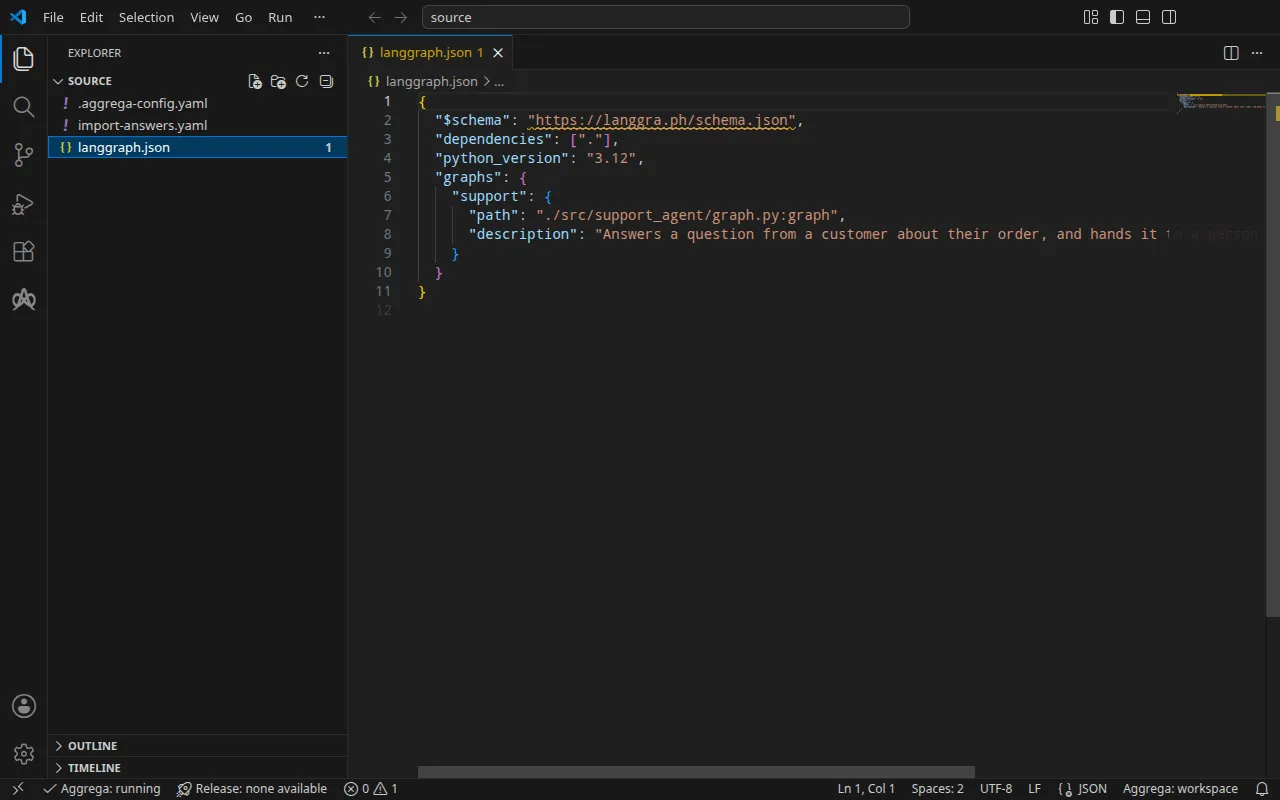
โปรเจกต์
แอปพลิเคชัน LangGraph เก็บlanggraph.json ซึ่งsupport ด้วย
{ "$schema": "https://langgra.ph/schema.json", "dependencies": ["."], "python_version": "3.12", "graphs": { "support": { "path": "./src/support_agent/graph.py:graph", "description": "Answers a question from a customer about their order, and hands it to a person when it cannot." } }}การนำlanggraph.json และ.aggrega-config.yaml ทำให้
# The workspace key marks this directory as the workspace root, so an import run# here writes its drafts beside langgraph.json.workspace: {}# The registry the importer is fetched from the first time an import needs it.default_registry: hub.aggrega.aiการนำ--target ร่าง Manifest จาก Recipes ของAGGREGA_CATALOG_DIRS หรือworkspace.catalog_dirs จะ
สิ่งที่การนำเข้าถาม
การimport-answers.yaml ภายใน. การนำ
2 values the drafts leave empty are still owed, listed in the answers file <workspace>/import-answers.yaml: write each beside its key there, then run the import againตัวอย่างgpt-4o-mini ของ OpenAI และ ghcr.io/example/support-agent:1.0.0 แทน
# Values the import could not draft from the source, keyed by the drafted file and the key path inside# it. Write each one beside its key; an import of the same source, and a sync, read them from here and# ask nothing. A secret is never written here: its key asks where the secret comes from — a variable# name, ${NAME}, or the name of a Kubernetes Secret.aggregate.yaml: # Left for the author, since the configuration names no model: values.model, the name of the model # core/ai-model/openai serves. spec.components.model.values.model: "gpt-4o-mini"release.yaml: # Container image running the LangGraph application code. The Docker Compose Recipe runs the catalog's # quickstart agent when it is unset. spec.components.support.infra.image: "ghcr.io/example/support-agent:1.0.0" # The origin of the secret value, written by the operator in the Release. Read exactly as # values.origin is. Write it here or in values.origin, never in both. A secret: name where it comes # from, never the value. spec.components.support.uses.checkpointer_db.postgres.features.credential.infra.origin: "support-db-password" # The origin of the secret value, written by the operator in the Release. Read exactly as # values.origin is. Write it here or in values.origin, never in both. A secret: name where it comes # from, never the value. spec.components.support.uses.model.model.features.credential.infra.origin: "openai-api-key" # The origin of the secret value, written by the operator in the Release. Read exactly as # values.origin is. Write it here or in values.origin, never in both. A secret: name where it comes # from, never the value. spec.components.postgres.features.password.infra.origin: "support-db-password"คำorigin สาม--target helm ซึ่งsupport-db-password ทั้งopenai-api-key ไม่ใช่
aggrega import ระบุ--answers ซึ่ง
เปลี่ยนsource:
cd sourceรันการนำเข้า
ระบุlanggraph.json ของ
aggrega import . --target composeที่
wrote aggregate.yamlwrote release.yamlwrote manifest.yamlwrote .aggrega-import.jsonที่<workspace> แทน
[… omitted: a warning that the importer runs unverified, printed where its module is read from beside its Plugin entity in a catalog folder rather than fetched]read as the langgraph format, with drafted paths relative to <workspace>info: the answers file <workspace>/import-answers.yaml also answers spec.components.postgres.features.password.infra.origin in release.yaml, spec.components.support.uses.checkpointer_db.postgres.features.credential.infra.origin in release.yaml, spec.components.support.uses.model.model.features.credential.infra.origin in release.yaml, which these drafts do not leave empty; those answers are kept there and not appliedmapped support (graph) to core/ai-agent/langgraph as a reference, NONEmapped checkpointer (checkpointer) to core/datastore/postgres as a reference, NONEmapped model (model) to core/ai-model/openai as a reference, NONEPull complete: <workspace>/release.lock (entities=10, source_artifacts=0, external_inputs=0)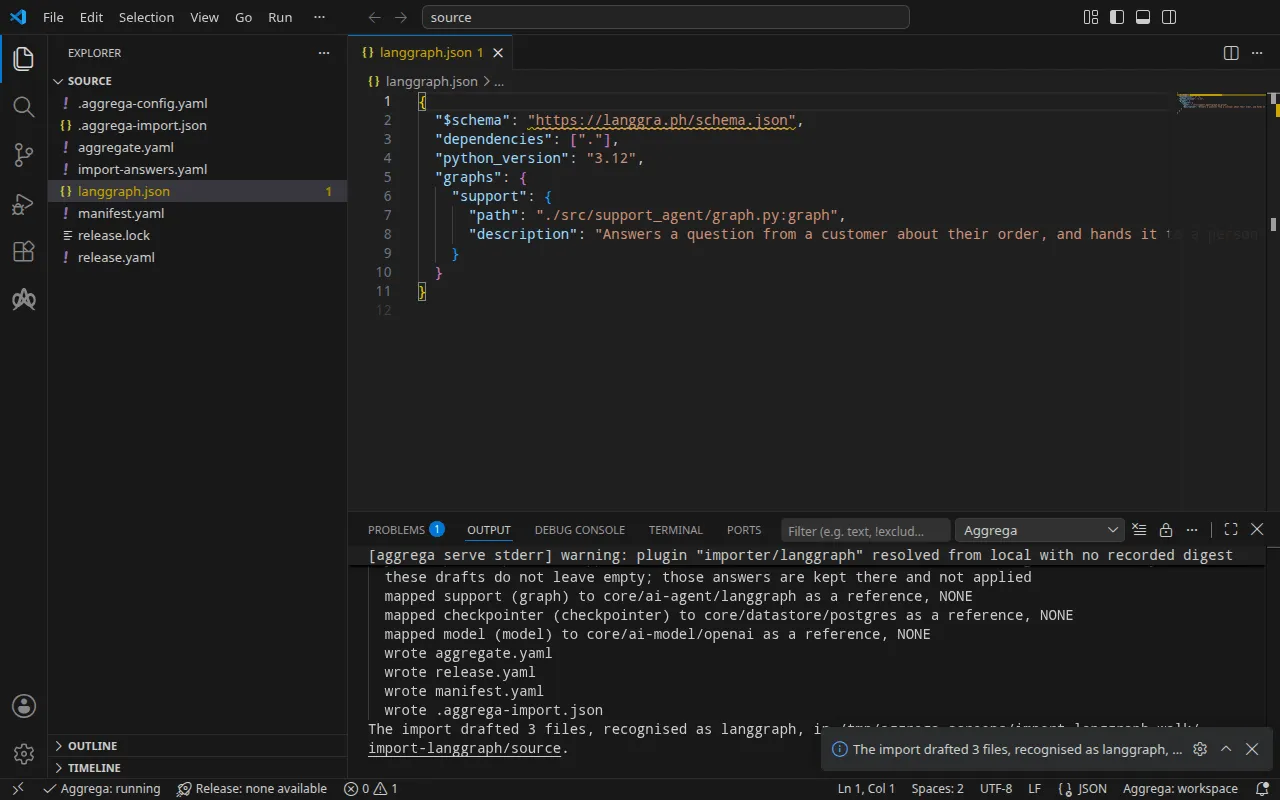
- บรรทัด
infoระบุคำ ตอบ ที่ ฉบับ ร่าง สำหรับ Docker Compose ไม่ ใช้ ซึ่ง เก็บ ไว้ ใน ไฟล์ คำ ตอบ สำหรับ บิลด์ สำหรับ Kubernetes - บรรทัด
mappedระบุว่า กราฟ เป็น อินสแตนซ์ ของ เอเจนต์ LangGraph ใน ไลบรารี มาตรฐาน คือ core/ai-agent/langgraphว่า checkpointer ของกราฟ ซึ่ง เป็น ที่ ที่ LangGraph เก็บ สถานะ ของ แต่ละ กราฟ เป็น อินสแตนซ์ ของ core/datastore/postgresเพราะการ กำหนด ค่า ไม่ ระบุ checkpointer และ LangGraph จึง เก็บ สถานะ ใน PostgreSQL และ ว่า โมเดล ที่ ทุก กราฟ เรียก เป็น อินสแตนซ์ ของ core/ai-model/openaiระดับของ บรรทัด เหล่า นี้ อ่าน ว่า NONE: การนำเข้า LangGraph อ้างอิง Components เหล่า นี้ ตาม สิ่ง ที่ การ กำหนด ค่า ประกาศ แทนที่ จะ ชั่ง น้ำ หนัก แต่ละ รายการ เทียบ กับ แค็ตตาล็อก การ กำหนด ค่าที่ checkpointer.backendเป็นmongoจะร่าง ด้วย core/datastore/ferretdbซึ่งใช้ โปรโตคอล ของ MongoDB บน core/datastore/documentdbโดยเชื่อม โยง ทั้ง สอง ตาม ที่ Aggregate FerretDB ของ แค็ตตาล็อก เชื่อม โยง และ ใช้ รหัส ผ่าน เดียว สำหรับ ทั้ง สอง - บรรทัด
Pull completeคือการนำ เข้า ดึง สิ่ง ที่ Release ที่ ร่าง พึ่งพา เหมือน ที่ aggrega pullทำ ลงในrelease.lockฉบับร่าง จึง ตรวจ สอบ ความ ถูก ต้อง และ บิลด์ ได้ ทันที ภาย ใต้ --offlineการนำเข้า ไม่ pull สิ่ง ใด และ ระบุ aggrega pullที่ต้อง รัน
สิ่งที่การนำเข้าเขียน
Aggregate, Release และ Manifest ตั้งimported/support ตามlanggraph.json ให้support เพราะtarget_namespace ของimported เว้น
aggregate.yaml ประกอบ
# LangGraph configurations read:# - langgraph.json# Not read: the application's code, which defines each graph; it runs in the image the Release names for each graph.# Not carried, since they configure the server image langgraph build builds, and the image the Release names is the application's own: dependencies, python_version.apiVersion: aggrega.ai/v1beta1kind: Aggregatemetadata: name: imported/support version: 0.1.0 description: Draft Aggregate imported from a source in the langgraph format.spec: components: support: type: core/ai-agent/langgraph values: graph_entrypoint: "./src/support_agent/graph.py:graph" description: "Answers a question from a customer about their order, and hands it to a person when it cannot." uses: checkpointer_db: postgres: target: postgres # For the compose target, the lines below declare credential on postgres: a secret the Release alone attaches arrives under the key value, so each is declared with a key of its own and no two arrive under one; the Release attaches its origin, naming this type or none. features: credential: type: core/secret-value values: key: POSTGRES_PASSWORD model: model: target: model # For the compose target, the lines below declare credential on model: a secret the Release alone attaches arrives under the key value, so each is declared with a key of its own and no two arrive under one; the Release attaches its origin, naming this type or none. features: credential: type: core/secret-value values: key: OPENAI_API_KEY # The database the configuration's checkpointer keeps each graph's state in, PostgreSQL. postgres: type: core/datastore/postgres features: # For the compose target, the lines below declare password on postgres: a secret the Release alone attaches arrives under the key value, so each is declared with a key of its own and no two arrive under one; the Release attaches its origin, naming this type or none. password: type: core/secret-value values: key: POSTGRES_PASSWORD # The model every graph calls, which the configuration does not name. model: type: core/ai-model/openai values: # Left for the author, since the configuration names no model: values.model, the name of the model core/ai-model/openai serves. model: "gpt-4o-mini"graph_entrypoint คือcheckpointer_db ของmodel เชื่อมimport-answers.yaml ไม่recursion_limit ค่า
release.yaml ประกอบ
apiVersion: aggrega.ai/v1beta1kind: Releasemetadata: name: imported/support # environment is a drafted default, since no source names the environment this Release deploys to; change it to name the one it deploys to. environment: development version: 0.1.0 description: Draft Release imported from a source in the langgraph format.spec: aggregate: imported/support manifest: imported/support components: # Each graph's image is the application's own, not the server image langgraph build builds: its code, with LangGraph installed. # It is handed, for its code to read, the graph to run as LANGGRAPH_GRAPH_ENTRYPOINT, the model's name as OPENAI_MODEL, the checkpointer store's host and port as LANGGRAPH_CHECKPOINTER_HOST and LANGGRAPH_CHECKPOINTER_PORT, its user and database, where the store publishes them, as LANGGRAPH_CHECKPOINTER_USER and LANGGRAPH_CHECKPOINTER_DATABASE, and a password attached on the checkpointer_db connection as LANGGRAPH_CHECKPOINTER_PASSWORD. # It is also handed the model's address as OPENAI_BASE_URL and a key attached on the model connection as OPENAI_API_KEY, which the OpenAI client library reads, and recursion_limit as LANGGRAPH_DEFAULT_RECURSION_LIMIT, which LangGraph reads. # An inject: block on the graph's own instance, through an entry reading graph_entrypoint alone, replaces LANGGRAPH_GRAPH_ENTRYPOINT with the name it writes; one on the model connection replaces OPENAI_MODEL, and one on the checkpointer_db connection the store's host, port, user and database, with the names it writes. support: infra: # Left for the Release, since the source cannot supply it: infra.image, the container image running the application image: "ghcr.io/example/support-agent:1.0.0" # Published on this machine's loopback address, 127.0.0.1: reachable from this machine only, by any process running on it. Delete this line to keep the service internal. published_port: 8000 uses: checkpointer_db: postgres: features: credential: type: core/secret-value infra: # Attached by reference, never as a value: the credential support presents to postgres on its checkpointer_db connection, the password of postgres (the configuration names no variable for it), read from the variable POSTGRES_PASSWORD, which a target substituting variable references, as Docker Compose does when the stack starts, reads from the environment, so no file carries the value. origin: "${POSTGRES_PASSWORD}" model: model: features: credential: type: core/secret-value infra: # Attached by reference, never as a value: the credential support presents to model on its model connection (the source names no variable for it, so it is read from the one OpenAI's client libraries read the API key from), read from the variable OPENAI_API_KEY, which a target substituting variable references, as Docker Compose does when the stack starts, reads from the environment, so no file carries the value. origin: "${OPENAI_API_KEY}" postgres: features: password: type: core/secret-value infra: # Attached by reference, never as a value: the password of postgres (the configuration names no variable for it), read from the variable POSTGRES_PASSWORD, which a target substituting variable references, as Docker Compose does when the stack starts, reads from the environment, so no file carries the value. origin: "${POSTGRES_PASSWORD}" model: {}สภาพdevelopment เป็นimport-answers.yaml กราฟinfra.port ซึ่ง${OPENAI_API_KEY} และ ${POSTGRES_PASSWORD} ไม่ใช่
manifest.yaml ประกอบ
apiVersion: aggrega.ai/v1beta1kind: Manifestmetadata: name: imported/support version: 0.1.0spec: mappings: components: type: core/ai-agent/langgraph: compose/langgraph core/datastore/postgres: compose/postgres core/ai-model/openai: compose/openai features: type: core/secret-value: compose/dotenv-secretrelease.lock บันทึก.aggrega-import.json เป็นaggrega import --sync ครั้ง
ตรวจสอบความถูกต้องและบิลด์
aggrega validate --release release.yamlaggrega build --release release.yaml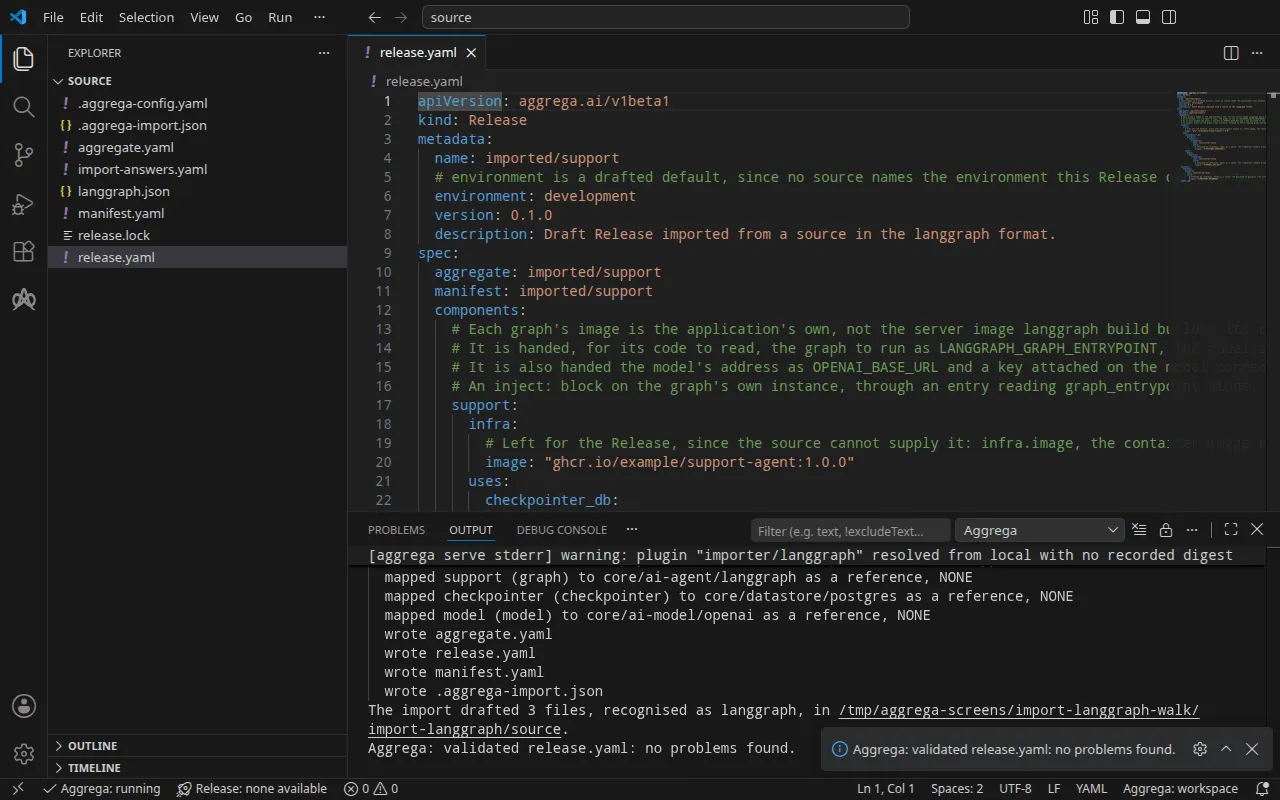
การ
notice: LINT: Feature "core/secret-value" at core/secret-value:1.0.0 declares property "origin" in both values: and infra: pillars (path: origin)release dependency validation passed: release.yaml (schema-pillar + dependency pillars)และ<workspace> แทน
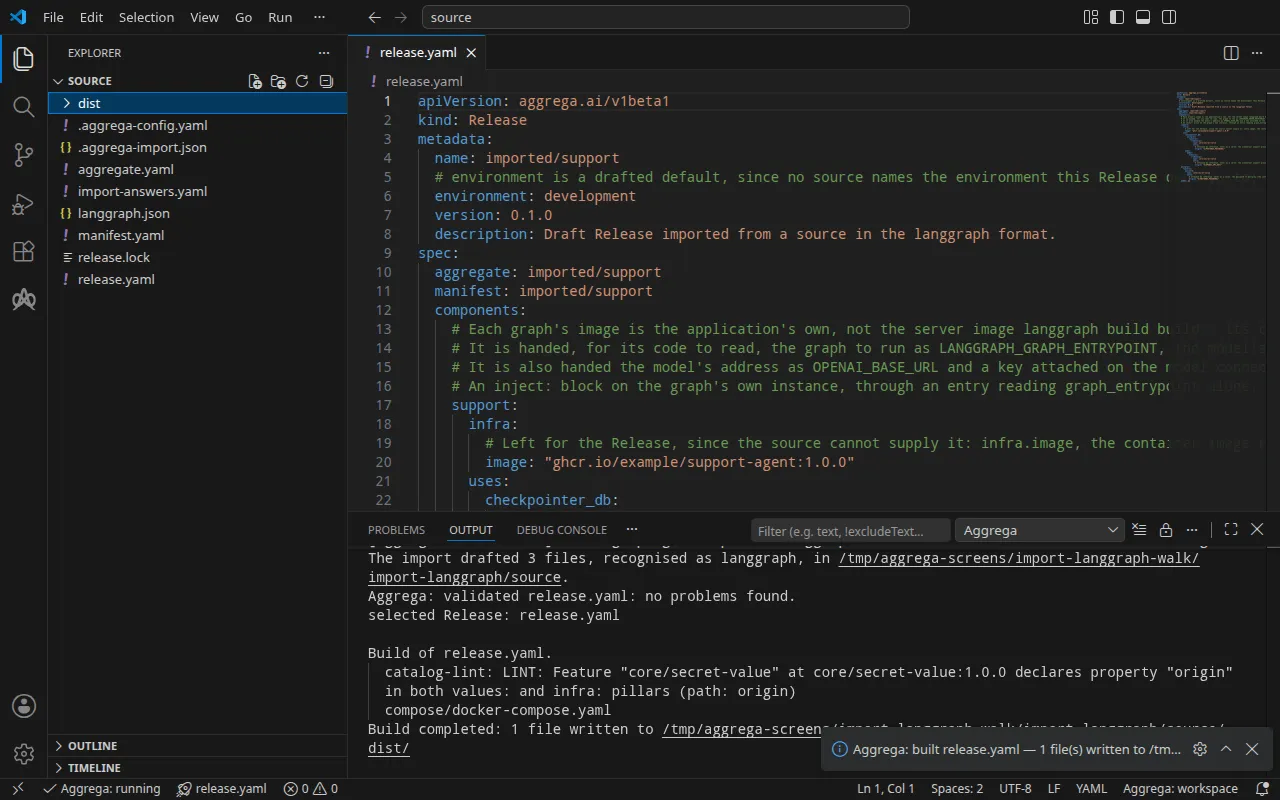
notice: LINT: Feature "core/secret-value" at core/secret-value:1.0.0 declares property "origin" in both values: and infra: pillars (path: origin)[… omitted: a total build time, which differs per run]Build completed: 1 file written to <workspace>/distบรรทัด notice เป็นorigin จาก values ของ Aggregate หรือ infra ของ Release และ
บิลด์dist/compose/docker-compose.yaml ซึ่ง
support: image: ghcr.io/example/support-agent:1.0.0 environment: LANGGRAPH_DEFAULT_RECURSION_LIMIT: "25" OPENAI_BASE_URL: https://api.openai.com/v1 OPENAI_MODEL: gpt-4o-mini LANGGRAPH_CHECKPOINTER_HOST: postgres LANGGRAPH_CHECKPOINTER_PORT: "5432" LANGGRAPH_CHECKPOINTER_USER: appuser LANGGRAPH_CHECKPOINTER_DATABASE: appdb LANGGRAPH_GRAPH_ENTRYPOINT: ./src/support_agent/graph.py:graph OPENAI_API_KEY: ${OPENAI_API_KEY} LANGGRAPH_CHECKPOINTER_PASSWORD: ${POSTGRES_PASSWORD} ports: - 127.0.0.1:8000:8000 [… omitted: the labels the build writes on every service, naming the Aggregate, the component, the environment and the compiler's version] networks: - compose depends_on: support--wait-for-store: condition: service_completed_successfully postgres: condition: service_startedกราฟappuser และ appdb ซึ่งinject: บนLANGGRAPH_DEFAULT_RECURSION_LIMIT ก็
postgres: image: postgres:16 environment: POSTGRES_USER: appuser POSTGRES_PASSWORD: ${POSTGRES_PASSWORD} POSTGRES_DB: appdb [… omitted: the labels the build writes on every service, the network, and a health check running PostgreSQL's pg_isready]บริการ
support--wait-for-store: image: hub.aggrega.ai/tools/quickstart-agent:1.0.1@sha256:a5f8dcfbb670d86a0cae0aadd2844bec93221a651238f8be3863873e261ee168 [… omitted: the command and the entrypoint, a bash loop that opens a connection to the address] environment: STORE_HOST: postgres STORE_PORT: "5432" [… omitted: the labels the build writes on every service, and the network] restart: "no"คีย์
กับผู้ช่วย AI
ผู้
ใช้เฉพาะเครื่องมือของ Aggrega และอย่าสร้างโฟลเดอร์เอง ถ้าโฟลเดอร์ Workspace ยังไม่มีโฟลเดอร์ `import-langgraph` เรียกเครื่องมือ `draft` หนึ่งครั้ง โดยตั้ง `example` เป็น `import-langgraph` และไม่ระบุ `dir`: เครื่องมือจะเขียนตัวอย่างลงในโฟลเดอร์ `import-langgraph` ใหม่ ซึ่งโฟลเดอร์ `source` ของโฟลเดอร์นั้นเก็บสิ่งที่หน้านี้นำเข้า จากนั้นเรียกเครื่องมือ `import` โดยตั้ง `workspace_root` เป็น `import-langgraph/source` ตั้ง `source` เป็น `.` และตั้ง `target` เป็น `compose`: เครื่องมืออ่านคำตอบที่ต้องใช้จาก `import-answers.yaml` ข้าง `langgraph.json` เขียนร่างลงใน `import-langgraph/source` และ pull สิ่งที่ร่างเหล่านั้นต้องใช้ จากนั้นเรียกเครื่องมือ `validate` โดยตั้ง `workspace_root` เป็น `import-langgraph/source` และตั้ง `release` เป็น `release.yaml` และเรียกเครื่องมือ `build` โดยตั้ง `workspace_root` เป็น `import-langgraph/source` ตั้ง `release` เป็น `release.yaml` และตั้ง `write` เป็น true บอกฉันว่าบิลด์เขียนไฟล์ใดบ้าง ไฟล์เหล่านั้นอยู่ใต้ `import-langgraph/source/dist/`เปิดใน VS Code
เมื่อimport-langgraph/source ใน VS Code ซึ่งrelease.yaml ที่dist/ ของ
วิธีรัน
คุณ
การlanggraph.json ระบุ คือ src/support_agent/graph.py โหนดOPENAI_MODEL ระบุ และLANGGRAPH_GRAPH_ENTRYPOINT ระบุ ซึ่งLANGGRAPH_CHECKPOINTER_ ที่POST /threads/<thread>/runs แต่ละghcr.io/example/support-agent:1.0.0 ใน import-answers.yaml และ--sync ซึ่ง
docker build -t order-support:local .aggrega import . --syncaggrega build --release release.yamlจาก
export OPENAI_API_KEY='your OpenAI key'export POSTGRES_PASSWORD='a password of your own'docker compose -p order-support -f dist/compose/docker-compose.yaml up -d --wait-p ระบุ--wait คืน
ทดสอบ
คำขอPOST /threads/<thread>/runs โปรแกรมpublished_port เผย
curl -sS -X POST http://127.0.0.1:8000/threads/order-1234/runs -H 'Content-Type: application/json' \ -d '{"message": "Where is my order 1234? It has not arrived yet."}'{ "thread": "order-1234", "error": "the run failed: OpenAIAuthenticationError: Error code: 401 - Incorrect API key provided: sk-place************-key. [… omitted: where to find an API key]"}การOPENAI_API_KEY เป็น
หยุด
docker compose -p order-support -f dist/compose/docker-compose.yaml down -v-v ลบ
บน Kubernetes นำ--target helm และ push อิมเมจimport-answers.yaml จากopenai-api-key และ support-db-password และ
kubectl port-forward deploy/support 8000:8000Forwarding from 127.0.0.1:8000 -> 8000Forwarding from [::1]:8000 -> 8000จาก
curl -sS -X POST http://127.0.0.1:8000/threads/order-1234/runs -H 'Content-Type: application/json' \ -d '{"message": "Where is my order 1234? It has not arrived yet."}'{ "thread": "order-1234", "error": "the run failed: OpenAIAuthenticationError: Error code: 401 - Incorrect API key provided: sk-place************-key. [… omitted: where to find an API key]"}