

导入 Microsoft Agent Framework 声明式智能体
本演练导入一个 Microsoft Agent Framework 的声明式智能体——一个通过 MCP 服务器搜索文档来回答问题的助手——并为 Docker Compose 构建该应用。导入会起草构建所读取的每个文件:智能体及其模型、智能体以变量引用形式提供给模型的密钥,以及二者各自的实现。它只询问一次那个任何声明式智能体都不包含的值,即你的应用运行所用的镜像。下面的每个文件和每段输出都来自一次真实运行;该声明式智能体以及演练的每个阶段都在 import-agent-framework 示例中,其中的检查脚本会再次运行导入,将它写出的内容、打印的内容以及本页引用的代码块与该处保存的文件进行比较,并验证和构建导入所写出的内容。
生成示例
你可以使用本页的命令运行此导入,也可以让你的 AI 助手替你运行。
将示例写入一个以其命名的新文件夹:
aggrega scaffold --example import-agent-framework然后它会打印接下来要运行的命令。第一条命令进入新文件夹;其后的那条命令见下文,它进入新文件夹的 source 文件夹,该文件夹包含本页导入的内容,也是运行导入的位置:
cd import-agent-framework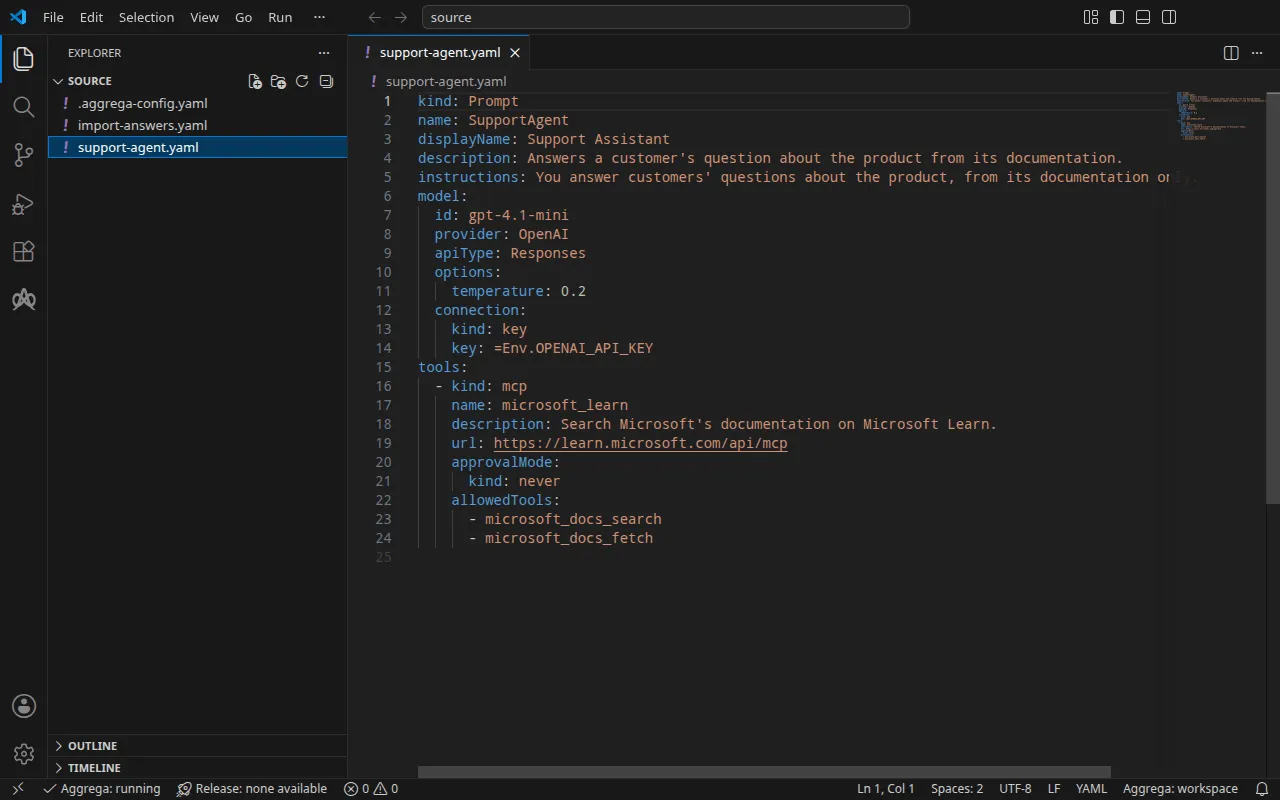
项目
基于 Agent Framework 构建的应用可以从声明式智能体加载智能体:声明式智能体是类型为 Prompt 的 YAML 文档,指定智能体的模型、指令和工具。这一个是为本演练编写的,指定了 OpenAI 的 gpt-4.1-mini 以及 Microsoft Learn 发布的 MCP 服务器:
kind: Promptname: SupportAgentdisplayName: Support Assistantdescription: Answers a customer's question about the product from its documentation.instructions: You answer customers' questions about the product, from its documentation only.model: id: gpt-4.1-mini provider: OpenAI apiType: Responses options: temperature: 0.2 connection: kind: key key: =Env.OPENAI_API_KEYtools: - kind: mcp name: microsoft_learn description: Search Microsoft's documentation on Microsoft Learn. url: https://learn.microsoft.com/api/mcp approvalMode: kind: never allowedTools: - microsoft_docs_search - microsoft_docs_fetch模型的密钥写为 =Env.OPENAI_API_KEY,因此该文件不包含任何密钥。只有当应用使用 AgentFactory(safe_mode=False)(Agent Framework 自身的安全设置)加载该声明式智能体,并且存在 .NET 运行时时,Agent Framework 才会从环境变量 OPENAI_API_KEY 读取该表达式;否则,密钥就是该表达式按原样书写的文本。加载该声明式智能体的应用代码从不会被导入读取,也不属于该示例。在该文件旁边,一个 .aggrega-config.yaml 使该文件夹成为工作区:
# The workspace key marks this directory as the workspace root, so an import run# here writes its drafts beside support-agent.yaml.workspace: {}# The registry the importer is fetched from the first time an import needs it.default_registry: hub.aggrega.ai导入会引用目录中的 Agent Framework 智能体和 OpenAI 模型 Components,并且 --target 会根据目录的 Recipes 起草一个 Manifest。该工作区没有指定任何目录文件夹,因此导入会从它获取导入器的那个注册表中读取标准库目录:这是已发布目录的一个签名快照,由第一次导入获取、验证并保存在工作区的内容缓存中,并在导入写在其草稿旁的记录中以其摘要指明。指定了自己的目录文件夹的工作区——在 AGGREGA_CATALOG_DIRS 中,或在 workspace.catalog_dirs 下——则改为与这些文件夹比对导入。
导入会询问什么
声明式智能体指定其模型,但从不指定应用运行所用的镜像:该镜像由你从自己的项目构建。目录中没有为基于 Agent Framework 构建的应用提供默认镜像,因此导入会询问它。在终端中运行且手头没有应答时,它会询问:
The drafts leave values empty that the source cannot hold. Answer each one, or press Enter to leave it for later in the answers file:
release.yaml spec.components.supportagent.infra.image  Container image running the application built on Microsoft Agent Framework.>
并将应答写入草稿以及 support-agent.yaml 旁边的 import-answers.yaml 中,这样下一次导入会从那里读取它,不再询问。没有终端时——在持续集成中,或通过管道——它不会询问:它写出该文件并让该键留空,然后停止,并指明该文件。示例中已包含该文件,其中镜像已应答为 ghcr.io/example/support-agent:1.0.0,它代表你构建的镜像:
# Values the import could not draft from the source, keyed by the drafted file and the key path inside# it. Write each one beside its key; an import of the same source, and a sync, read them from here and# ask nothing. A secret is never written here: its key asks where the secret comes from — a variable# name, ${NAME}, or the name of a Kubernetes Secret.release.yaml: # Container image running the application built on Microsoft Agent Framework. spec.components.supportagent.infra.image: "ghcr.io/example/support-agent:1.0.0" # The origin of the secret value, written by the operator in the Release. Read exactly as # values.origin is. Write it here or in values.origin, never in both. A secret: name where it comes # from, never the value. spec.components.supportagent.uses.model.gpt-4-1-mini.features.credential.infra.origin: "openai-api-key"第二个应答用于使用 --target helm 针对 Kubernetes 的构建:在那里,智能体从 Kubernetes Secret 中读取 OpenAI 密钥,而应答是该 Secret 的名称 openai-api-key,绝不是密钥本身。针对 Docker Compose 的构建则从你的 shell 中读取密钥,因此本次导入不使用该应答。导入应答文件 介绍了该文件、其中的问题以及机密应答的规则。
aggrega import 列出了该命令接受的每个标志,其中包括 --answers,它指定保存在其他位置的应答文件。
进入 source:
cd source运行导入
指定声明式智能体的文件。导入将每个声明式智能体作为单独的文件读取,从不读取目录:
aggrega import support-agent.yaml --target compose它在标准输出上列出所写的内容:
wrote aggregate.yamlwrote release.yamlwrote manifest.yamlwrote .aggrega-import.json在标准错误上,其中 <workspace> 代表你运行它的文件夹:
[… omitted: a warning that the importer runs unverified, printed where its module is read from beside its Plugin entity in a catalog folder rather than fetched]read as the agent-framework format, with drafted paths relative to <workspace>warn: the value of tools.microsoft_learn.url of node SupportAgent is carried as written in the Release the draft writes: the field belongs to an MCP server's configuration, which can carry a key, and setting empty_credentials to marked or all writes it emptyinfo: the answers file <workspace>/import-answers.yaml also answers spec.components.supportagent.uses.model.gpt-4-1-mini.features.credential.infra.origin in release.yaml, which these drafts do not leave empty; those answers are kept there and not appliedmapped SupportAgent (agent) to core/ai-agent/agent-framework as a reference, NONEmapped gpt-4.1-mini (model) to core/ai-model/openai as a reference, NONEmade no choice for SupportAgent#microsoft_learn (tool)Pull complete: <workspace>/release.lock (entities=8, source_artifacts=0, external_inputs=0)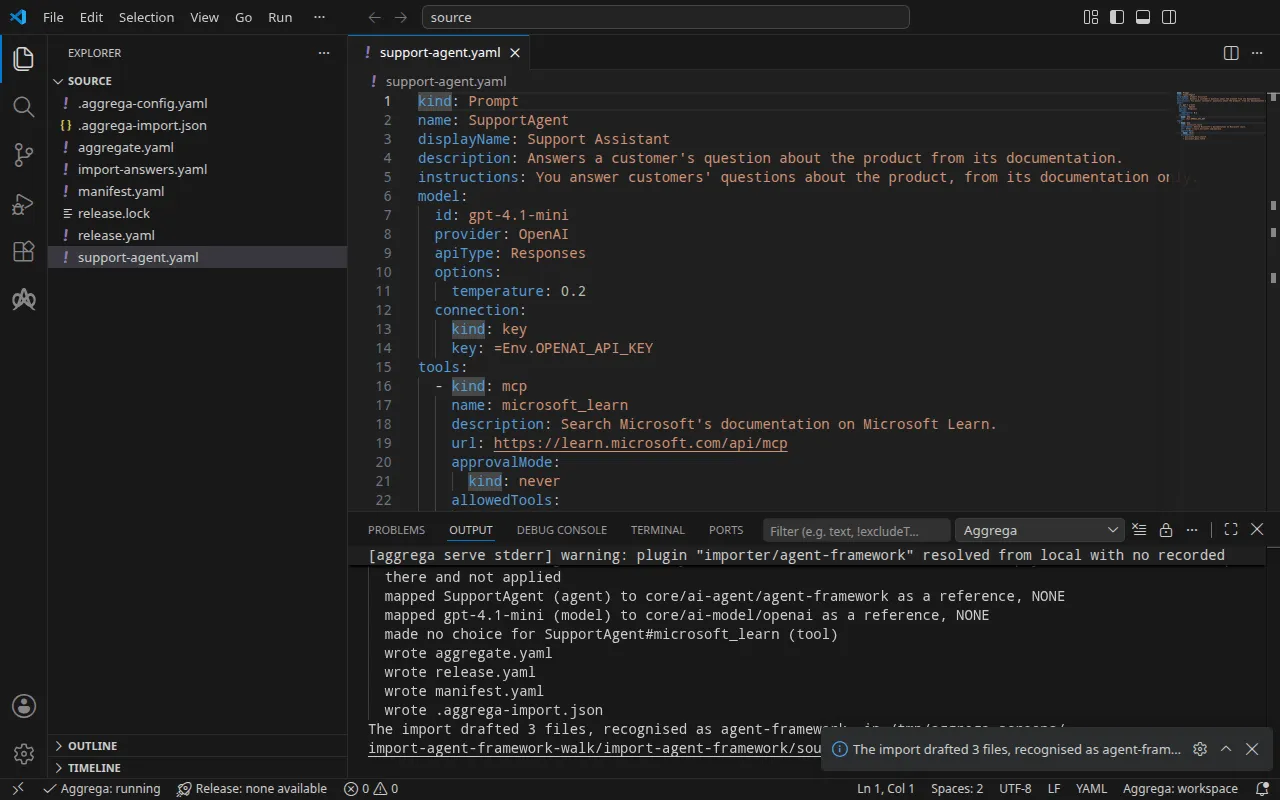
warn行指出一个可能携带密钥的值——MCP 服务器的地址——并说明它按原样携带。此地址不携带任何密钥。info行指明 Docker Compose 草稿不使用的应答,该应答保留在应答文件中,供针对 Kubernetes 的构建使用。mapped行说明该智能体是标准库的 Agent Framework 智能体core/ai-agent/agent-framework的一个实例,其模型是core/ai-model/openai的一个实例。它们的层级显示为NONE:Agent Framework 导入依据声明式智能体所指定的内容来引用这些 Components,而不是将每一项与目录进行比对。made no choice行是 MCP 服务器,导入不会将其起草为任何 Component,原因见aggregate.yaml中的注释。Pull complete这一行表示导入正在像aggrega pull那样,将草拟的 Release 所依赖的内容获取到release.lock中,使草稿可以立即通过验证并构建。在--offline下,导入不拉取任何内容,并给出需要运行的aggrega pull。
它写出的内容
该 Aggregate、Release 和 Manifest 命名为 imported/supportagent,取自智能体的 name,即 SupportAgent,缩减为 supportagent——不读取其 displayName——位于导入器的 target_namespace 设置所设定的命名空间下,除非你另行设置,否则该命名空间为 imported(设置)。
aggregate.yaml——连接到其模型的智能体(它出示的密钥在该连接上声明),以及该模型:
# Not read: the application's code, which loads each declarative agent and binds the functions of its function tools; the application runs in the image the Release names for each instance, and loads its declarative agents itself.apiVersion: aggrega.ai/v1beta1kind: Aggregatemetadata: name: imported/supportagent version: 0.1.0 description: Draft Aggregate imported from a source in the agent-framework format.spec: components: # The declarative agent SupportAgent. # Read by the application from the declarative agent, and taken by no key of core/ai-agent/agent-framework: instructions, the options of its model requests (temperature). # The MCP server microsoft_learn, drafted as no Component and no connection, since Agent Framework sends it to the model's provider as a hosted tool, and the provider, not the application, reaches it at its url, which must therefore be reachable from the provider; its url is written above supportagent's entry in the Release. # Stated by the declarative agent for microsoft_learn: its description, "Search Microsoft's documentation on Microsoft Learn."; its approval mode, never; the tools of the server it allows, microsoft_docs_search, microsoft_docs_fetch. supportagent: type: core/ai-agent/agent-framework values: display_name: "Support Assistant" description: "Answers a customer's question about the product from its documentation." uses: model: gpt-4-1-mini: target: gpt-4-1-mini # For the compose target, the lines below declare credential on gpt-4-1-mini: a secret the Release alone attaches arrives under the key value, so each is declared with a key of its own and no two arrive under one; the Release attaches its origin, naming this type or none. features: credential: type: core/secret-value values: key: OPENAI_API_KEY # The model gpt-4.1-mini, which SupportAgent names with the OpenAI provider. gpt-4-1-mini: type: core/ai-model/openai values: model: "gpt-4.1-mini"MCP 服务器既不是 Component,也不是智能体的连接:Agent Framework 将它作为托管工具发送给模型的提供商,由提供商而非应用通过其 url 访问它,因此该地址必须能从提供商处访问。指令、模型请求的选项,以及该服务器的描述、审批模式和允许的工具,都保留在由应用读取的声明式智能体中;注释逐一指出了它们。OpenAI 的 API 是托管服务,因此智能体的 Component 会拒绝不携带任何凭据的、指向它的连接;该连接在键 OPENAI_API_KEY 下声明了一个凭据,即声明式智能体从中读取其密钥的变量。
release.yaml — 环境、镜像、发布的端口,以及密钥的来源:
apiVersion: aggrega.ai/v1beta1kind: Releasemetadata: name: imported/supportagent # environment is a drafted default, since no source names the environment this Release deploys to; change it to name the one it deploys to. environment: development version: 0.1.0 description: Draft Release imported from a source in the agent-framework format.spec: aggregate: imported/supportagent manifest: imported/supportagent components: # The declarative agent also states these values for its model and its MCP servers, written here for review: # - model.connection.key, written as =Env.OPENAI_API_KEY, which Agent Framework reads from the environment variable OPENAI_API_KEY only where the application loads the declarative agent with AgentFactory(safe_mode=False), Agent Framework's own security setting, and a .NET runtime is present; otherwise the value is the expression's text as written # - tools.microsoft_learn.url: "https://learn.microsoft.com/api/mcp" supportagent: infra: # Left for the Release, since the source cannot supply it: infra.image, the container image running the application built on Agent Framework, holding its declarative agent image: "ghcr.io/example/support-agent:1.0.0" # Published on this machine's loopback address, 127.0.0.1: reachable from this machine only, by any process running on it. Delete this line to keep the service internal. published_port: 8000 uses: model: gpt-4-1-mini: features: credential: type: core/secret-value infra: # Attached by reference, never as a value: the credential supportagent presents to gpt-4-1-mini on its model connection, read from the variable OPENAI_API_KEY, which a target substituting variable references, as Docker Compose does when the stack starts, reads from the environment, so no file carries the value. origin: "${OPENAI_API_KEY}" gpt-4-1-mini: {}环境 development 是导入写入的默认值,因为没有任何声明式智能体指定环境;当该 Release 部署到其他地方时,请修改它。镜像是导入从 import-answers.yaml 读取的答案。智能体发布在你机器的回环地址上,端口为 8000,并转发到其程序监听的端口 infra.port,未设置时为 8000。密钥是变量引用 ${OPENAI_API_KEY},以声明式智能体读取的变量命名,从不是一个值。MCP 服务器的地址按声明式智能体陈述的原样写出,以供审阅,且不在其他任何地方设置:Agent Framework 在其发给模型的请求中将它交给提供商。
manifest.yaml——智能体和模型的 Compose Recipe,以及将密钥的变量引用按原样写入 Compose 文件的实现:
apiVersion: aggrega.ai/v1beta1kind: Manifestmetadata: name: imported/supportagent version: 0.1.0spec: mappings: components: type: core/ai-agent/agent-framework: compose/agent-framework core/ai-model/openai: compose/openai features: type: core/secret-value: compose/dotenv-secretrelease.lock 按摘要记录该 Release 解析到的目录实体,.aggrega-import.json 则是导入所写内容的记录,之后的 aggrega import --sync 会读取它。
验证并构建
aggrega validate --release release.yamlaggrega build --release release.yaml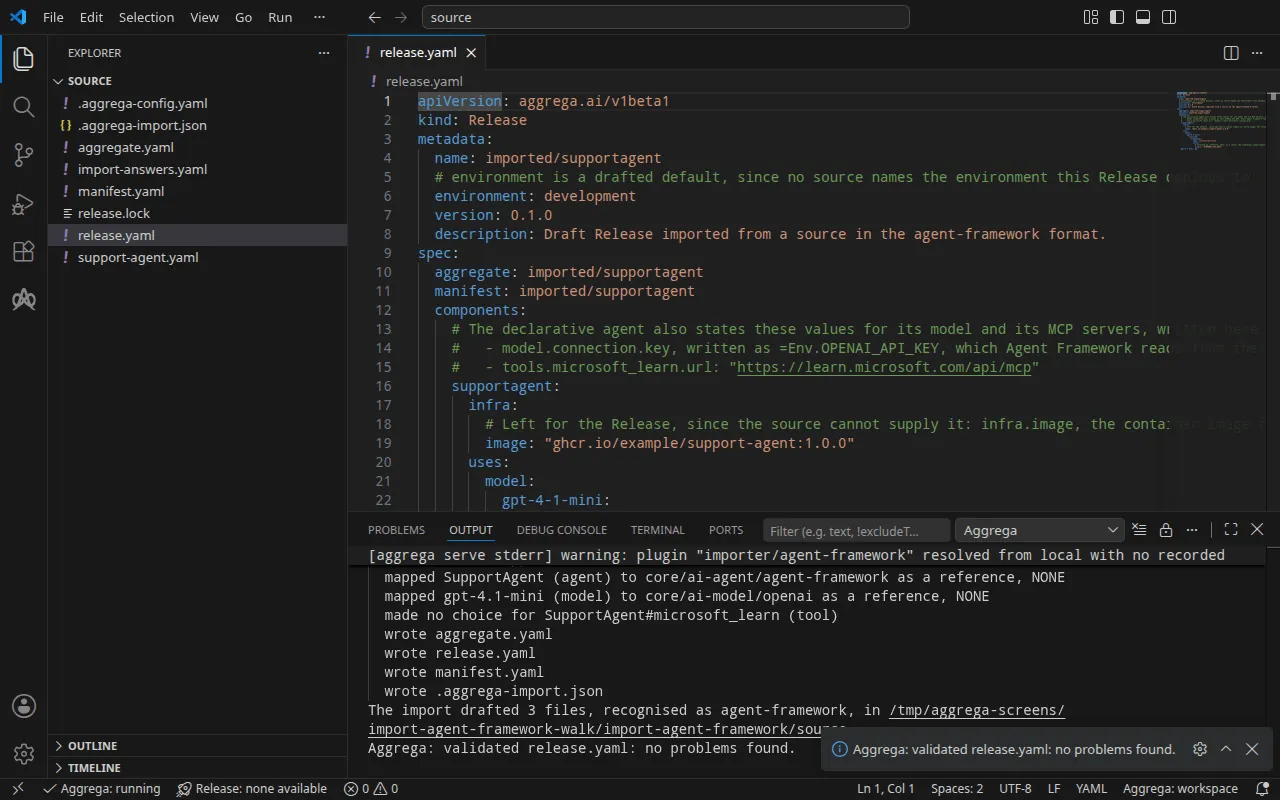
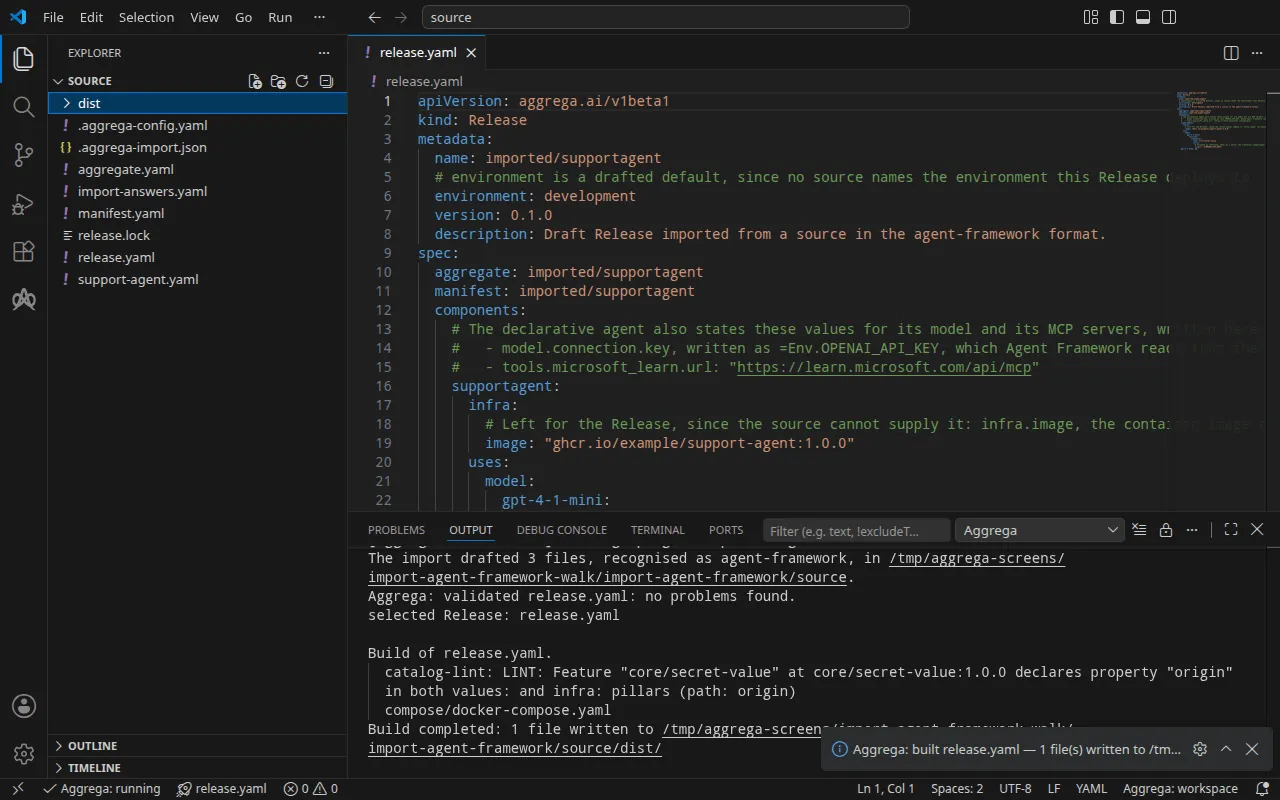
验证打印:
notice: LINT: Feature "core/secret-value" at core/secret-value:1.0.0 declares property "origin" in both values: and infra: pillars (path: origin)release dependency validation passed: release.yaml (schema-pillar + dependency pillars)以及构建,其中 <workspace> 代表你运行它的文件夹:
notice: LINT: Feature "core/secret-value" at core/secret-value:1.0.0 declares property "origin" in both values: and infra: pillars (path: origin)[… omitted: a total build time, which differs per run]Build completed: 1 file written to <workspace>/distnotice 行仅供参考:机密 Feature 从 Aggregate 的 values 或 Release 的 infra 接受其 origin,该通知报告有一个叶节点在两者中都有声明。它不会改变任何判定结果。
dist/compose/docker-compose.yaml 中智能体的服务:
services: supportagent: image: ghcr.io/example/support-agent:1.0.0 environment: OPENAI_BASE_URL: https://api.openai.com/v1 OPENAI_MODEL: gpt-4.1-mini OPENAI_API_KEY: ${OPENAI_API_KEY} ports: - 127.0.0.1:8000:8000 [… omitted: the labels the build writes on every service, naming the Aggregate, the component, the environment and the compiler's version] networks: - compose应用通过 Agent Framework 的 OpenAI 客户端读取的变量接收模型的地址、名称和密钥,因此当应用按照项目中所述的方式加载声明式智能体时,该智能体的 =Env.OPENAI_API_KEY 读取的就是 Release 附加的密钥。没有任何变量携带 MCP 服务器的地址,该服务器由提供商访问。模型不会获得自己的服务:智能体通过 OpenAI API 自身的地址访问它。密钥是一个变量引用,在栈启动时从你的 shell 中填充。该服务只在 127.0.0.1 上发布其端口。
借助 AI 助手
配置了 Aggrega 工具的 AI 助手也可以完成同样的操作:将下面的提示词粘贴给它。
只使用 Aggrega 工具,不要自己创建任何文件夹。如果 Workspace 文件夹中还没有 `import-agent-framework` 文件夹,就调用一次 `scaffold` 工具,将 `example` 设为 `import-agent-framework`,且不设 `dir`:它会把示例写入一个新的 `import-agent-framework` 文件夹,其中的 `source` 文件夹包含本页导入的内容。然后调用 `import` 工具,将 `workspace_root` 设为 `import-agent-framework/source`,`source` 设为 `support-agent.yaml`,`target` 设为 `compose`:它会从 `support-agent.yaml` 旁边的 `import-answers.yaml` 读取所需的回答,把草稿写入 `import-agent-framework/source`,并拉取草稿所需的内容。然后调用 `validate` 工具,将 `workspace_root` 设为 `import-agent-framework/source`,`release` 设为 `release.yaml`;再调用 `build` 工具,将 `workspace_root` 设为 `import-agent-framework/source`,`release` 设为 `release.yaml`,`write` 设为 true。告诉我构建写入了哪些文件;它们位于 `import-agent-framework/source/dist/` 下。在 VS Code 中打开
安装 Aggrega 的 Visual Studio Code 扩展后,在 VS Code 中打开文件夹 import-agent-framework/source,导入就把草稿写在这里。该文件夹只包含一个 Release,即草拟的 release.yaml,因此编辑器会替你选中它,并在你编辑草稿时对照该 Release 检查它们,把发现的问题标记在文件中和“问题”面板中。命令面板中的 Aggrega: Show topology graph 会绘制该 Release 的组件及它们之间的连接。Aggrega: Build、Aggrega: Preview build 和 Aggrega: Pull 作用于同一个 Release,并且每一个也是活动栏中 Aggrega 视图的 Commands 面板上的一个按钮;Build 把文件写入该文件夹的 dist/。其余内容见 在 Visual Studio Code 中使用 Aggrega。
运行
你需要使用自己的 Dockerfile 从项目构建该镜像:其中包含应用的代码,安装了 Agent Framework,并带有声明式智能体。由于 Recipe 没有设置任何命令,Docker Compose 会将镜像自身的命令作为智能体的服务运行,因此该命令必须保持运行;如果你想访问该智能体,它还必须处理请求。地址、路由和回复由你的程序决定。
下面的运行使用了这样一个镜像:带有 Agent Framework 的 agent-framework-core、agent-framework-openai 和 agent-framework-declarative 包的 Python,一个 .NET 运行时——镜像将 DOTNET_ROOT 设置为其目录,并设置了 DOTNET_SYSTEM_GLOBALIZATION_INVARIANT=1——support-agent.yaml,以及作为镜像命令的、该程序自己的一个小型 HTTP 服务器,监听端口 8000。该服务器使用 AgentFactory(safe_mode=False) 加载声明式智能体,因此其 =Env.OPENAI_API_KEY 读取构建所交付的密钥,并针对每个 POST /ask 运行一次智能体。在项目根目录构建你的镜像,在 import-answers.yaml 中用其名称替换 ghcr.io/example/support-agent:1.0.0,然后使用 --sync 再次导入,它会将新的答案写入草稿并再次拉取;然后构建:
docker build -t docs-assistant:local .aggrega import support-agent.yaml --syncaggrega build --release release.yaml以 docs-assistant:local 作为答案时,同步会在其打印的各行中指出它更改的那一个值:
changed spec.components.supportagent.infra.image in release.yaml然后在你的 shell 中设置密钥并启动栈:
export OPENAI_API_KEY='your OpenAI key'docker compose -p docs-assistant -f dist/compose/docker-compose.yaml up -d --wait-p 为项目命名,正如 导入如何运行 中的运行步骤所解释的那样。
测试
下面的请求会到达本演练的镜像所运行的程序:一个位于端口 8000 上的小型 HTTP 服务器之后的声明式智能体,它响应 POST /ask。你自己的程序决定它自己的路由和回复。在程序开始监听后,即栈启动几秒钟之后,将它发送到 http://127.0.0.1:8000,即 published_port 发布的地址:
curl -sS -X POST http://127.0.0.1:8000/ask -H 'Content-Type: application/json' \ -d '{"question": "In one short sentence: what is Azure Container Apps?"}'{"error": "the agent failed: ChatClientException: (\"<class 'agent_framework_openai._chat_client.OpenAIChatClient'> service failed to complete the prompt: Error code: 401 - Incorrect API key provided: sk-place************-key. [… omitted: where to find an API key, and the same error repeated as the exception it wraps]"}这次运行把 OPENAI_API_KEY 设成了一个占位值,因此回复是 OpenAI 对它的拒绝,由程序转发出来。OpenAI 拒绝的密钥正是那个占位值,以掩码形式显示,因此声明式智能体的 =Env.OPENAI_API_KEY 是从构建所提供的环境中读取到它的。
使用以下命令停止该栈:
docker compose -p docs-assistant -f dist/compose/docker-compose.yaml down在 Kubernetes 上,使用 --target helm 导入,并把镜像推送到你的集群拉取镜像的镜像仓库,在 import-answers.yaml 中写明它。然后创建 Secret openai-api-key 并应用构建结果,如 导入如何运行 中的运行步骤所述。该智能体的 Deployment 没有 Service,因此要把一个本地端口转发给它。该命令会一直运行,直到你停止它:
kubectl port-forward deploy/supportagent 8000:8000Forwarding from 127.0.0.1:8000 -> 8000Forwarding from [::1]:8000 -> 8000在另一个终端中,向转发的端口发送同样的请求:
curl -sS -X POST http://127.0.0.1:8000/ask -H 'Content-Type: application/json' \ -d '{"question": "In one short sentence: what is Azure Container Apps?"}'{"error": "the agent failed: ChatClientException: (\"<class 'agent_framework_openai._chat_client.OpenAIChatClient'> service failed to complete the prompt: Error code: 401 - Incorrect API key provided: sk-place************-key. [… omitted: where to find an API key, and the same error repeated as the exception it wraps]"}